

Selecting ZATCA Submission Mode in "Edara 3.0"
Last updated:
Suppose you're using “Edara 3.0” in Saudi Arabia and integrated with ZATCA. In that case, you may need to switch your integration's submission mode to "Submit Instant" to ensure all invoices are automatically sent to the “Fatoora” portal without manual intervention.
Selecting ZATCA Submission Mode in "Edara 3.0"

- Go to System.
- Open the “Settings” page.
- Set the Submission Mode for the ZATCA integration (It is recommended to select Instant Submission).
- Click on “Save”.
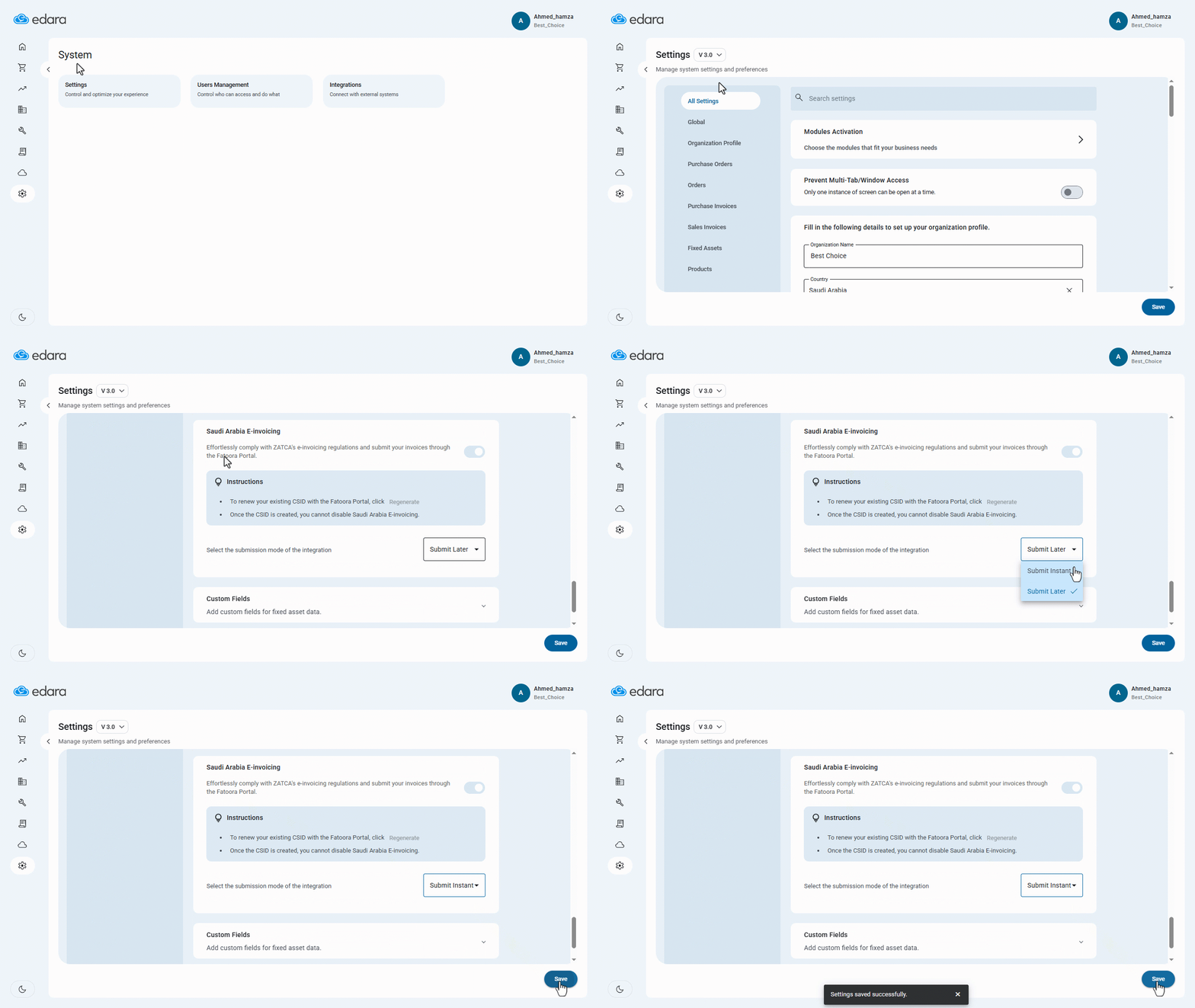
Note: There are two submission modes available for ZATCA:
- Submit Later: After issuing invoices, you’ll need to manually go to the “Sales Invoices” page and submit them to the “Fatoora” Portal.
- Submit Instant: Invoices are submitted automatically to ZATCA as soon as they are issued.
Frequently asked questions
What is the difference between Instant Submit and Submit Later?
There are two submission modes available for ZATCA: Submit Later: After issuing invoices, you’ll need to manually go to the “Sales Invoices” page and submit them to the “Fatoora” Portal, Submit Instant: Invoices are submitted automatically to ZATCA as soon as they are issued.
If you encounter any challenges or have questions during these processes, you can contact our technical support team, who are ready to assist you at any time.