

Integration between "Edara 3.0" and ZATCA
Last updated:
When using Edara 3.0 in Saudi Arabia, you need to integrate with Zakat, Tax and Customs Authority (ZATCA) to ensure full tax compliance.
Steps to integrate Edara 3.0 with ZATCA
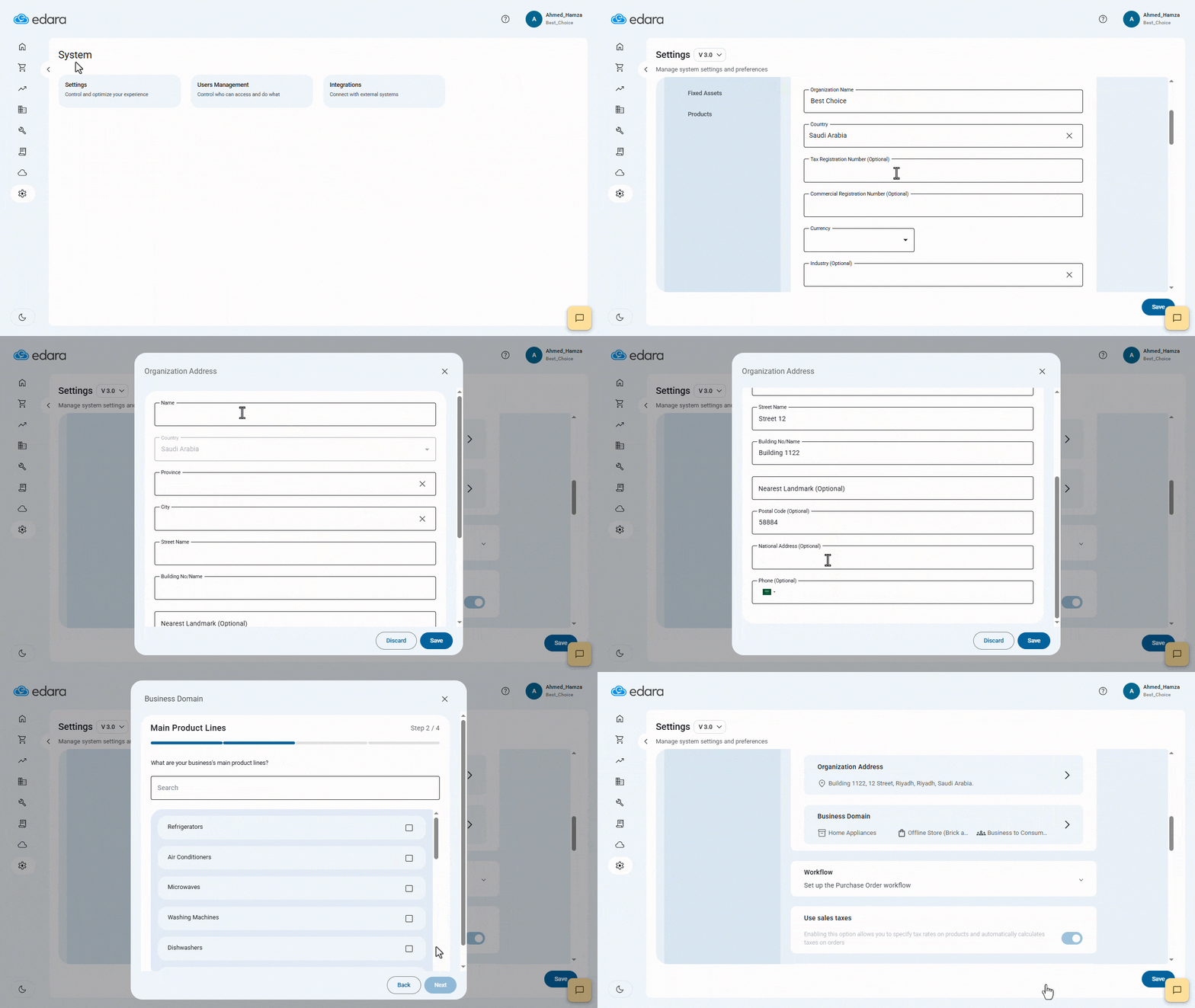
- Go to the System.
- Open the Settings page.
- Enter your company profile details: ( Organization Name - Country - Tax Registration Number - Commercial Registration Number - Currency - Industry - Organization Address - Business Domain )
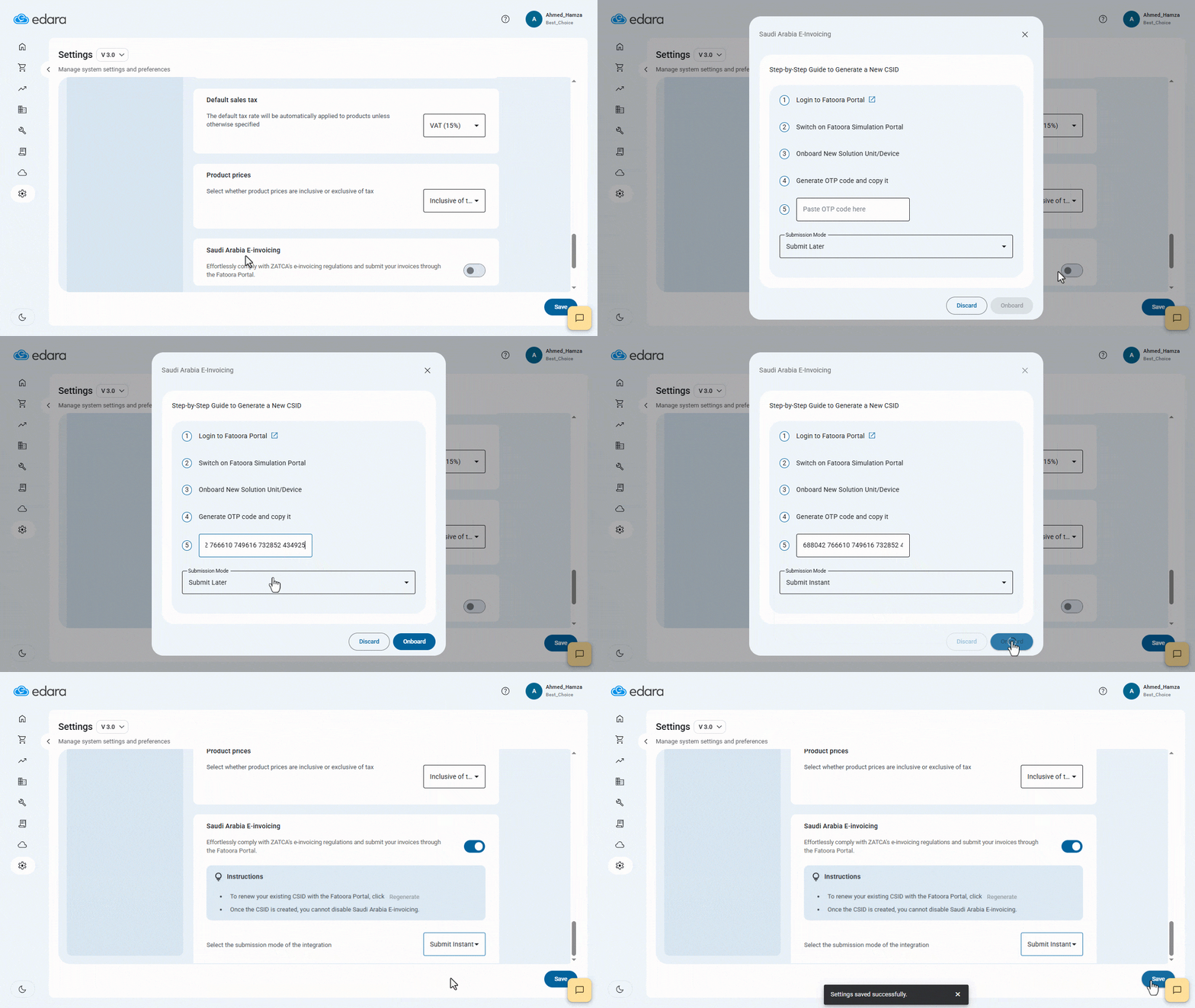
- Click on ”
 ” to enable ZATCA Integration.
 - Follow the steps to generate a One-Time Password (OTP).
- Select your preferred submission mode: Instant Submission or Later Submission.
- Click on “Onboard”.
- Click on “Save”.
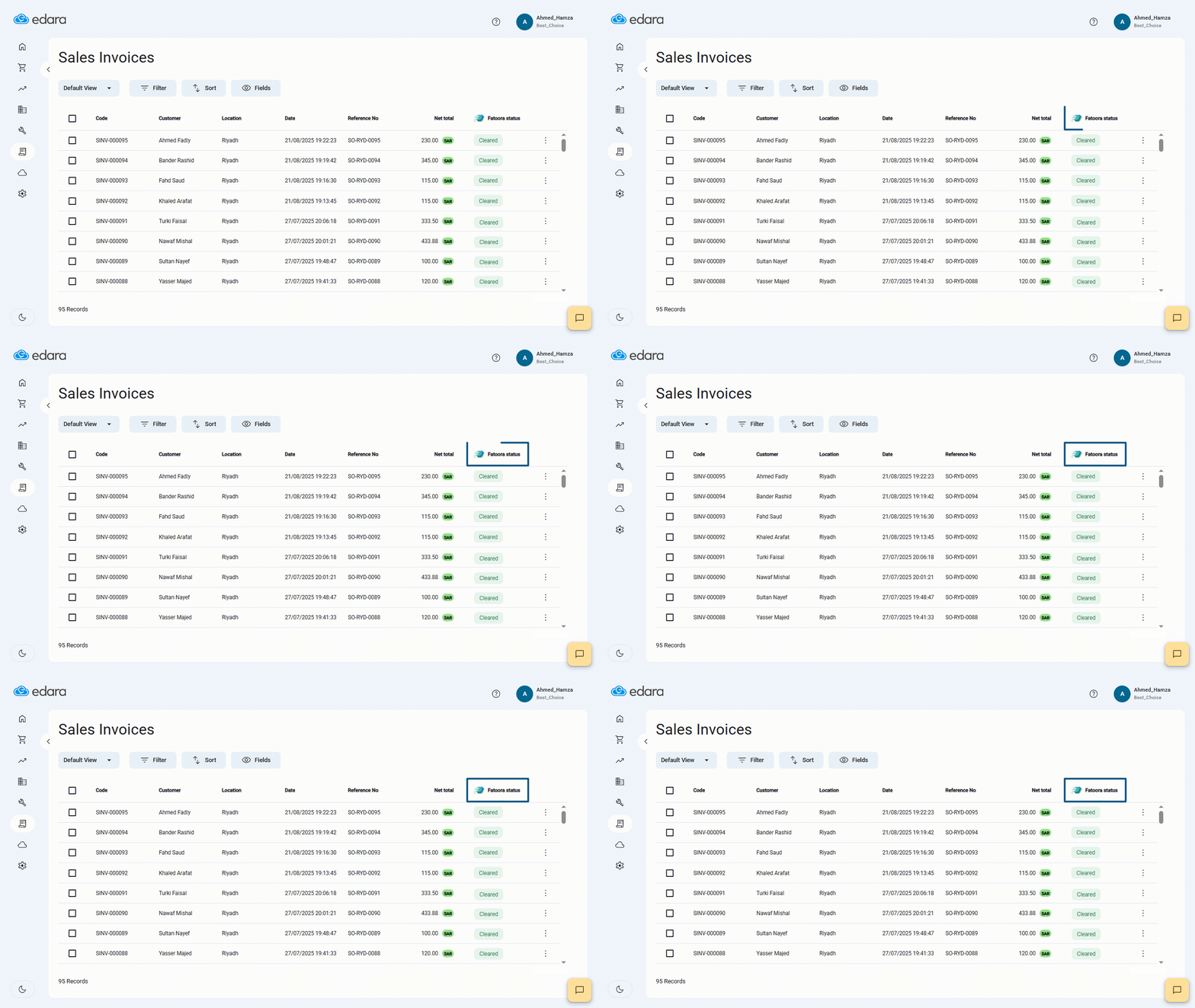
After activation, a new column will appear in the Sales Invoices page showing the invoice submission status called “Fatoora Status”, as illustrated in the screenshot below:
If you encounter any challenges or have questions during these processes, you can contact our technical support team, who are ready to assist you at any time.
Did this answer your question?