

Integrating Between "Edara" and "Fatoora" Platform
Last updated:
One of the main requirements for the second phase of Saudi Arabia’s E-Invoicing system is integrating the taxpayer’s e-invoicing system with the Zakat, Tax, and Customs Authority (ZATCA) through “Fatoora” platform.
This integration enables you to send invoices directly to the Authority and ensures full tax compliance.
Integrating Between "Edara" and "Fatoora" Platform
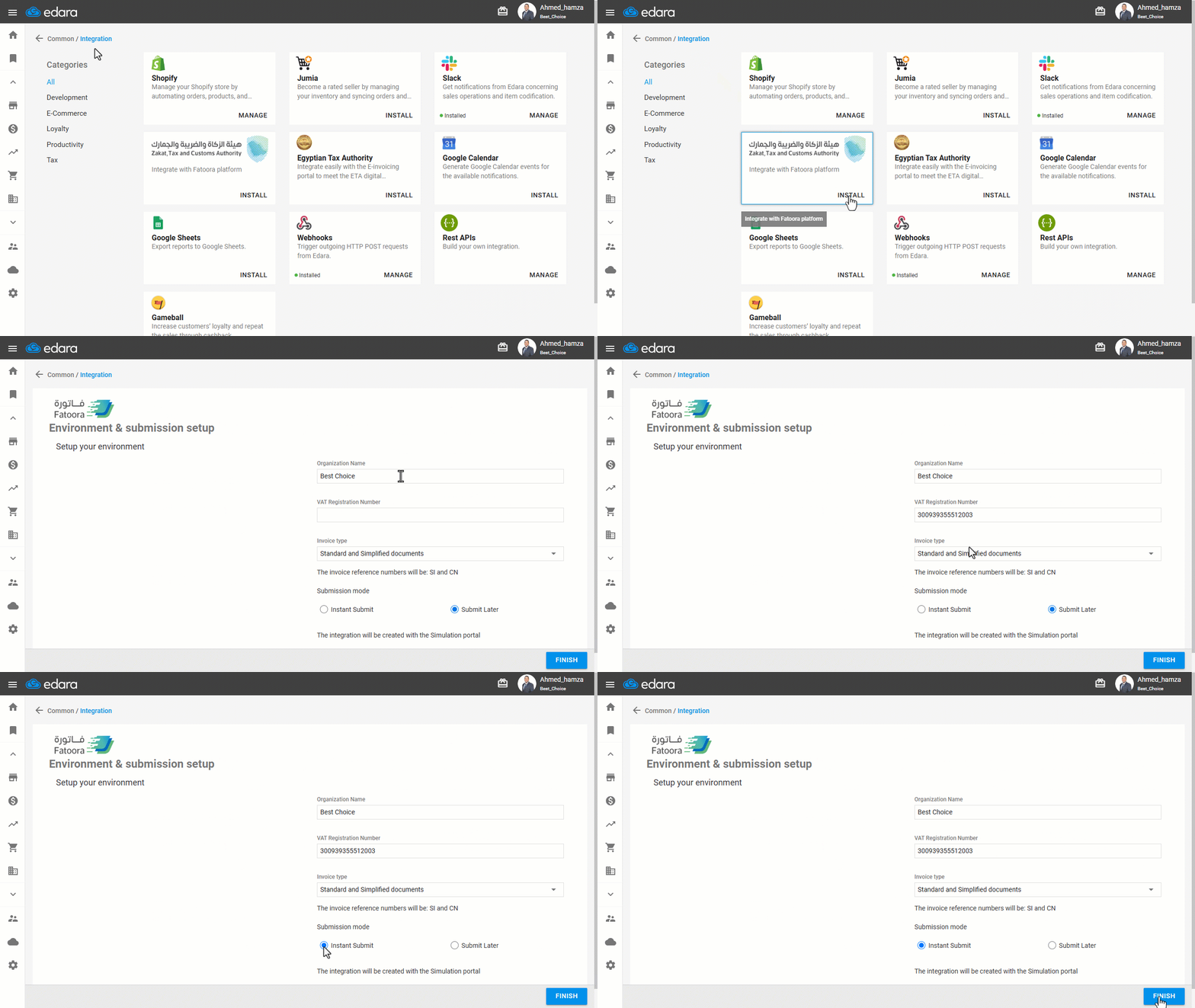
- Go to “Data”.
- Open the “Integration” page.
- Click on “Install” under the “Zakat, Tax and Customs Authority” logo.
- Enter the Main Organization Details: (Organization Name – VAT Registration Number).
- Select the “Invoice Type”.
Note: Choosing the correct invoice type determines the required signature type.
- Standard documents only: if you deal with businesses (B2B).
- Simplified documents only: if you deal with individual customers (B2C).
- Standard and Simplified documents: it’s recommended to ensure the appropriate signature is applied automatically.
- Select the Submission mode “Instant Submit” or “Submit Later”
- Click on “Finish”.
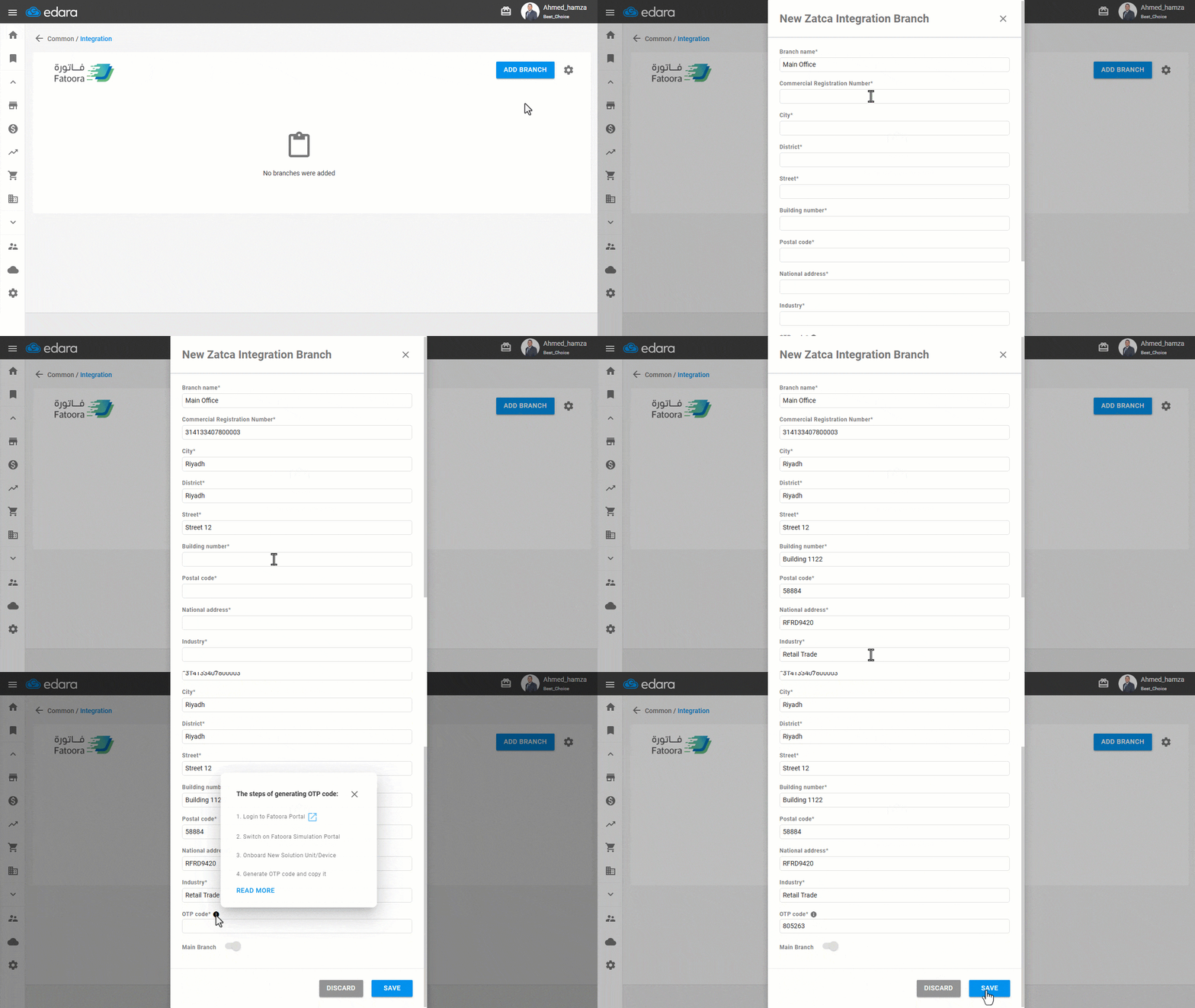
- Click on “Add Branch”
- Enter the main branch Details (Branch Name – Commercial Registration Number – City – District – Street – Building Number – Postal Code – National Address – Industry - OTP Code).
- Click on “Save”.
Notes:
- If you’re unsure about your national address number, you can find it on the SPL website.
- To obtain the One-Time Password (OTP), log in to the “Fatoora” platform, then click on “Initiate a New Device/Unit”, and click on “Generate OTP”.
Frequently asked questions
Which invoice type should I choose?
Standard and Simplified documents: it’s recommended to ensure the appropriate signature is applied automatically.
How do I get the One-Time Password (OTP)?
To obtain the One-Time Password (OTP), log in to the “Fatoora” platform, then click on “Initiate a New Device/Unit”, and click on “Generate OTP”.
If you encounter any challenges or have questions during these processes, you can contact our technical support team, who are ready to assist you at any time.