

Adjusting Master Data to Meet ZATCA Integration Requirements
Last updated:
To successfully integrate Edara with the Zakat, Tax and Customs Authority (ZATCA) in Saudi Arabia, it is essential to ensure that certain basic data is properly configured. This guarantees that invoices are submitted in compliance with ZATCA’s specifications.
Adjusting Master Data to Meet ZATCA Integration Requirements
These data are categorized into:
1. Stock Item Data
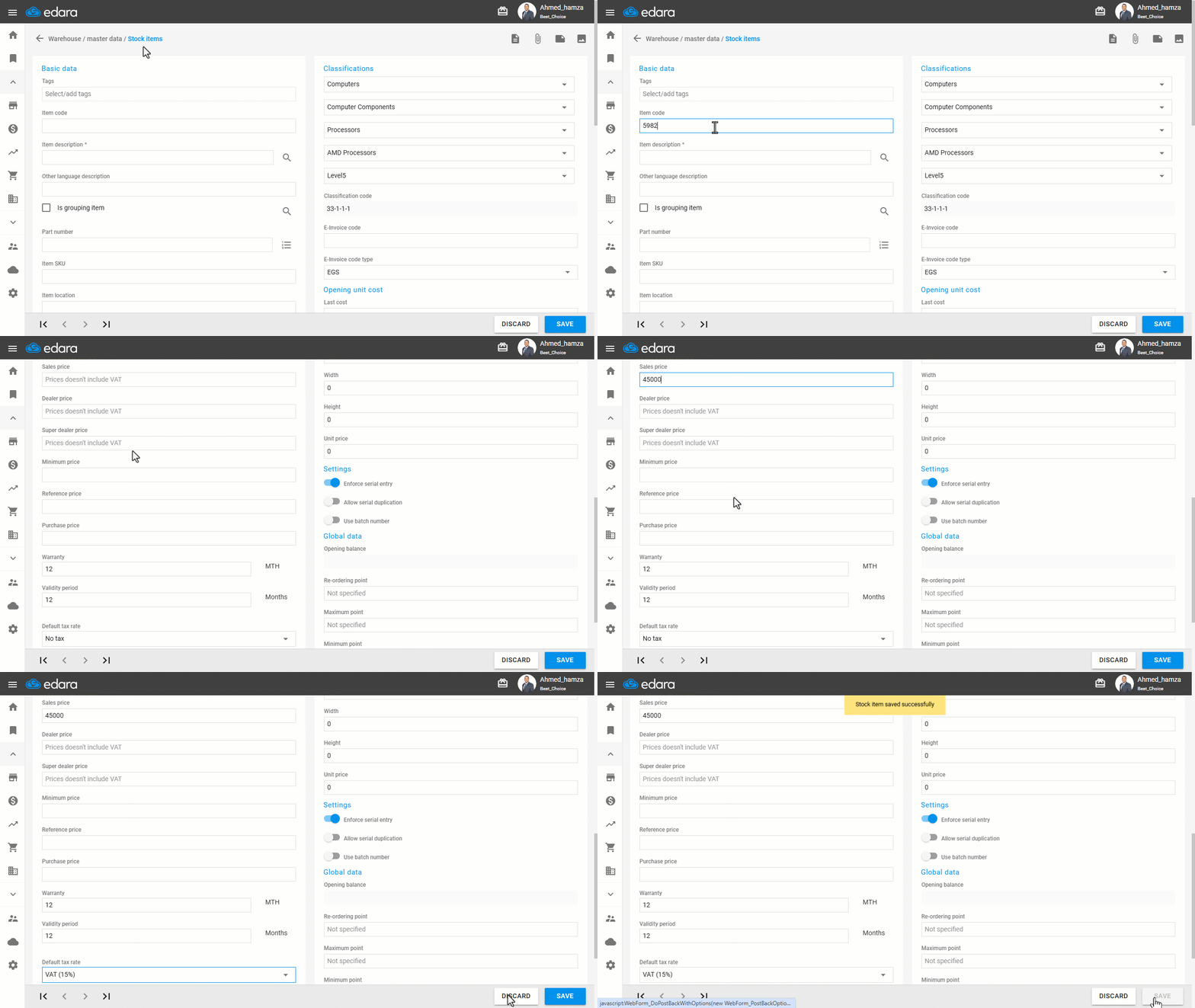
- Go to the Warehouse module.
- Open the “Stock Items” page.
- Click on “New”.
- Enter the Item Code.
Note: The item code must not exceed 6 characters for the invoice to be accepted.
- Set the “Default Tax Rate” to 15% VAT.
Note: If the item is tax-exempt, select 0% VAT instead.
- Click on “Save”.
2. Customer Data
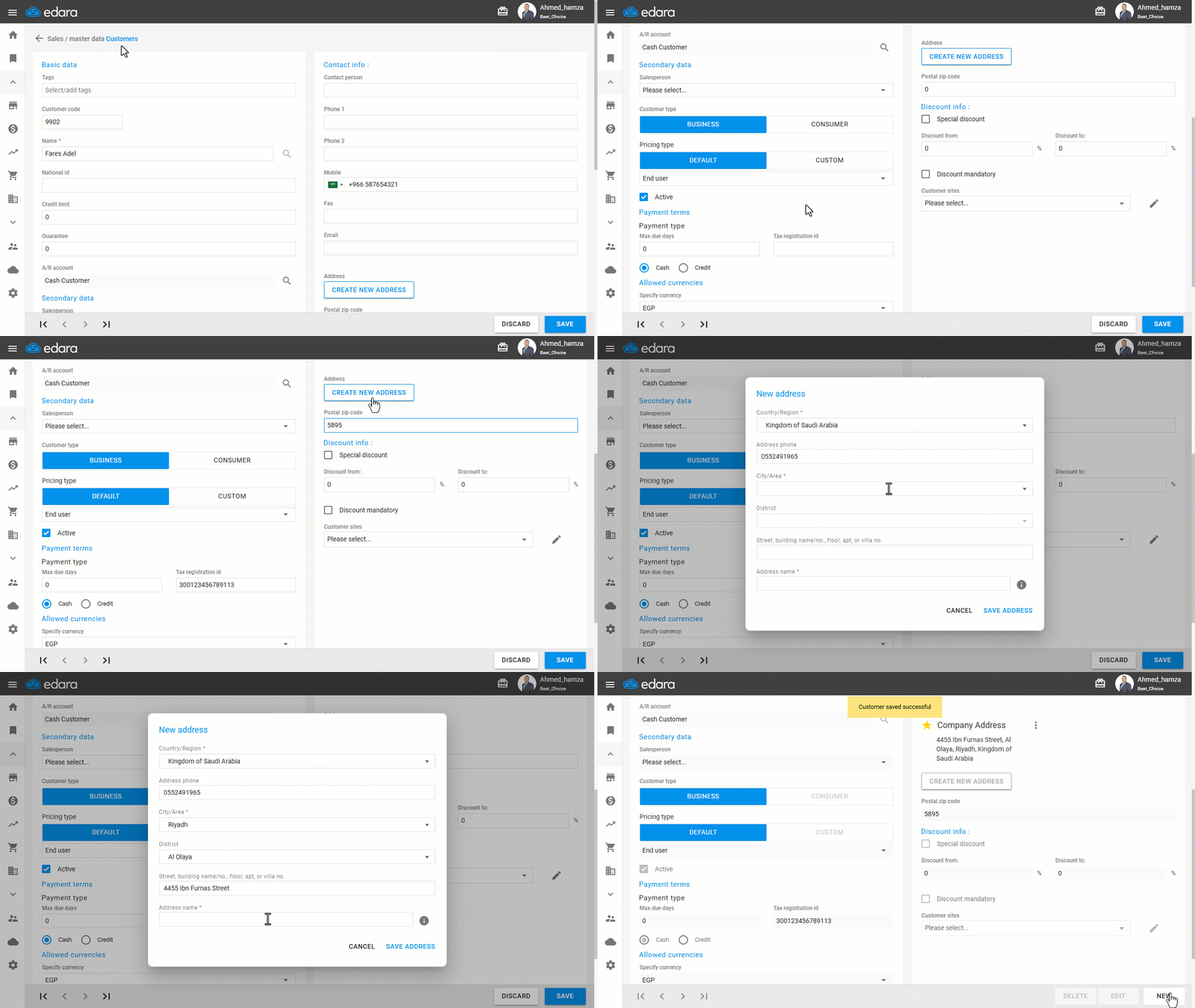
- Go to the Sales module.
- Open the “Customers” page.
- Click on “New”.
- Select the Customer Type (Business or Consumer).
Note: The following conditions apply only if the customer type is Business. For Consumers, no special requirements are needed.
- Enter the Tax Registration ID.
Note: The “Tax Registration ID” must consist of 15 digits, starting and ending with the number 3.
- Enter the “Postal Zip Code”.
- Enter the Company Address.
- Click on “Save”.
Frequently asked questions
What are the conditions for the customer’s Tax Registration ID?
The “Tax Registration ID” must consist of 15 digits, starting and ending with the number 3.
If you encounter any challenges or have questions during these processes, you can contact our technical support team, who are ready to assist you at any time.