

Creating a New Tax Rate When Integrating with ZATCA
Last updated:
If you need to register the Saudi tax rate in Edara — whether it is VAT or Withholding Tax — the system allows you to do this easily for stock items, service items, or both.
Creating Tax Rates When Integrating with ZATCA
You can create a VAT rate on sales, a VAT rate on both sales and purchases, or a Withholding Tax rate.
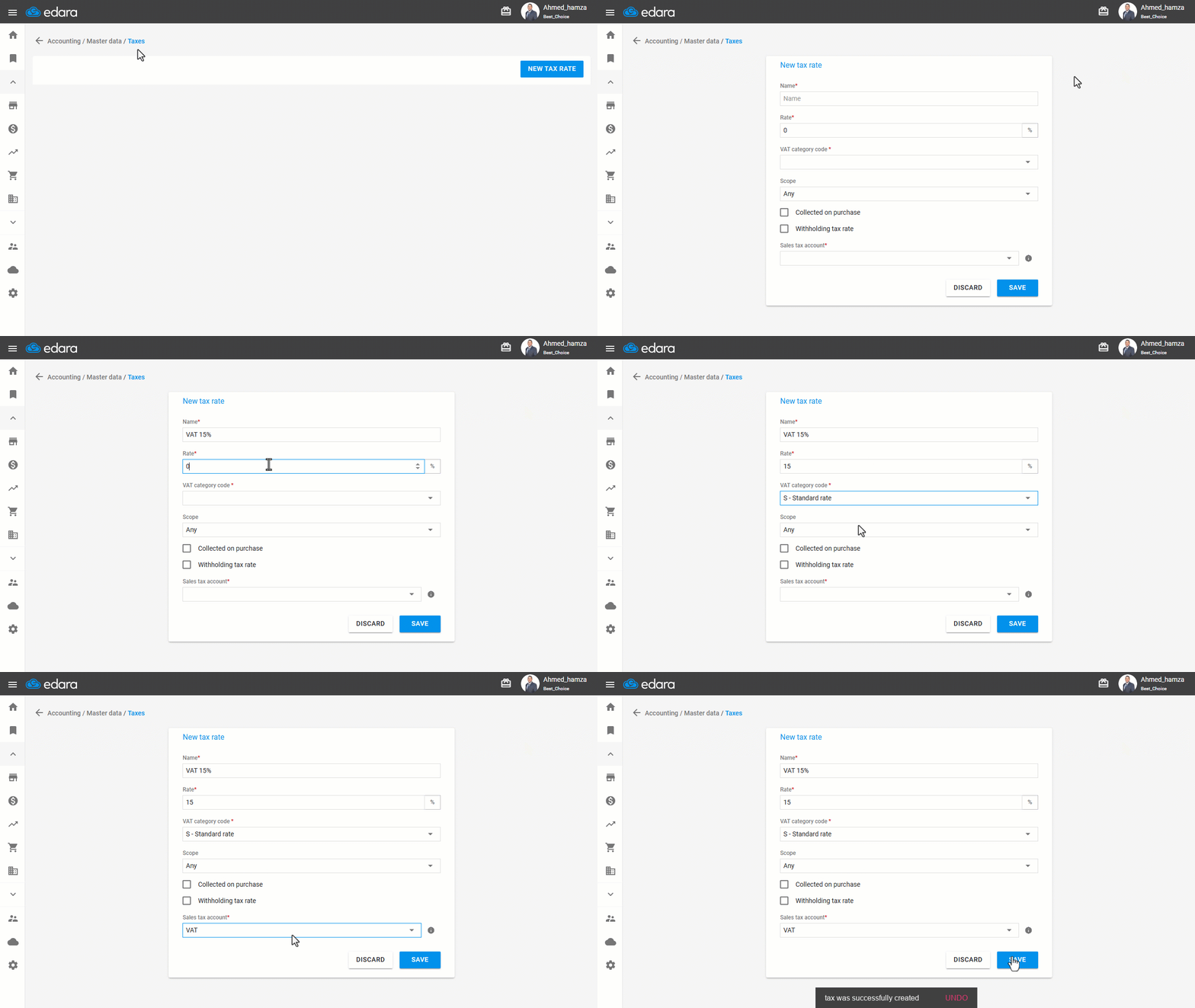
Creating a VAT Rate on Sales Only
- Go to the “Accounting” module.
- Open the “Taxes” page.
- Click on “New Tax Rate”.
- Enter the tax name and rate.
- Select the VAT category code.
Note: Add the exemption reason (if the tax rate is 0%).
- Select the scope (Service Items – Stock Items – Any).
Note: The scope cannot be changed after any transactions are recorded.
- Choose the Sales Tax Account.
- Click on “Save”.
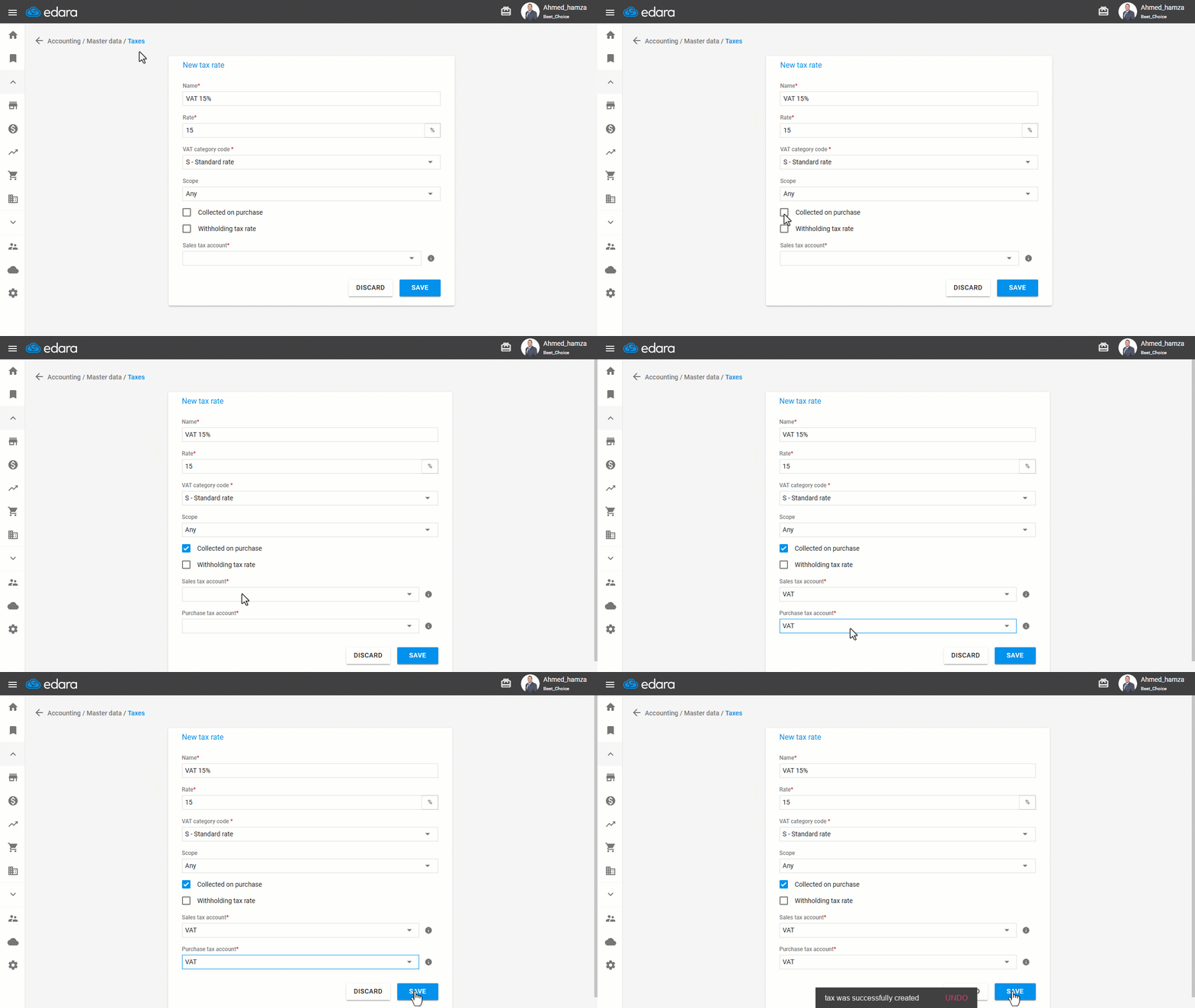
Creating a VAT Rate on Both Sales and Purchases
Follow the same steps above, then do the following:
- Enable “Collected on purchase”.
- Select the purchase tax account.
Note: After selecting the purchase tax account, choose the same account as the sales tax account, since linking more than one account for the same tax type is not currently supported.
Frequently asked questions
Can I change the tax scope after transactions are recorded?
The scope cannot be changed after any transactions are recorded.
If you encounter any challenges or have questions during these processes, you can contact our technical support team, who are ready to assist you at any time.