

Creating a New Account
Last updated:
As your business grows and expands, you may need to add new accounts or account groups to organize financial transactions and support new company activities or branches.
Creating a New Account
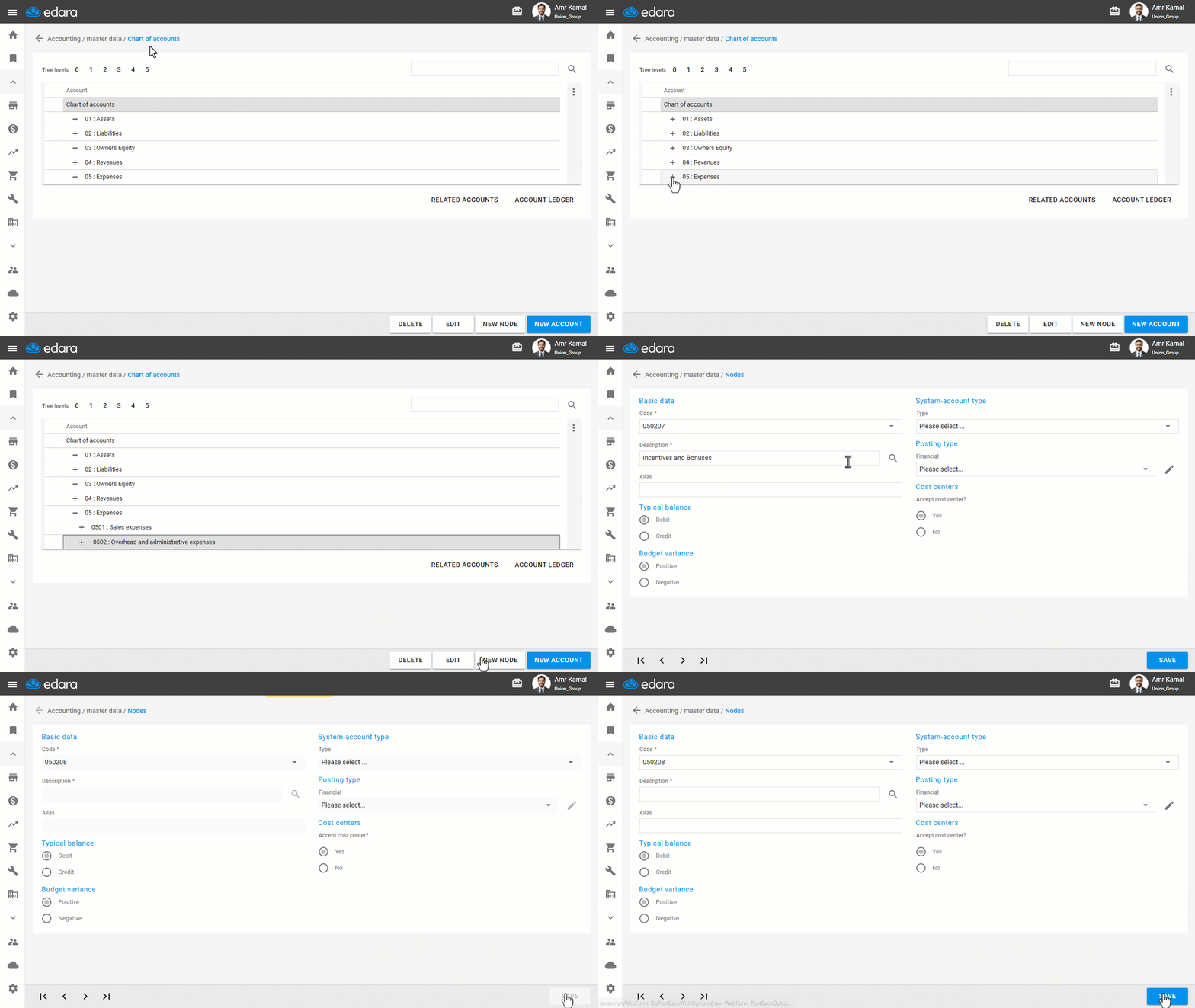
- Go to the “Accounting” module.
- Open the “Chart of Accounts” page.
- Click on the “+” icon until you reach the group under which you want to add the account.
- Click on “New Account”.
- Enter the account details.
- Click on “Save”.
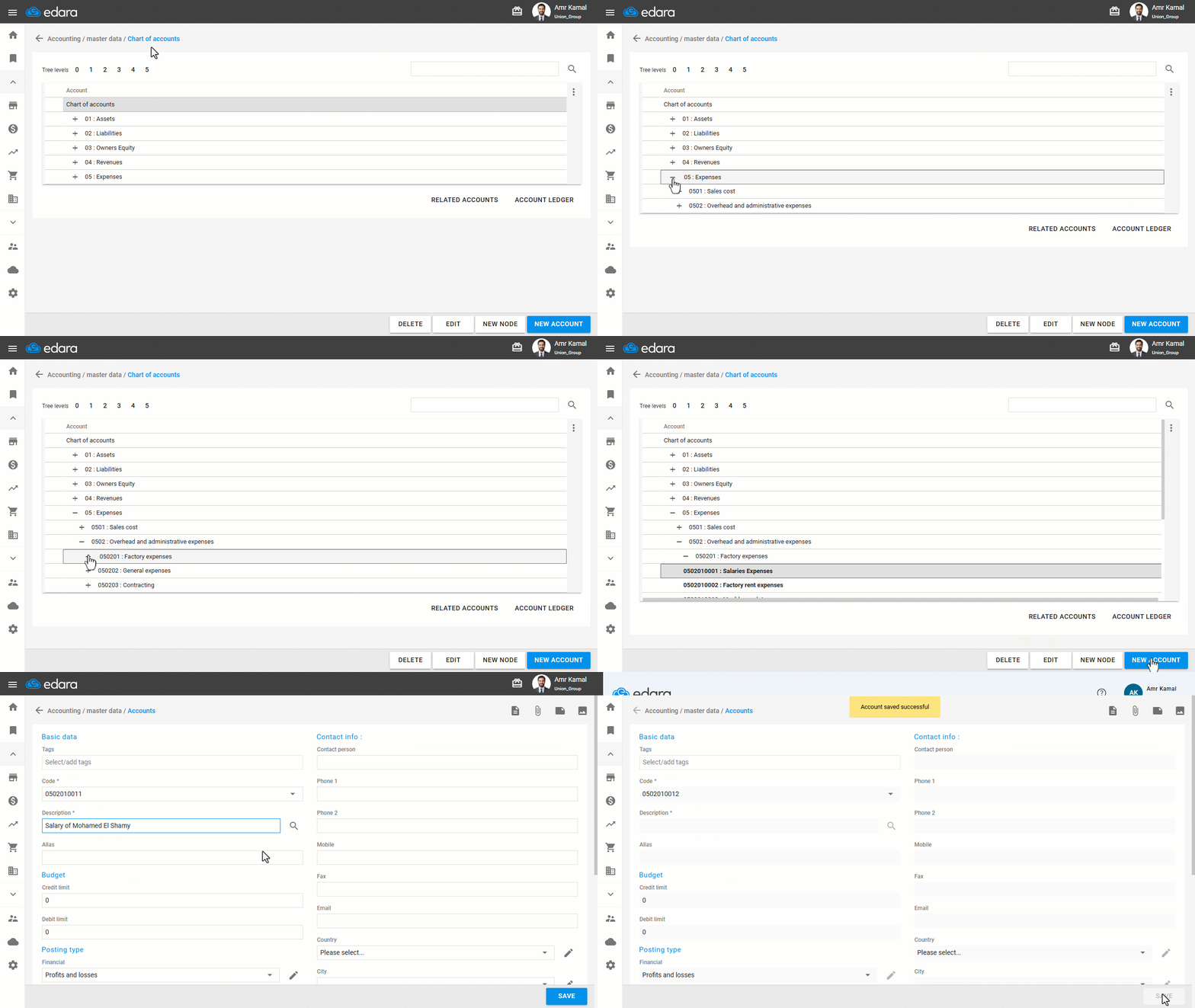
Note: The account will take the type of the group to which it belongs.
You can also create a group by following the same steps, then clicking on “New Node”, entering the group details, and clicking on “Save”.
Frequently asked questions
What type does a new account take?
The account will take the type of the group to which it belongs.
If you encounter any challenges or have questions during these processes, you can contact our technical support team, who are ready to assist you at any time.
Did this answer your question?