

Creating and Editing Treasury, Bank Account, or Visa Account
Last updated:
When you need to record and follow up on different financial transactions, you can create a treasury, bank account, or Visa account within the chart of accounts to ensure organized recording and easy review.
Creating a Treasury, Bank Account, or Visa Account
- Go to the “Accounting” Module.
- Open the "Chart of Accounts" page.
- Click on the "+" icon next to the “Assets” group until you reach the "Cash" or "Banks" group.
- Click on "New Account".
You will be automatically redirected to the “Accounts” page.
- Enter the account description.
- Add an “Alias” for the treasury or bank.
Note: The Alias can be part of the account name or specific letters based on your preferences.
- Click on "Save".
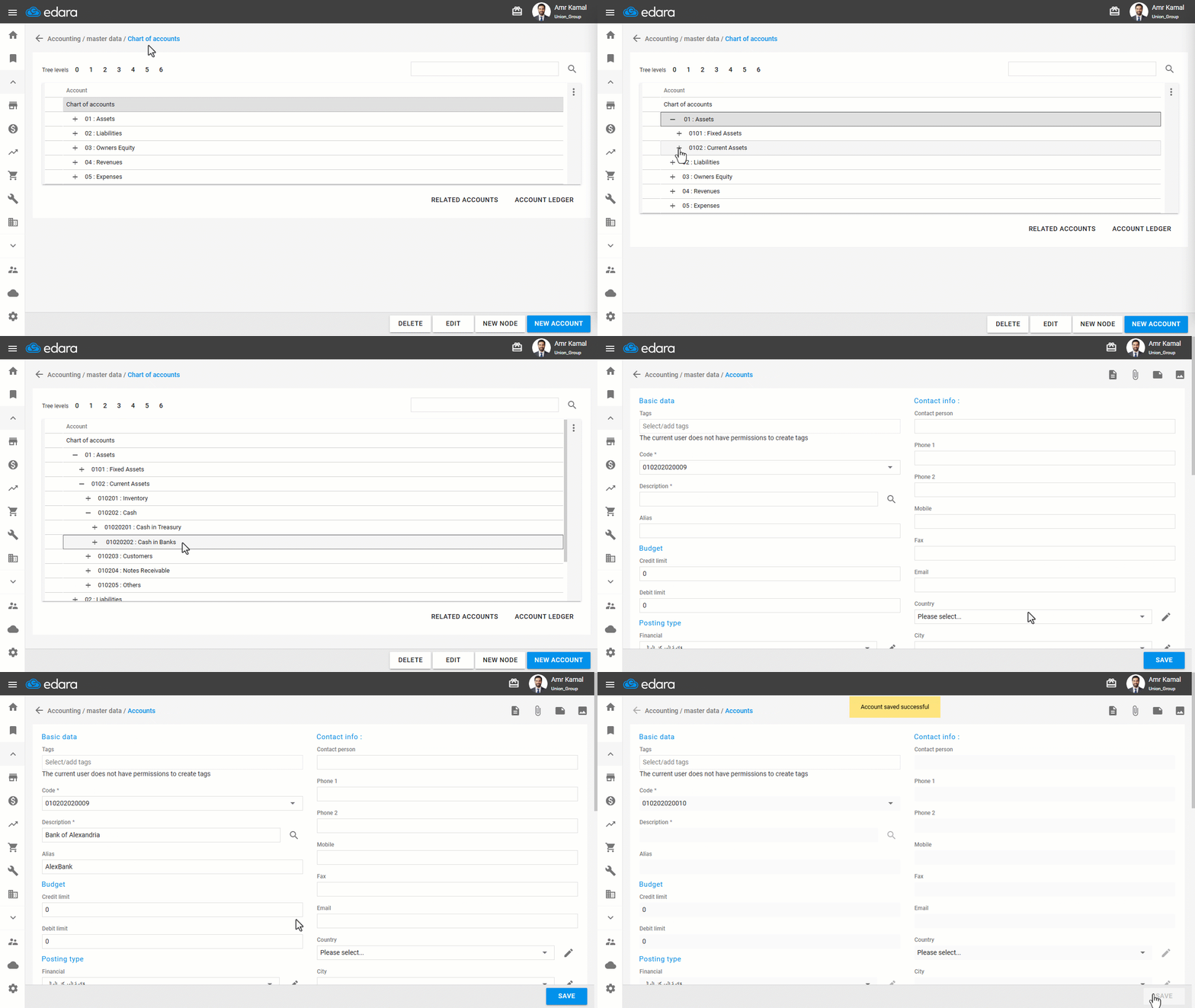
Note: If an Alias is not added, you won’t be able to save cash documents containing the cash fund or bank account, or sales and purchase documents.
Editing a Treasury, Bank Account, or Visa Account
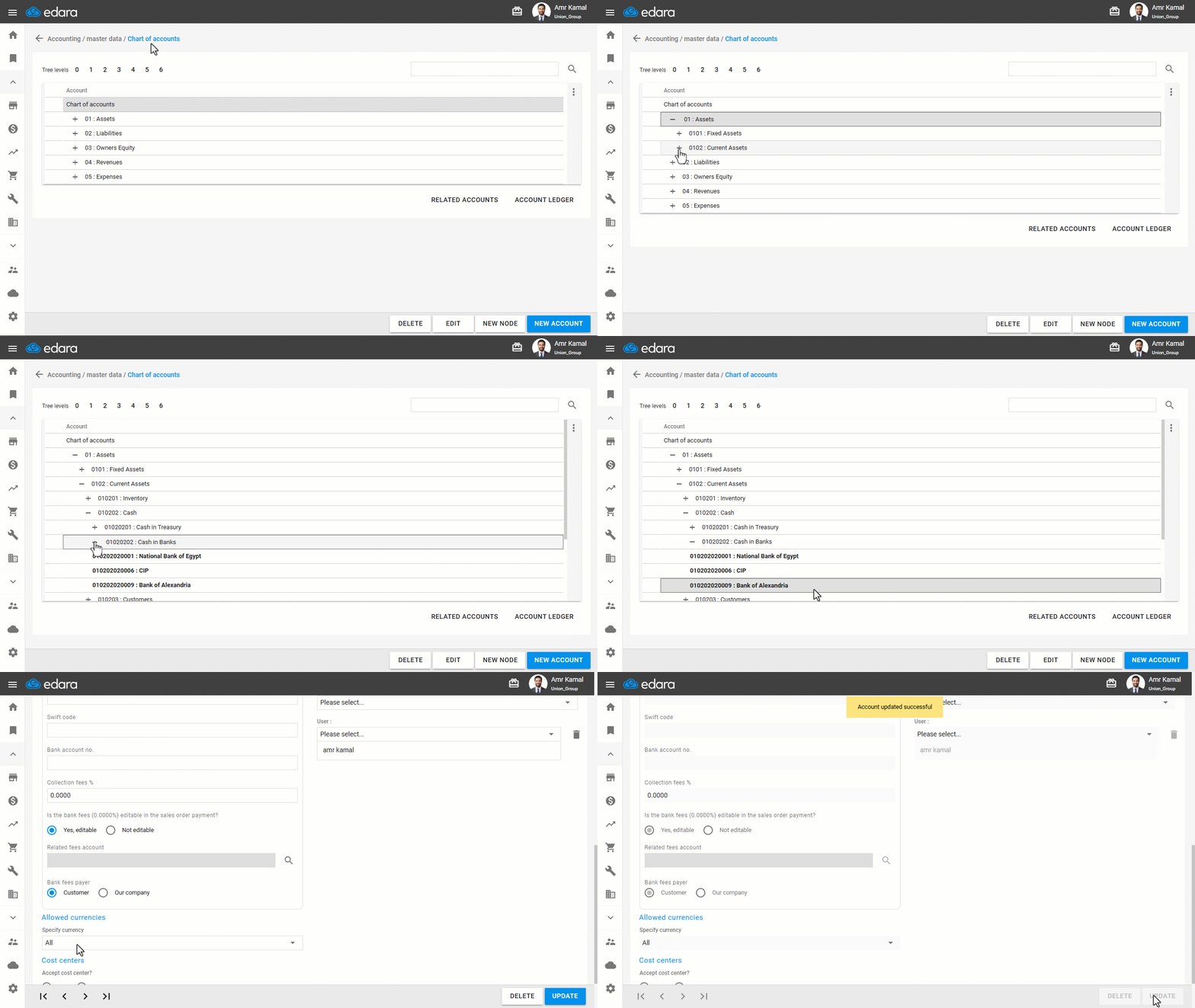
- Go to the "Accounting" Module.
- Open the "Chart of Accounts" page.
- Click on "+" next to the "Assets" group until you reach the "Cash" or "Banks" group.
- Double-click on the required account.
You will be automatically redirected to the “Accounts” page.
- Edit the data.
- Click on "Update".
Frequently asked questions
What happens if I don't add an alias to the treasury or bank?
If an Alias is not added, you won’t be able to save cash documents containing the cash fund or bank account, or sales and purchase documents.
If you encounter any challenges or have questions during these processes, you can contact our technical support team, who are ready to assist you at any time.