

Transferring Cash from a Sub Treasury to the Main Treasury
Last updated:
Using an intermediate account when transferring cash from a sub treasury to the main one ensures more accurate financial records and minimizes the risk of discrepancies.
This method allows you to easily trace any inconsistencies by comparing the cash issued from the sub treasury with the amount received by the main treasury.
Here’s how to do it in “Edara”.
Transferring Cash from a Sub Treasury to the Main Treasury
This transaction goes through several steps, which are as follows:
Step 1: Issuing Cash from the Sub Treasury to the Intermediate Account
- Go to the Accounting module.
- Open the “Cash Out” page.
- Choose the “Treasury”.
- Click on “New”.
- Search for and select the Intermediate Account.
- Enter the amount to be transferred.
- Click on “Save”.
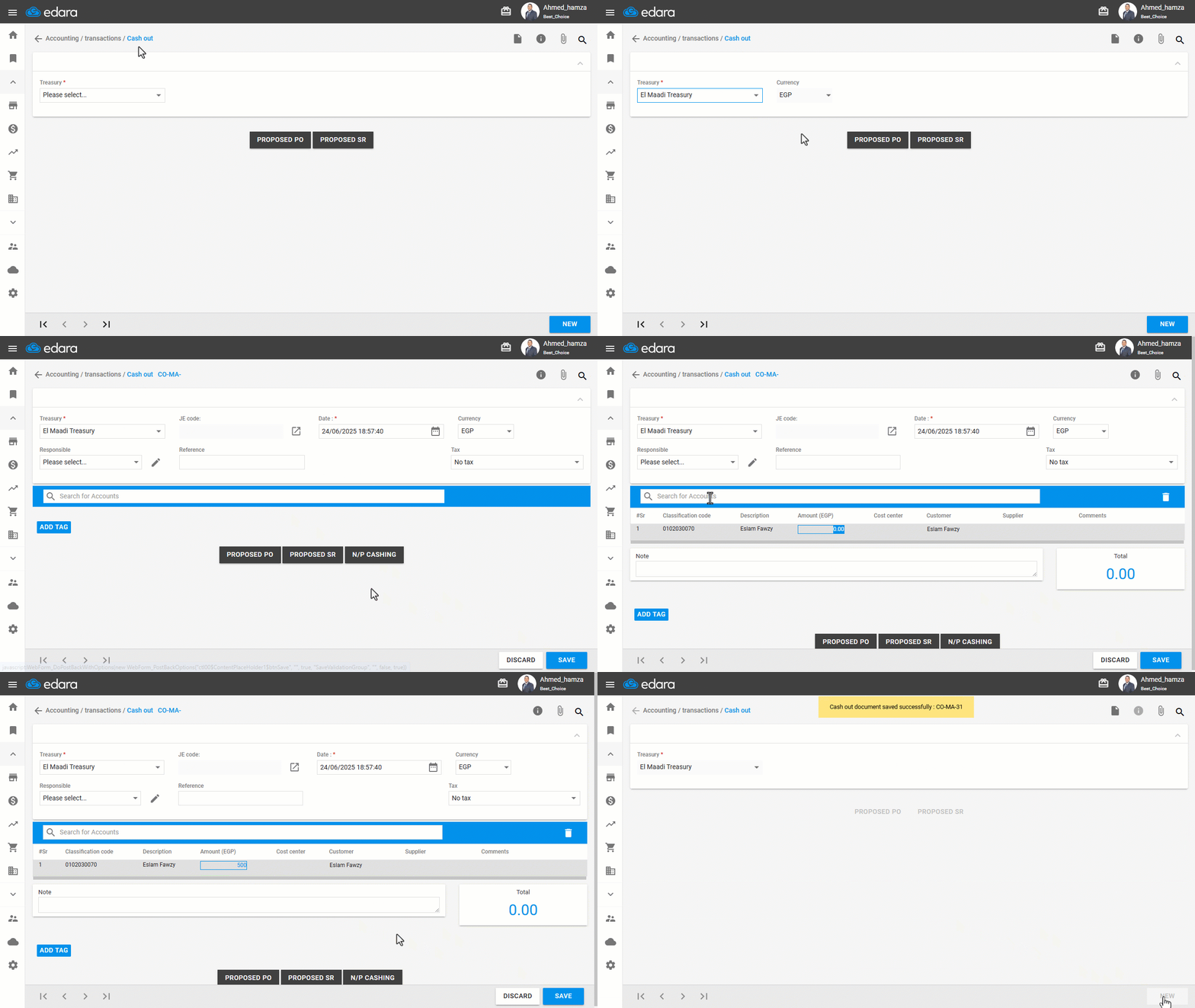
Step 2: Receiving Cash in the Main Treasury from the Intermediate Account
- Go to the Accounting module.
- Open the “Cash In” page.
- Choose the “Main Treasury”.
- Click on “New”.
- Search for and select the Intermediate Account.
- Enter the amount received.
- Click on “Save”.
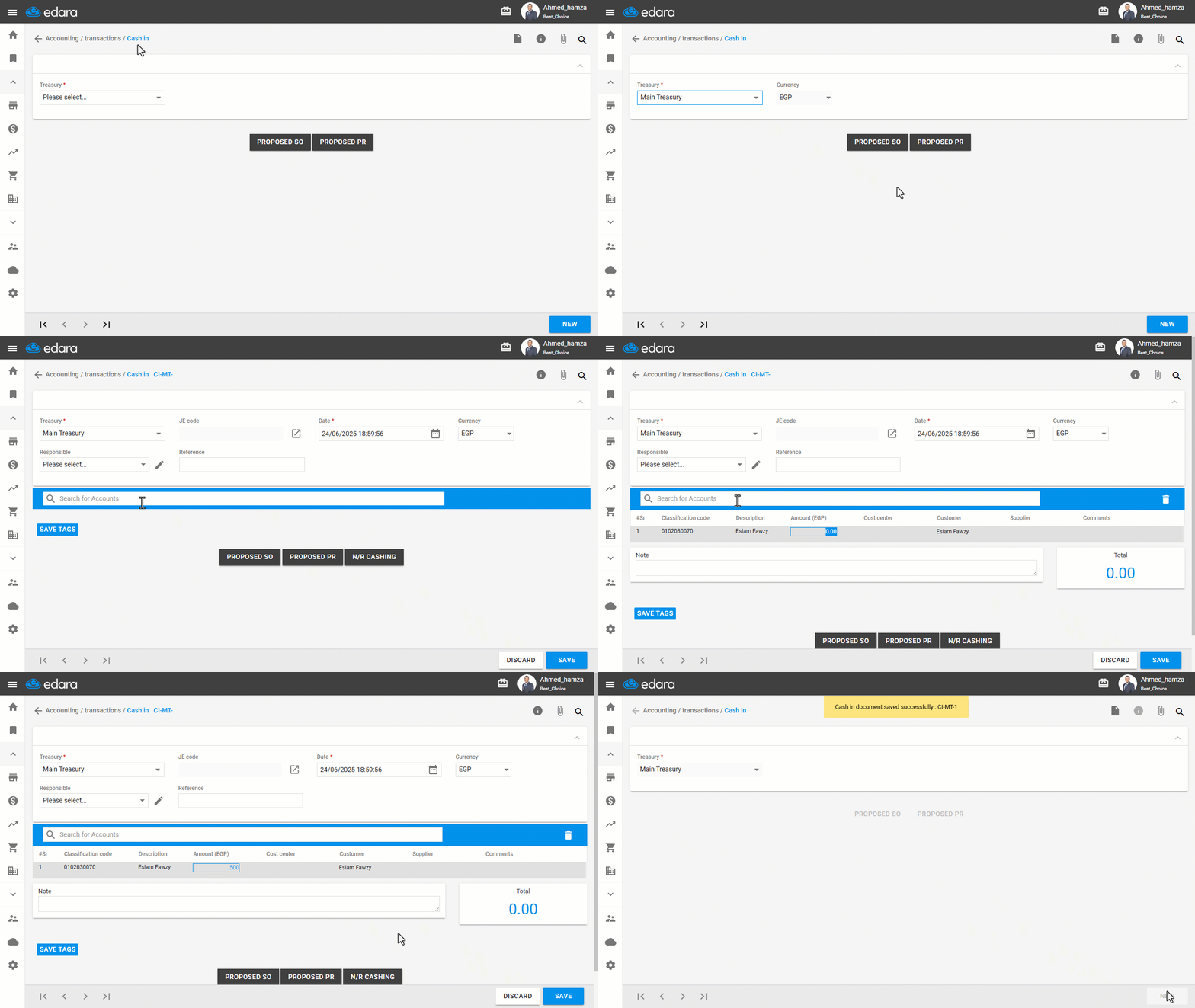
Step 3: Reviewing the Transfer Account Ledger
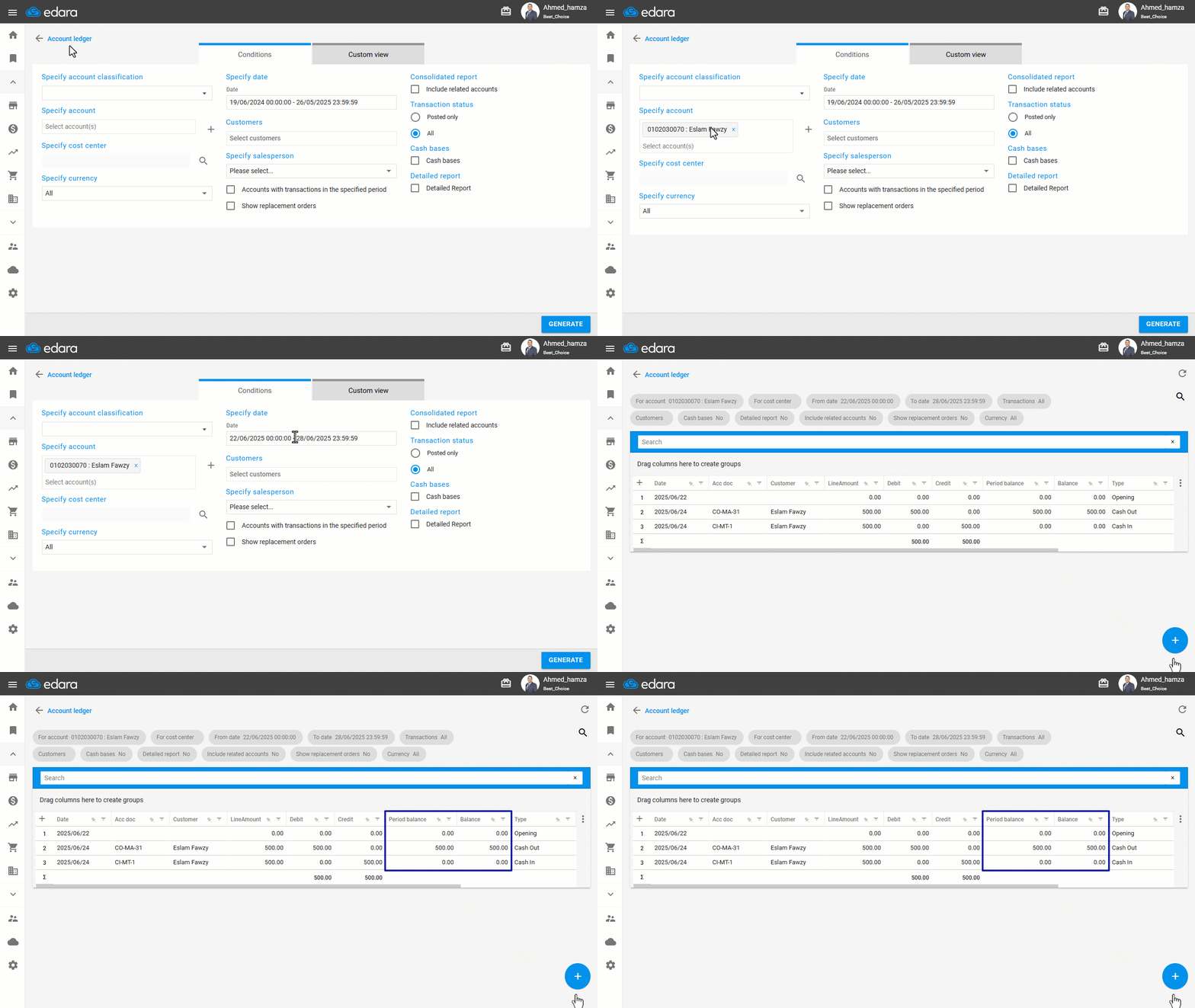
This step ensures that there are no pending amounts in the intermediate account (i.e., differences between what was issued and what was received).
You can do this by following the steps below:
- Go to the Accounting module.
- Open the “Account Ledger” Report.
- Enter the Intermediate Account name in the “Select Account” field.
- Specify the date range.
- Click on “Generate”.
Note: The intermediate account balance should be zero to confirm that all transfers were successfully completed.
Frequently asked questions
How do I make sure all transfers were received?
The intermediate account balance should be zero to confirm that all transfers were successfully completed.
If you encounter any challenges or have questions during these processes, you can contact our technical support team, who are ready to assist you at any time.