

Creating a Cash-In Document
Last updated:
Cash-in documents help you keep your treasury balanced, ensure accurate accounting records, and minimize the chance of errors.
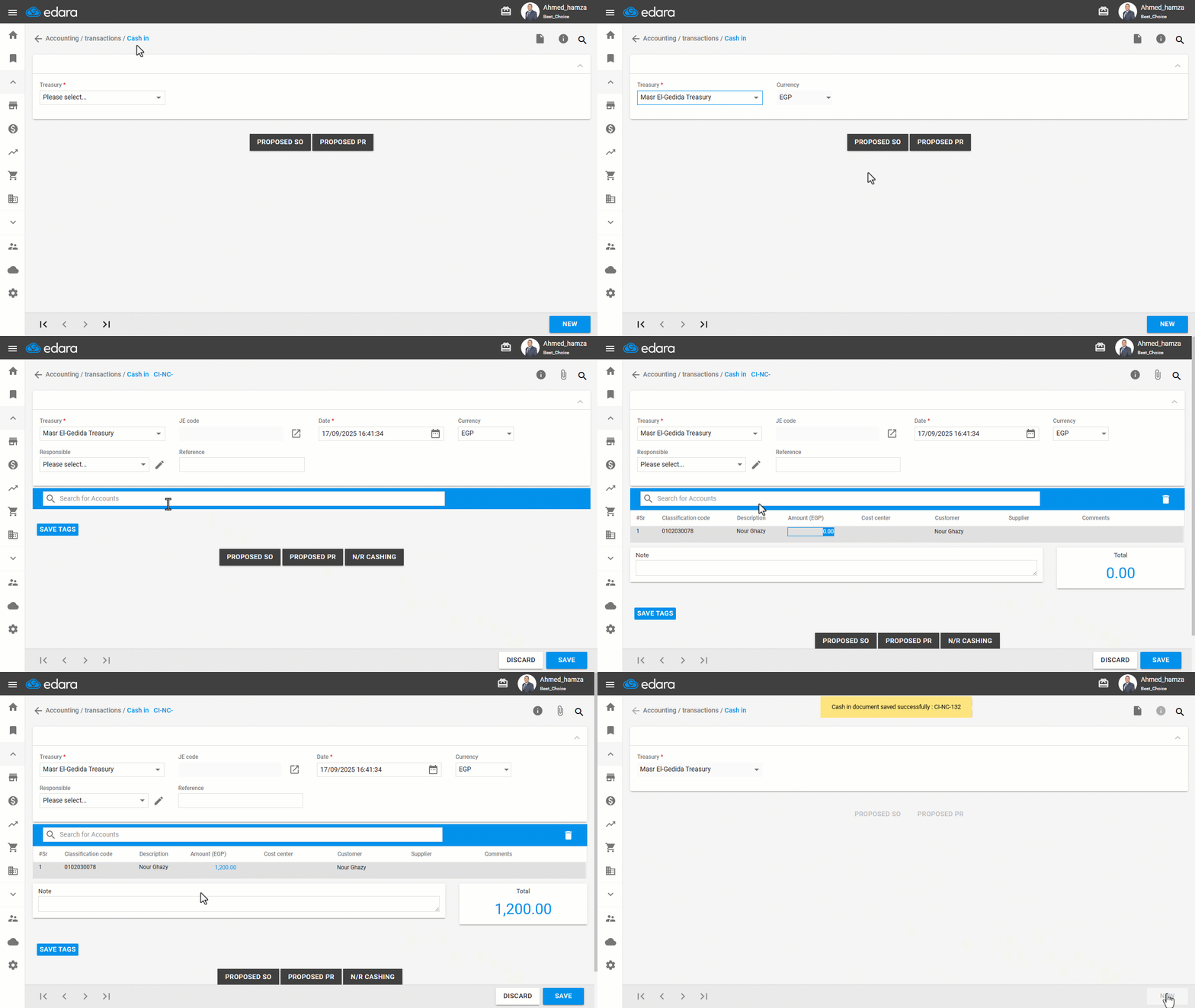
Creating a Cash-In Document
- Go to the “Accounting”.
- Open the “Cash In” page.
- Select the treasury to which you want to receive the cash.
- Click on the "New".
- Search for the account from which you will receive the cash, making sure you have the necessary permissions for it.
- Enter the value received in the “Amount” field.
Note: You can change the cash-in date, modify the currency, and add a responsible person.
- Click on "Save".
If you encounter any challenges or have questions during these processes, you can contact our technical support team, who are ready to assist you at any time.
Did this answer your question?