

Granting/Revoking Permission on Accounts
Last updated:
"Edara" enables you to assign or revoke account permissions to ensure data security.
Granting Permission on Accounts
- Go to the Users module
- Select "Data Permissions"
- Select the user or user group you want to grant permission to
- Choose “Accounting” then “Accounts”
- Choose “Classification level”
- Click on “▶”
- Grant permission on the account by clicking on “▢” next to the account name
- Click "Save"
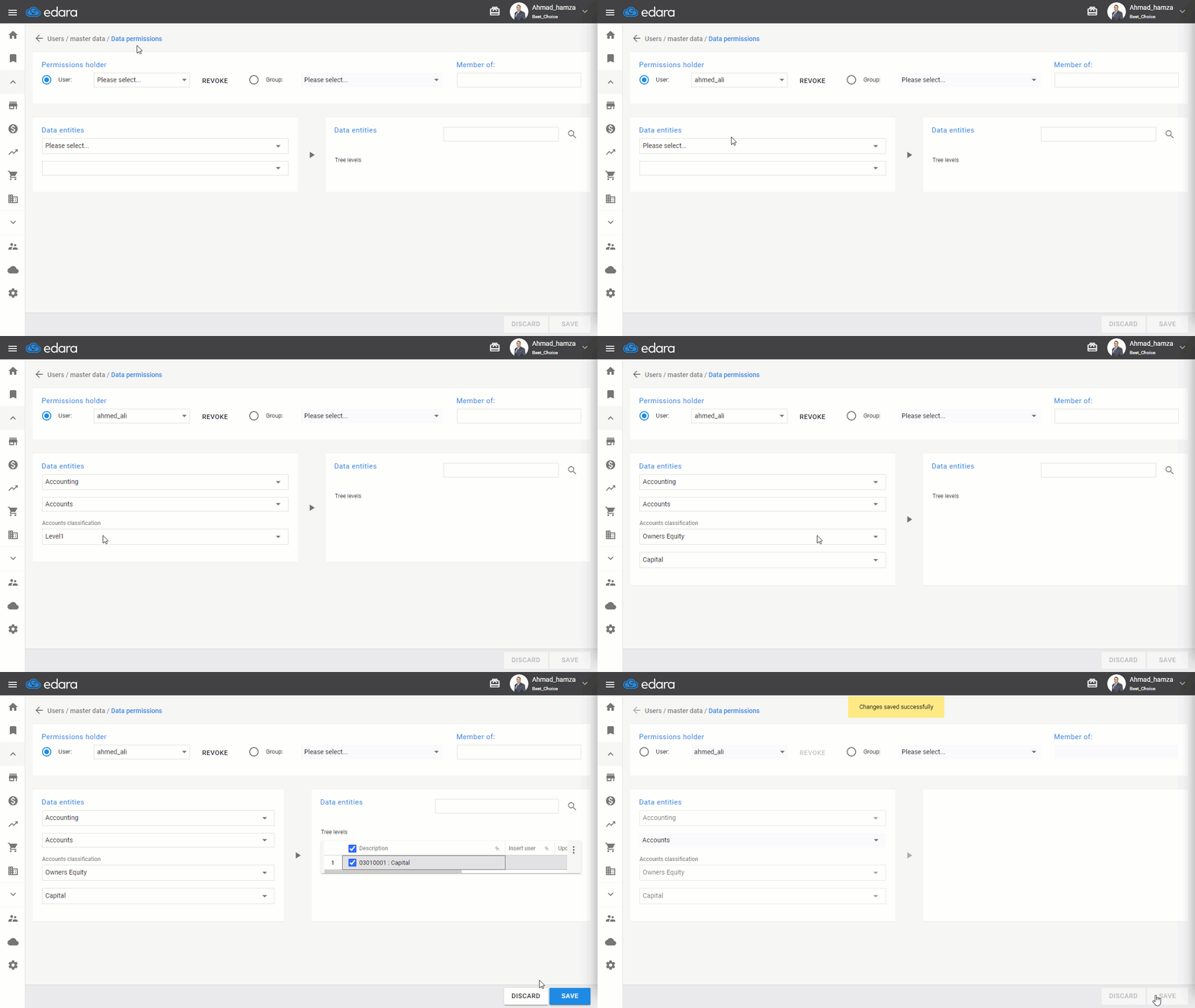
Note: If you want to revoke a user's access to a specific account, you can follow the same steps above and simply uncheck "☑" next to the account name.
If you encounter any challenges or have questions during these processes, you can contact our technical support team, who are ready to assist you at any time.
Did this answer your question?