

Granting/Revoking Permission to Transfer Between Warehouses
Last updated:
You can control transfer permissions between warehouses when you need to define the scope of each user’s work, so that transfers are restricted to specific warehouses only according to their responsibilities.
Granting/Revoking Permission to Transfer Between Warehouses
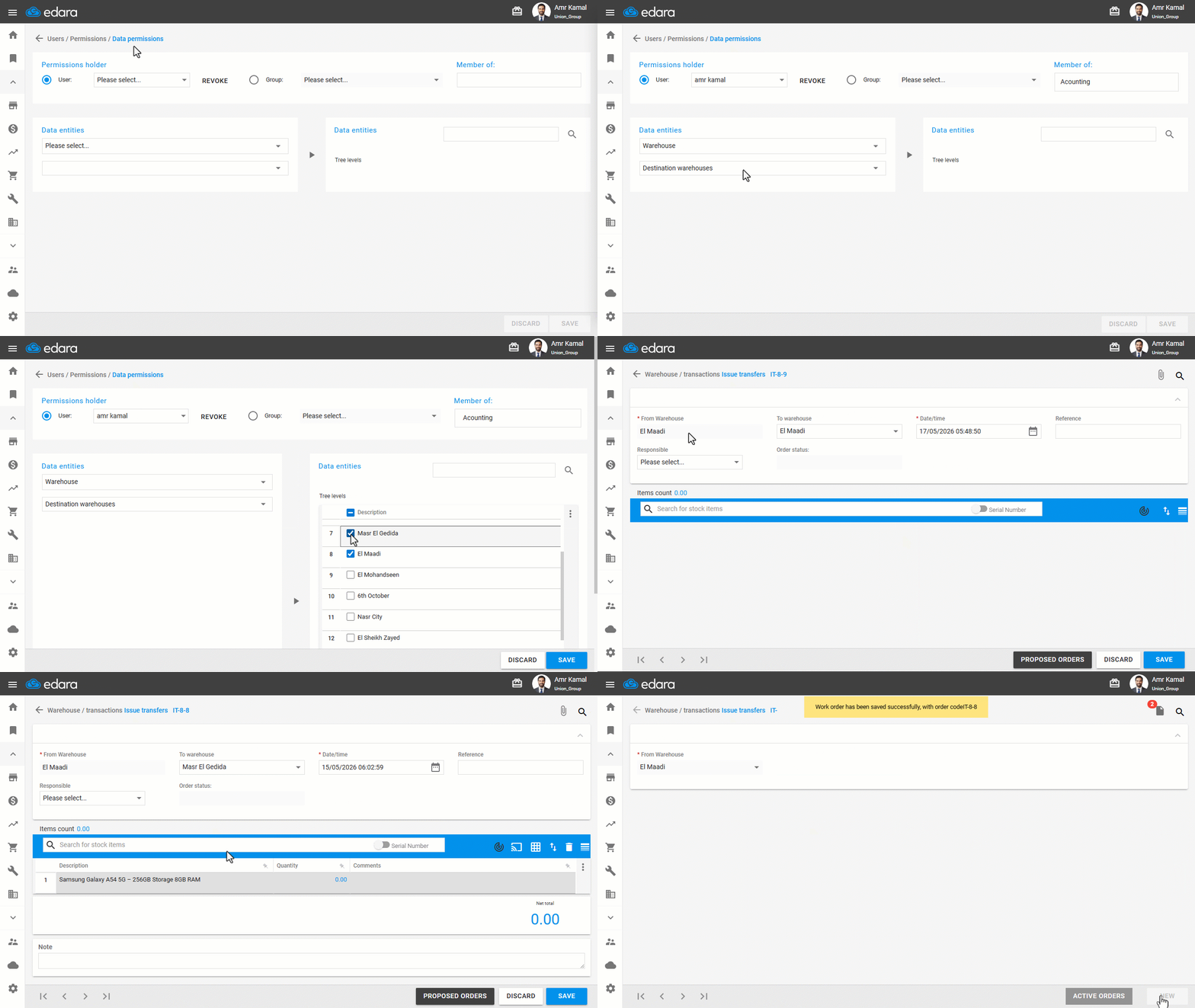
- Go to “Users”.
- Open the "Data Permissions" page.
- Select the user or group of users you want to grant permission to.
- Select "Warehouse" from the data entities.
- Choose “Destination Warehouses".
- Click on “▶”.
- Select the warehouses.
- Click on "Save".
Notes:
- If you want to revoke a user's access to a specific warehouse, you can follow the same steps above and simply uncheck "☑" next to the warehouse name.
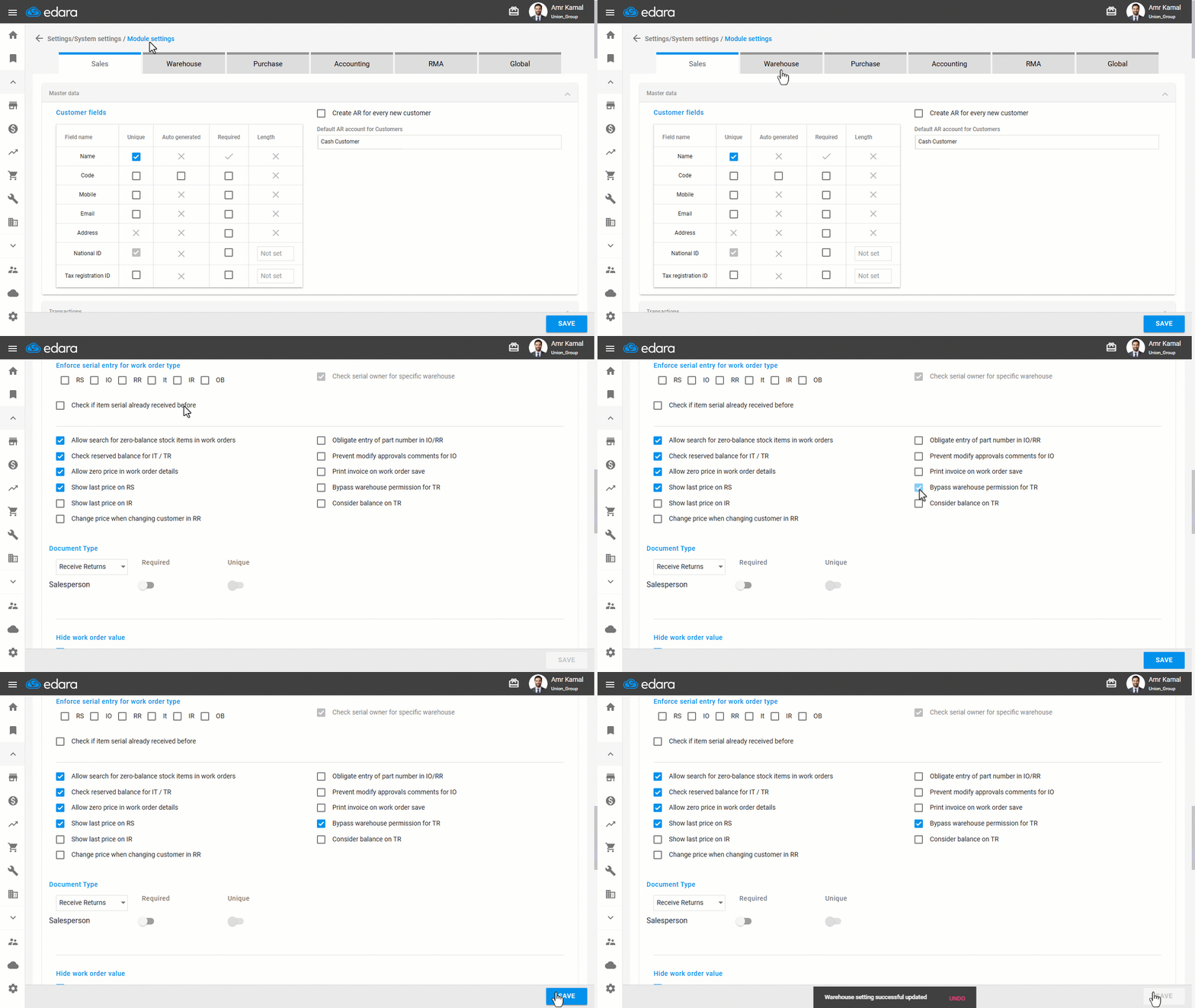
- If the setting "Bypass warehouse permission for TR” is enabled, all warehouse permissions will be ignored, and the user will be able to select any warehouse regardless of assigned permissions.
Frequently asked questions
What happens when “Bypass warehouse permission for TR” is enabled?
If the setting "Bypass warehouse permission for TR” is enabled, all warehouse permissions will be ignored, and the user will be able to select any warehouse regardless of assigned permissions.
If you encounter any challenges or have questions during these processes, you can contact our technical support team, who are ready to assist you at any time.
Did this answer your question?