

Granting/Revoking Permission for Notes Payable Accounts
Last updated:
“Edara” allows you to grant or remove access permissions to the Notes Payable Accounts, ensuring data security.
Granting Permission for Notes Payable Accounts
- Go to “Users”.
- Open the “Data Permissions” page.
- Choose the user or group of users to grant permission.
- Select “Accounting”.
- Choose “Notes Payable Accounts”.
- Click “▶”.
- Grant permission to “Accounts” by checking the ▢ box.
- Click on “Save”.
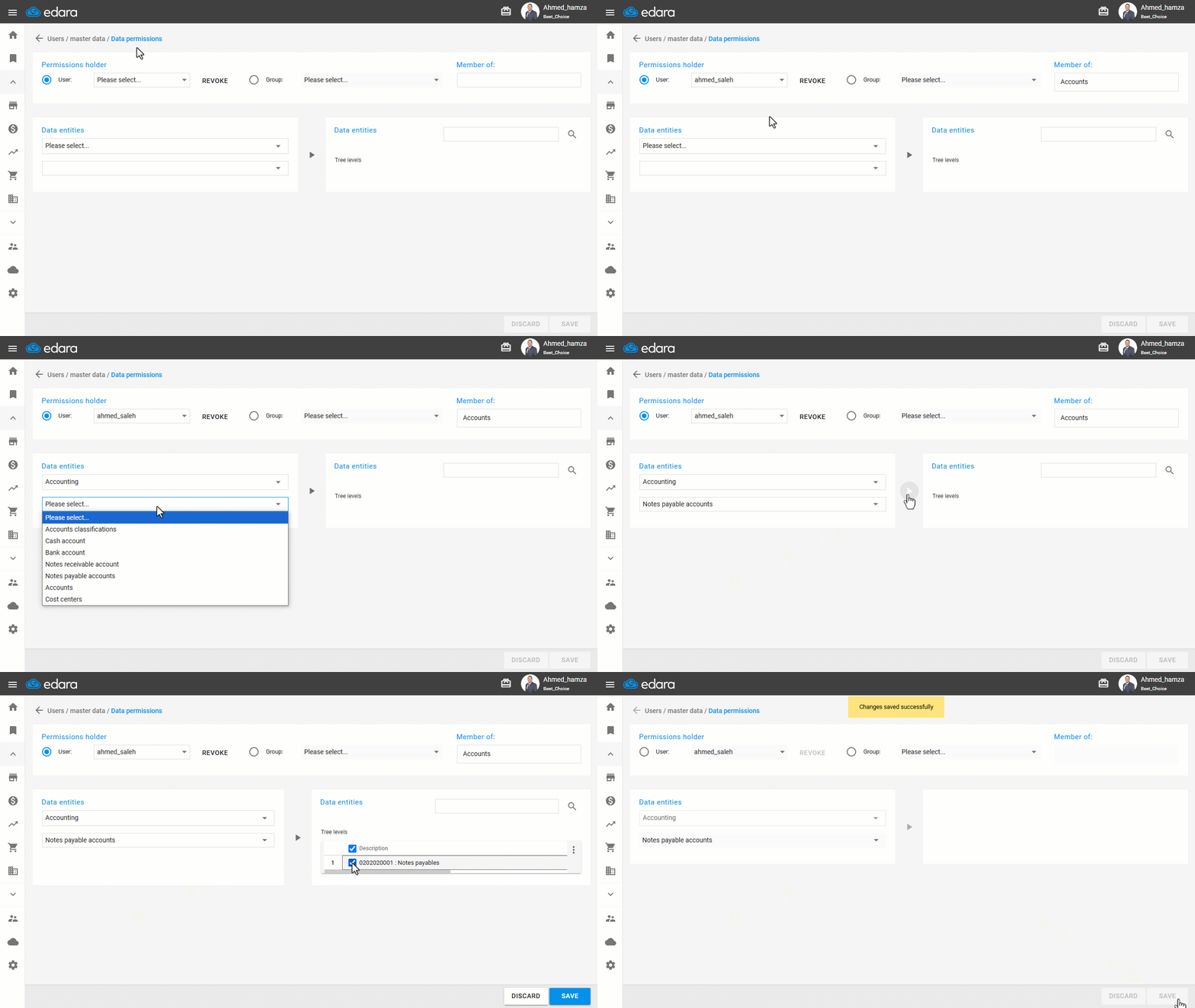
Note: If you want to revoke a user’s access to a specific Notes Payable Account, follow the same steps and simply uncheck the box ☑ next to the account name.
If you encounter any challenges or have questions during these processes, you can contact our technical support team, who are ready to assist you at any time.
Did this answer your question?