

Creating a Cash out Document
Last updated:
Creating a cash-out document helps you manage your expenses and reduces the chance of errors.
Creating a Cash out Document
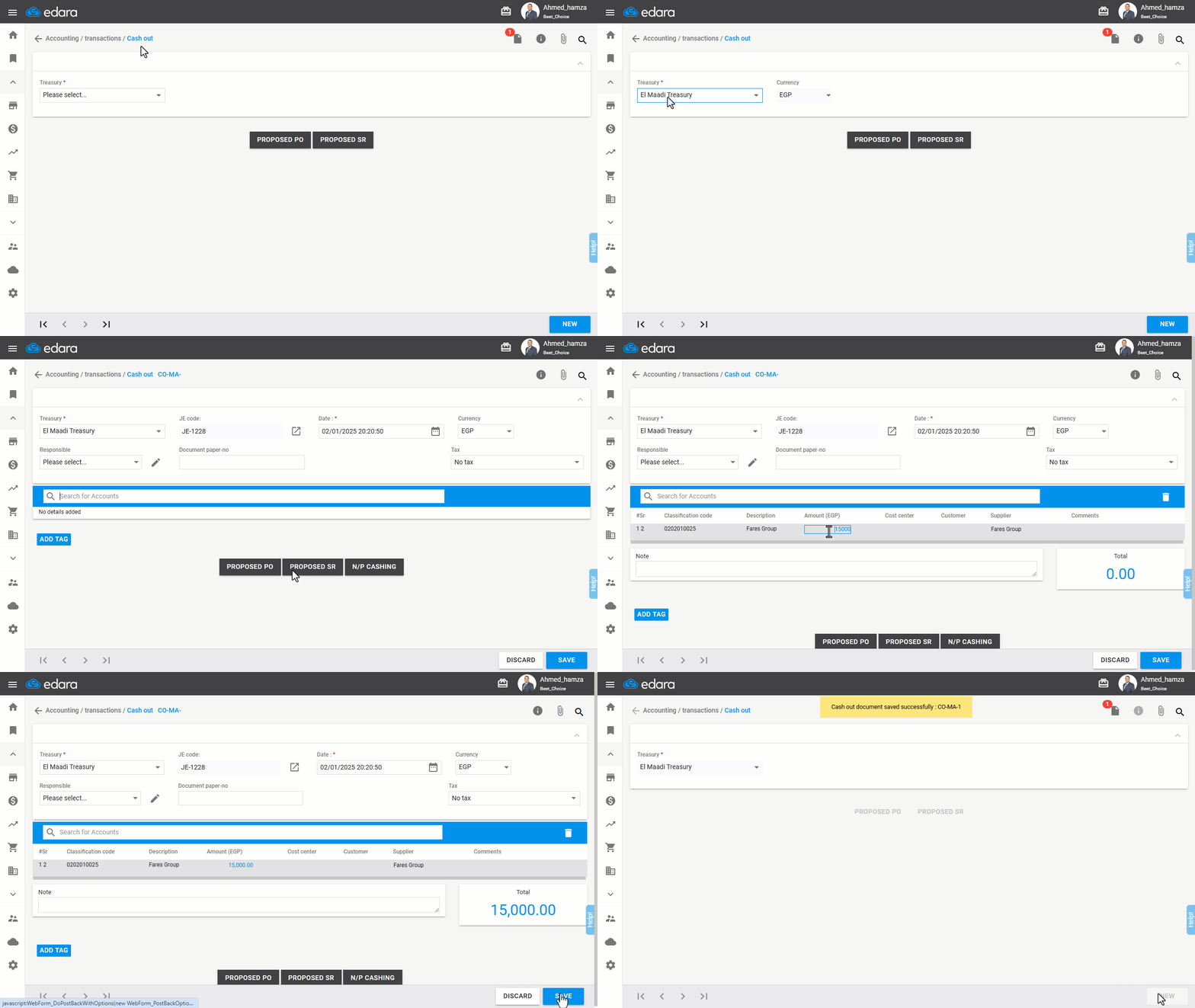
Ensure you have the necessary permissions for the account from which you will receive the cash, then follow these steps:
- Go to the “Accounting” module.
- Open the “Cash Out” page.
- Select the “Treasury” from which you want to make the payment.
- Click “New”.
- Search for the account that will receive the payment.
- Enter the Amount in the relevant field.
- Click “Save”.
If you encounter any challenges or have questions during these processes, you can contact our technical support team, who are ready to assist you at any time.
Did this answer your question?