

Saving the Proposed Cash Out for Purchase Orders
Last updated:
If you're creating a Purchase Order for a supplier without paying the amount immediately (with the intention to pay later), it's recommended to link the payment to the purchase order to maintain proper document flow.
Saving the Proposed Cash Out for Purchase Orders
- Go to the Accounting Module.
- Open the “Cash Out” page.
- Select the "Treasury".
- Click on "Proposed PO".
- Choose the “Warehouse”.
Note: If the purchase order was created under a Store, click “ ” to switch to the Sales Stores List.
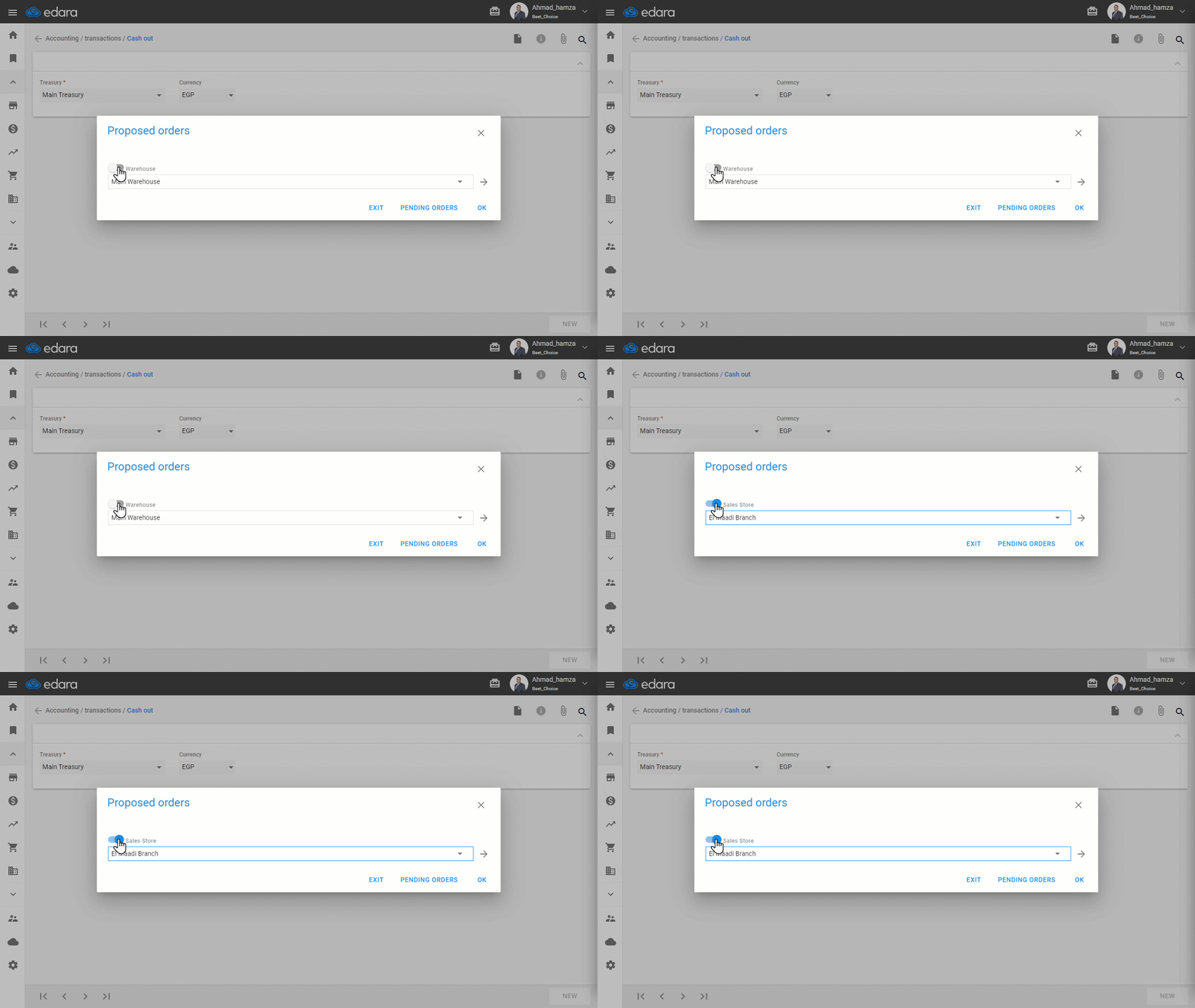
- Click on “→”.
- Search for the purchase order using its Code, Supplier Name, or Date.
- Select the desired Purchase Order.
Note: You can modify the cash-out date linked to the purchase order, change the currency, and add a responsible person if needed.
- Click on “Save”.
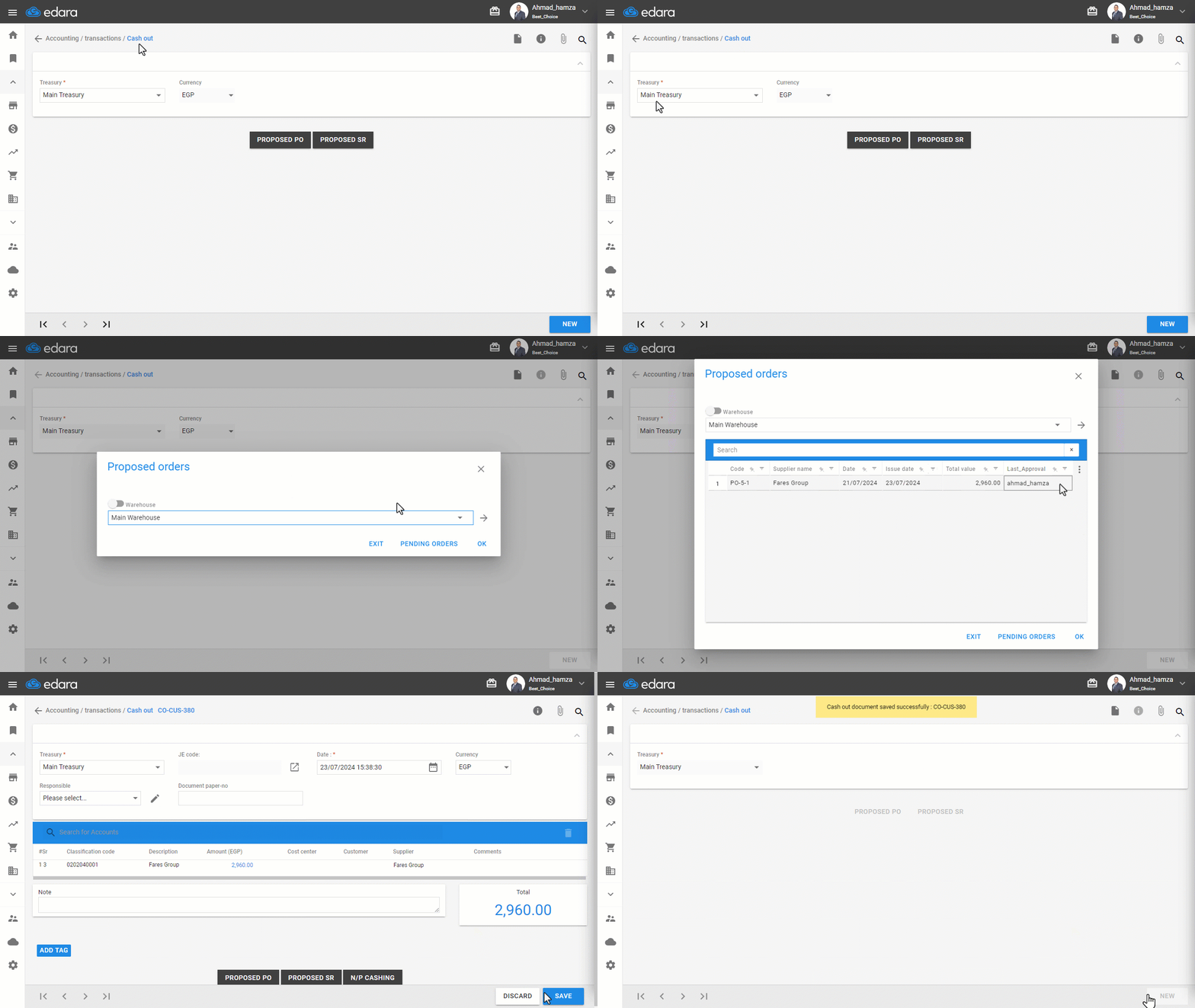
Note: It is not possible to modify the “Treasury” after saving.
Frequently asked questions
Can I change the treasury after saving the proposed cash-out?
It is not possible to modify the “Treasury” after saving.
If you encounter any challenges or have questions during these processes, you can contact our technical support team, who are ready to assist you at any time.
Did this answer your question?