

Adding a Currency in "Edara"
Last updated:
If you deal with suppliers outside your country, you may need to change the currency to get a clear view of your accounts.
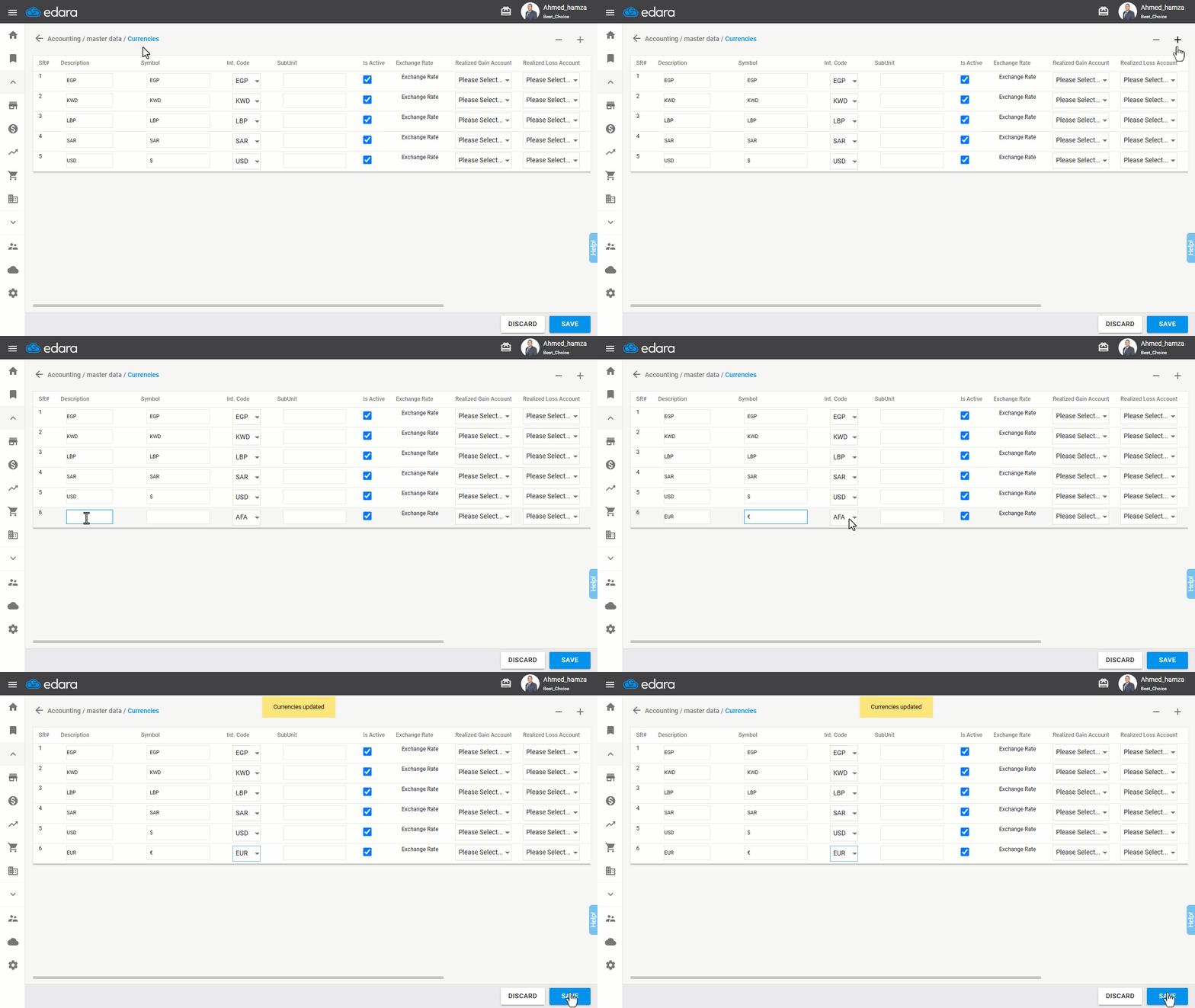
Steps to Add a currency in "Edara"
First, ensure that the Multi-currency setting is enabled in the Accounting section, then follow these steps:
- Go to the Accounting module.
- Select Currencies.
- Click the "+" icon at the top right of the page.
- Enter the currency Description (you can name it anything you prefer).
- Enter the Symbol if applicable (such as "$" for dollars).
- Choose the International Code (this is mandatory, as it is used for searching and dealing with this currency).
- Click “Save”.
If you encounter any challenges or have questions during these processes, you can contact our technical support team, who are ready to assist you at any time.
Did this answer your question?