

Saving Proposed Cash Out for Sales Returns
Last updated:
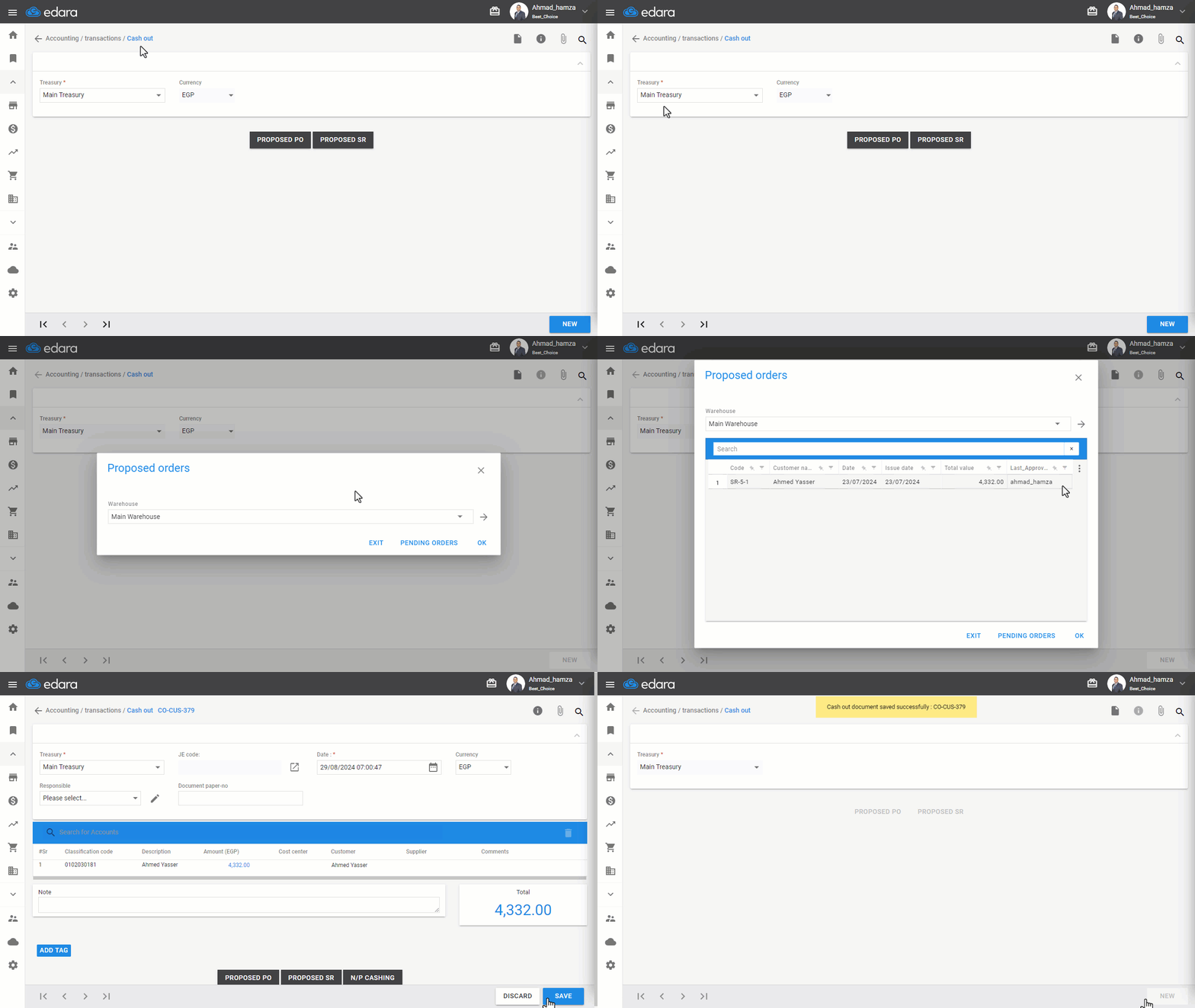
In cases where a sales return is made for a customer without disbursing the cash immediately, and the disbursement is scheduled for a later time, it is recommended to link the cash receipt to the sales return. This ensures document sequence continuity.
Saving Proposed Cash Out for Sales Returns
- Go to the Accounting module.
- Click on “Cash Out”.
- Select the “Treasury”.
- Click on “Proposed SR”.
- Choose the Warehouse, then click “→”.
- Search for the return order by its code, customer name, or date.
- Select the required sales return.
Note: You can modify the cash out document date linked to the sales return, change the currency, and add a responsible party.
- Click on “Save”.
If you encounter any challenges or have questions during these processes, you can contact our technical support team, who are ready to assist you at any time.
Did this answer your question?