

Approving Sales Returns and Saving Related Documents
Last updated:
To complete the sales returns (approvals) documentation cycle, you must approve the sales return and save the related documents.
Approving Sales Returns
- Go to the Sales module.
- Open the “Sales Return Approvals” page.
- Specify the required date.
- Select the warehouse.
- Click the 🚫 icon to change it to ✔️, completing the approval process (after ensuring the necessary permissions).
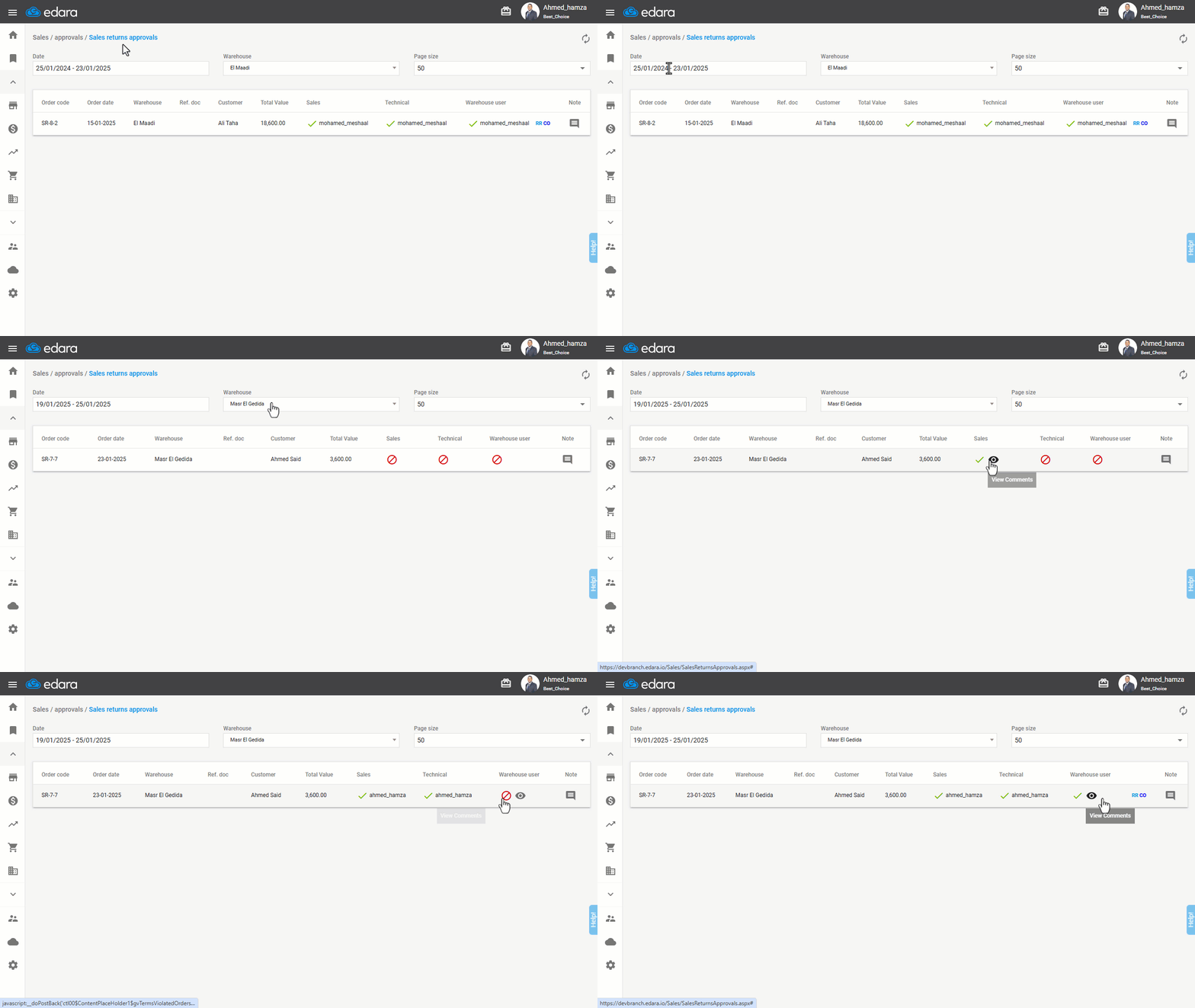
Note: Once all approvals are completed, links to documents related to the sales return will appear. For example: (Receive Return Document (RR) - Cash Out Document (CO) — if the return is cash-based).
Saving Documents Related to Sales Returns
To save documents, follow these steps:
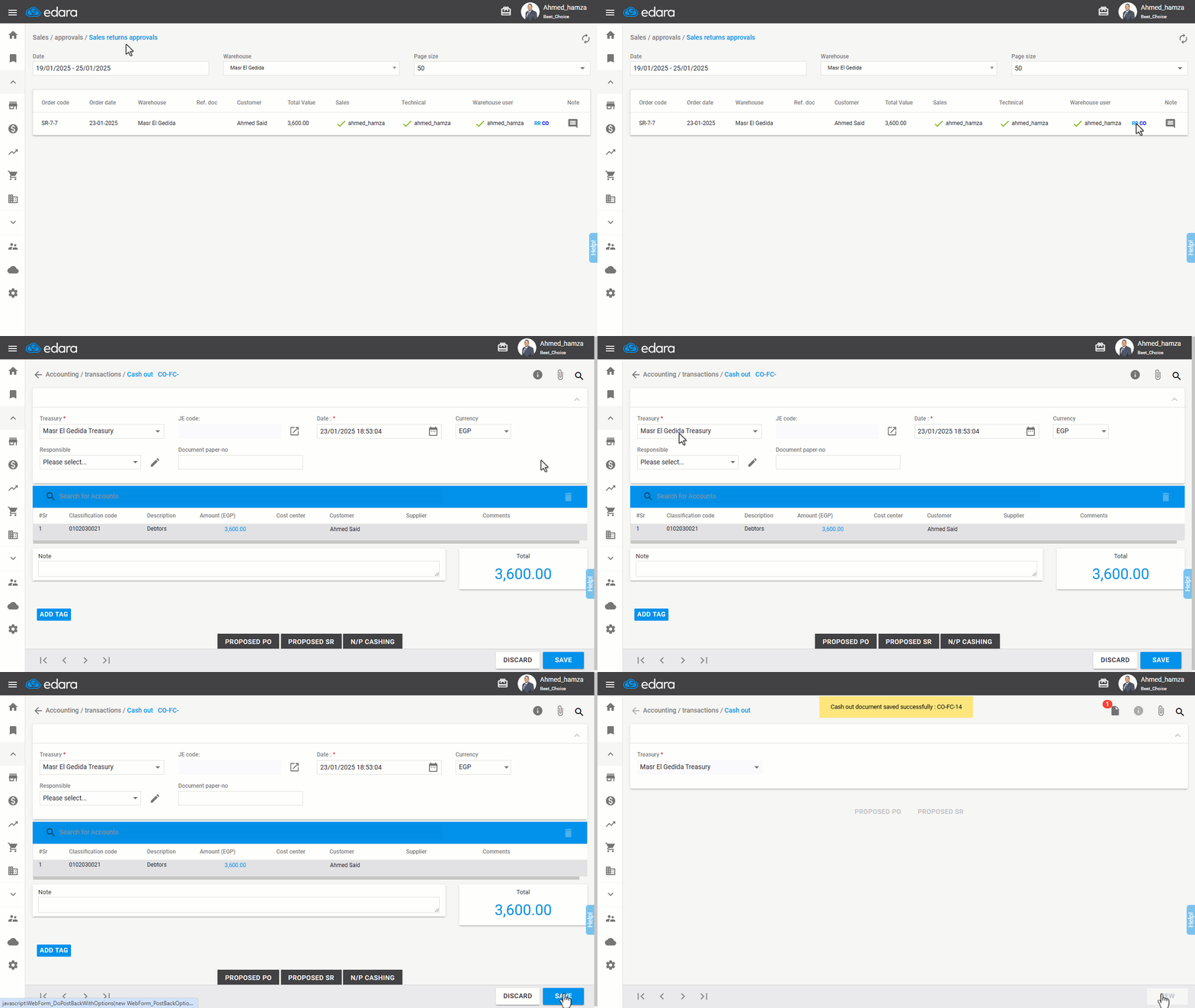
Saving the Cash Out Document
- Click the CO document link to open the cash-out page in a separate window.
- Ensure “Treasury” is selected.
- Click “Save”.
Saving the Receive Return Document
- Click the RR document link to open the receive return page in a separate window.
- Click “Save”.
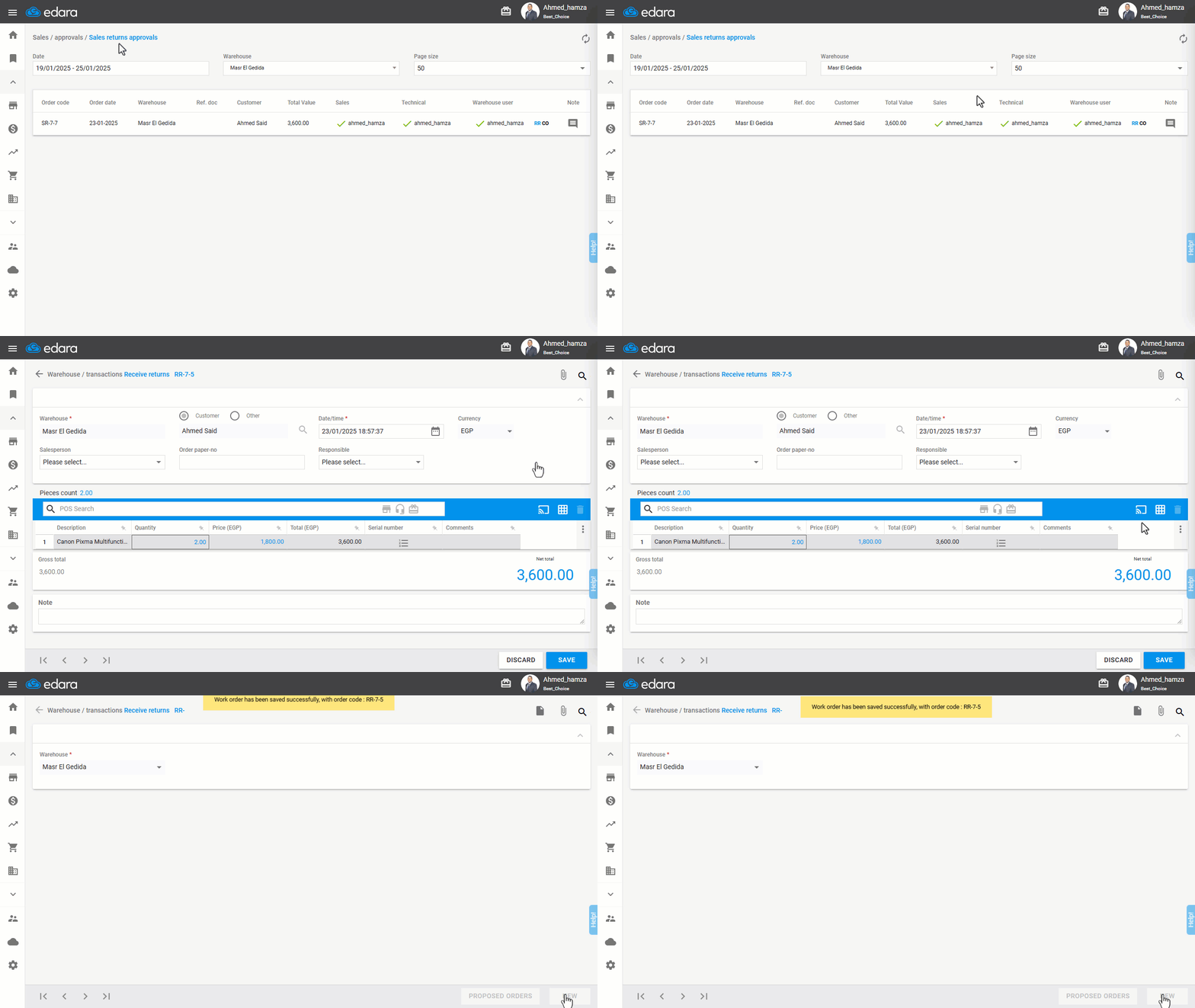
Note: After completing the sales return step, the return will disappear from the approval page.
Frequently asked questions
When does the return disappear from the approvals page?
After completing the sales return step, the return will disappear from the approval page.
If you encounter any challenges or have questions during these processes, you can contact our technical support team, who are ready to assist you at any time.
Did this answer your question?