

Ignoring Suggested Payment Amounts for Checks
Last updated:
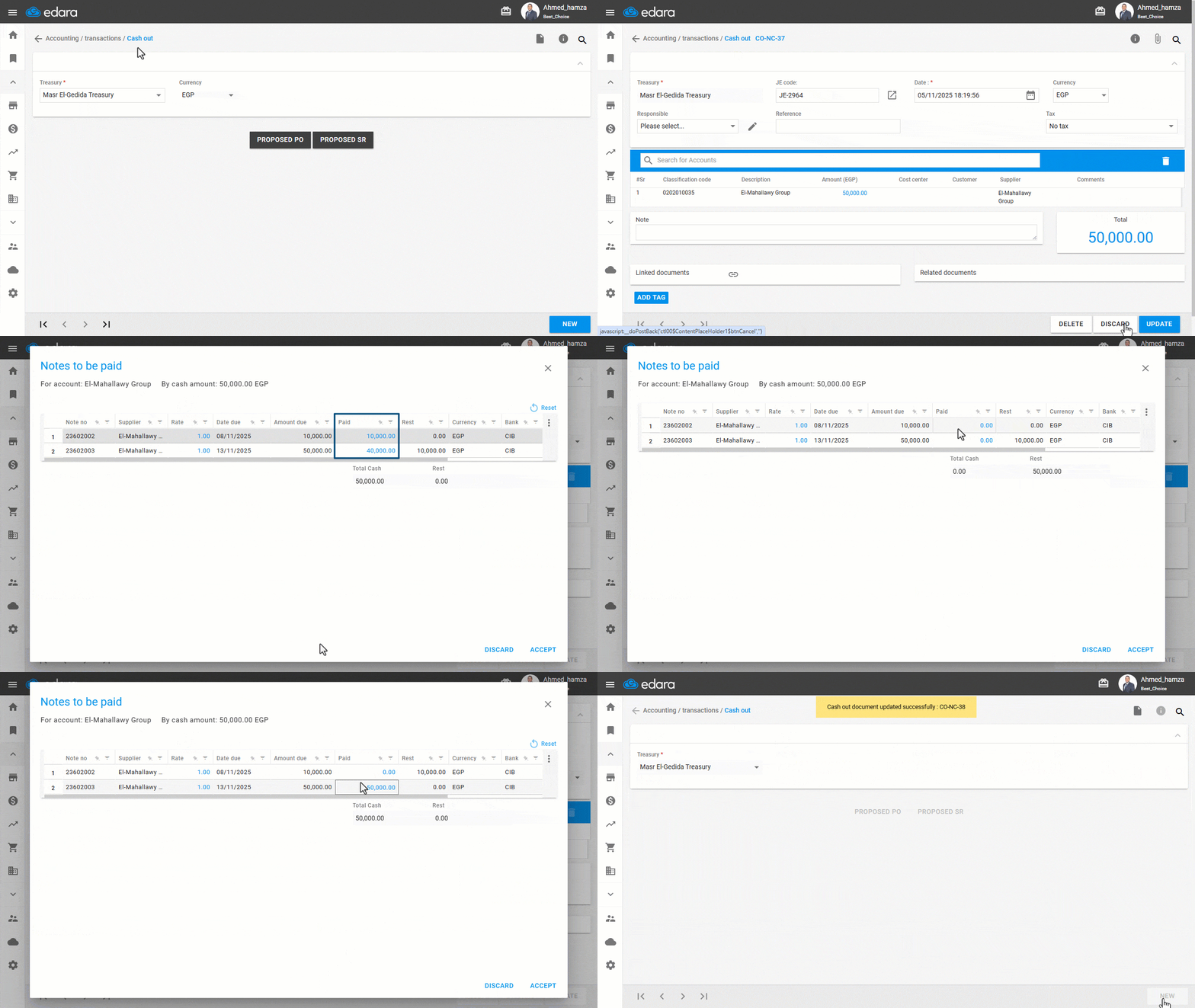
To prevent already paid check amounts from appearing in the NP report, you can ignore the suggested payment amounts while processing cash out.
Ignoring Suggested Payment Amounts for Checks

- Go to the “Accounting” module.
- Open the “Cash out” page.
- Search for the required document using the “🔍” icon or the arrows at the bottom of the page.
- Click on “Edit”.
- Click on “N/P Cashing”.
- Click on “Reset”.
- Distribute the amount among multiple checks, or apply the full amount to a single check.
- Click on “Accept”.
- Click on “Update”.
If you encounter any challenges or have questions during these processes, you can contact our technical support team, who are ready to assist you at any time.
Did this answer your question?