

Settling Notes Payable
Last updated:
Paying notes payable on time enhances the company's reputation and increases supplier confidence.
Settling Notes Payable
"Edara" allows you to settle notes payable in two ways:
1- From Cash out
- Go to the “Accounting” module.
- Open the "Cash out" page.
- Search for the required document using the "🔍" icon or the arrows at the bottom of the page.
- Click on "Edit".
- Click on "N/P Cashing".
Note: You can reset all proposed amounts to zero if they are not needed by clicking on "Reset".
- Enter the cash-out document value in the "Paid" field in the document you want to settle.
Note: You can distribute the amount across multiple cheques or apply the entire amount to one cheque.
- Click "Accept".
- Click "Update".
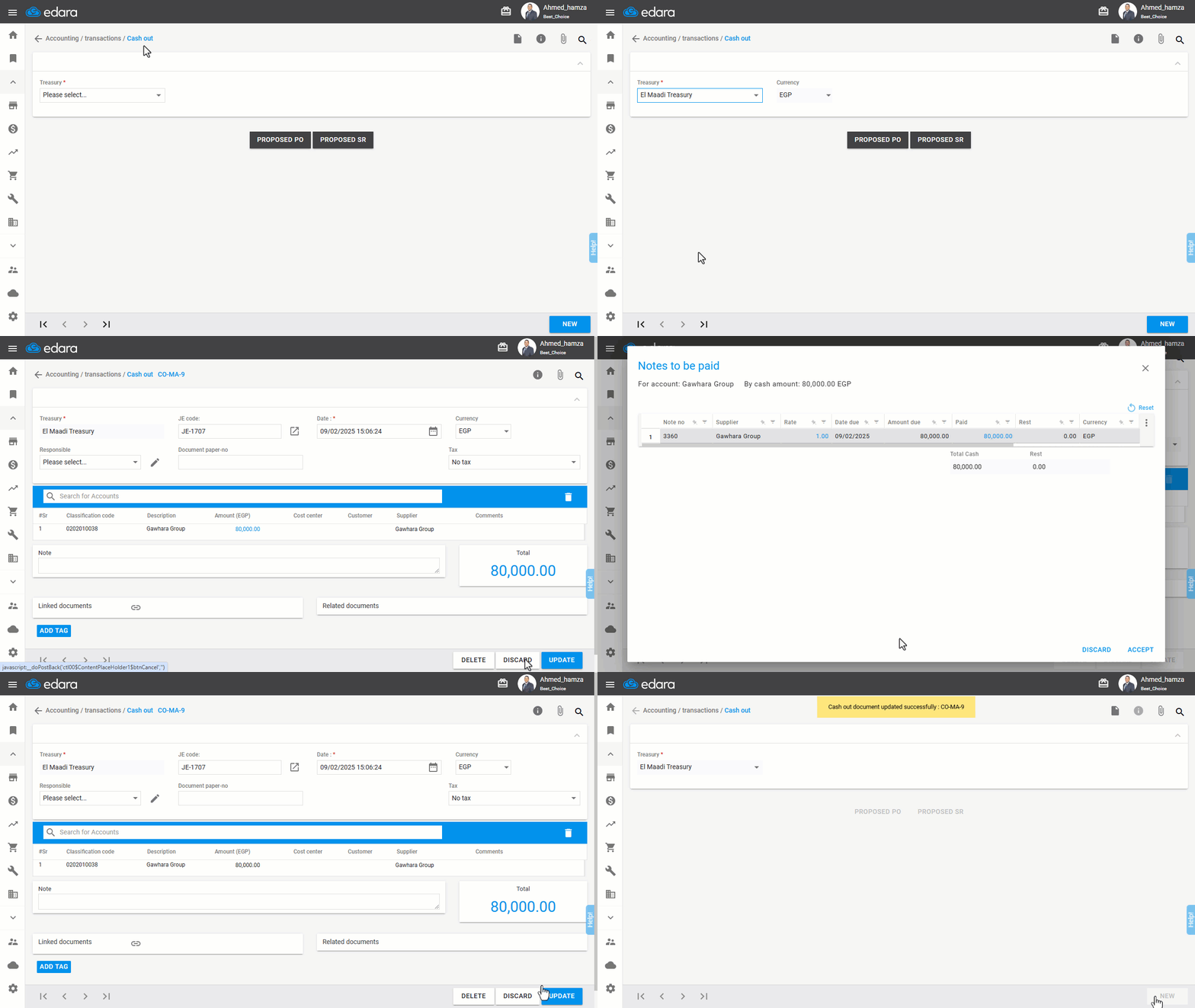
Note: You can also settle checks while creating a cash out document.
2- From Journal Entry
- Go to the “Accounting” module.
- Open the "Journal Entry" page.
- Search for the required document using the "🔍" icon or the arrows at the bottom of the page.
- Click on "Edit".
- Select the amount field in the Debit column.
- Click on "N/P Cashing".
Note: You can reset all proposed amounts to zero if they are not needed by clicking on "Reset".
- Enter the amount to be settled in the "Paid" field in the document you want to settle.
Note: You can distribute the amount across multiple cheques or apply the entire amount to one cheque.
- Click "Accept".
- Click "Update".
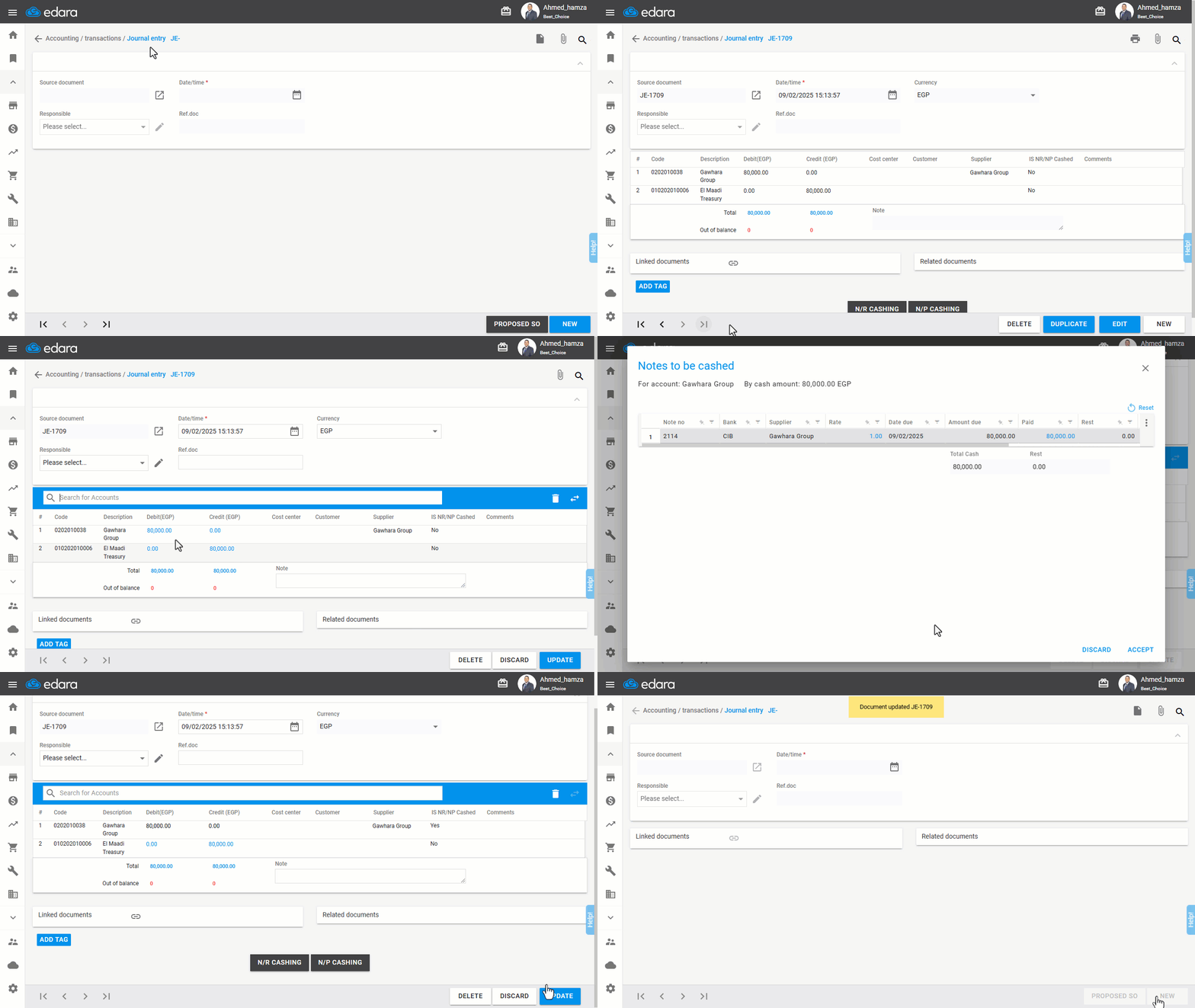
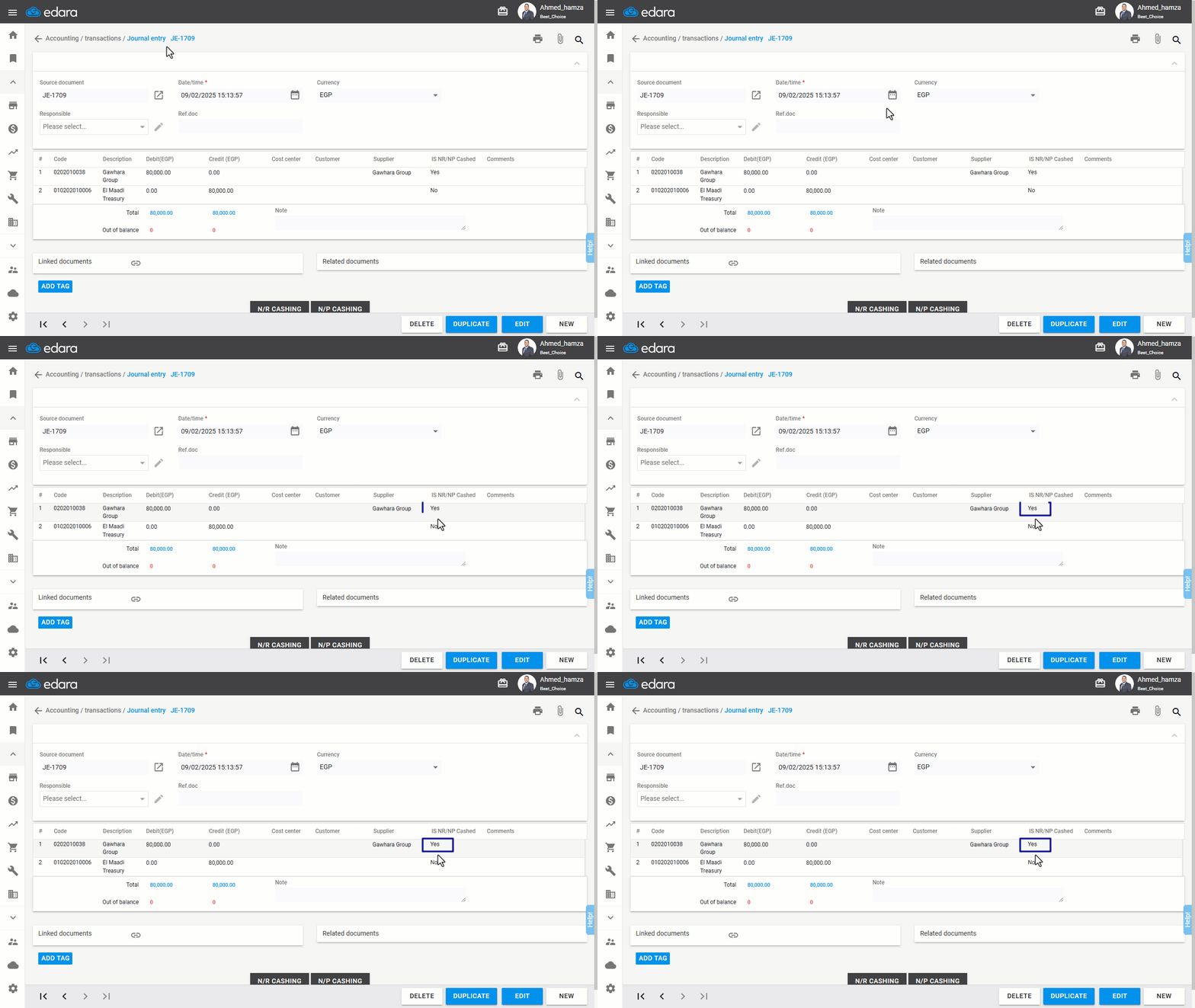
You can verify the successful settlement by checking the "IS NR/NP Cashed" column, where the status will change to "Yes".
Note: You can also settle checks while creating a journal entry document.
Frequently asked questions
Can I distribute the amount across more than one cheque?
You can distribute the amount across multiple cheques or apply the entire amount to one cheque.
If you encounter any challenges or have questions during these processes, you can contact our technical support team, who are ready to assist you at any time.