

Settling cheques
Last updated:
When collecting cheque amounts from the bank, you need to update their status to "Cashed" to ensure accurate balances and proper record transactions.
Settling cheques
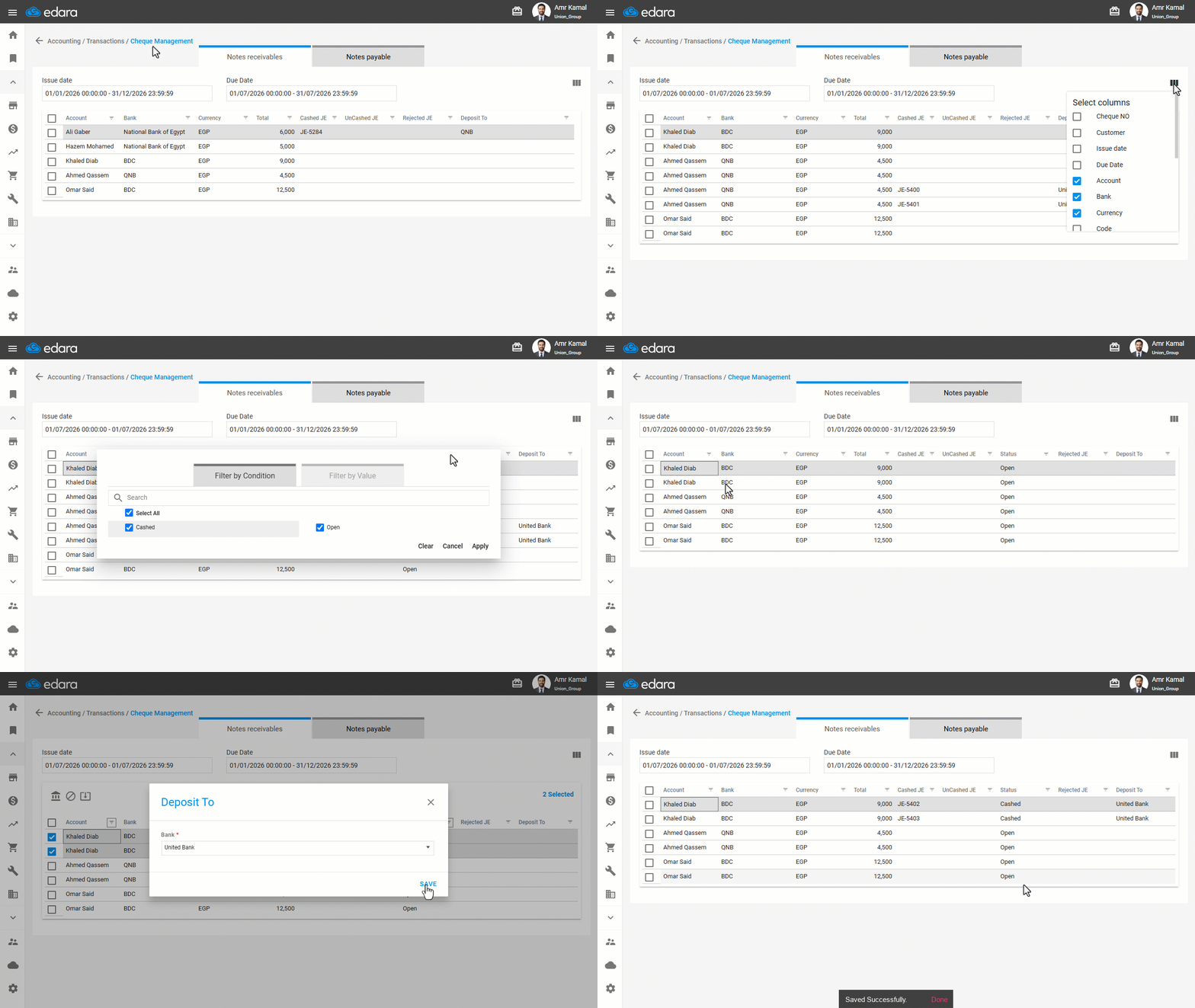
- Go to the "Accounting" Module.
- Open the "Cheque Management" page.
- Select the required period (Issue Date – Due Date).
- Click on "
 ".
". - Enable the "Status" column.
You can enable any columns you want to display based on your needs.
- Click on "Save Sort".
- Click on "
 " next to the "Status" column to filter unpaid cheques.
 - Disable "cashed" so that only the "Open" filter is active.
- Click on "Apply".
- Select the cheque(s) you want to settle.
- Click on "
 ".
". - Select the required bank.
- Click on "Save".
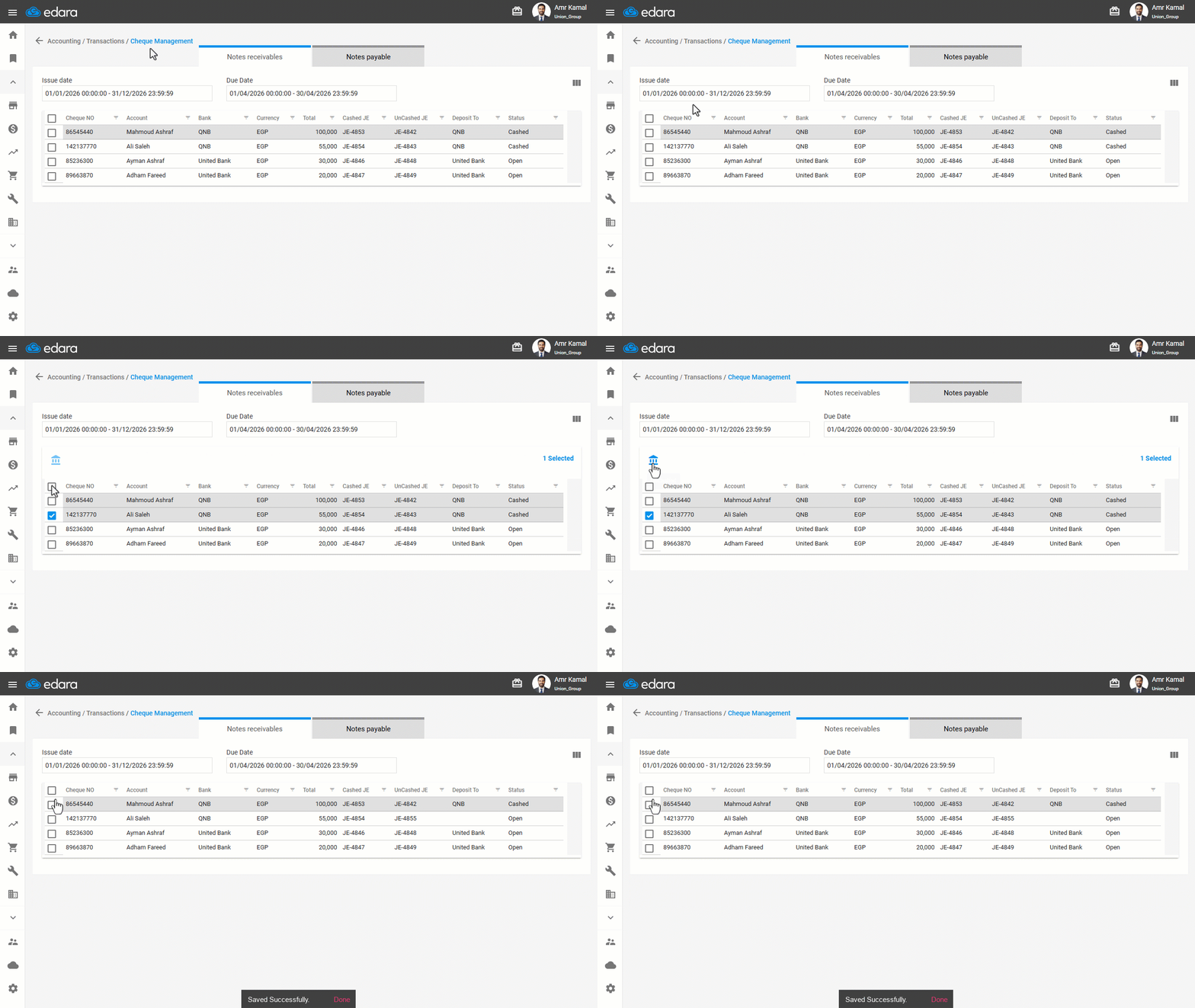
Note: If a cheque is settled by mistake, you can select it again and click on the Cancel Settlement icon " ". The system will automatically create a reverse entry to cancel the payment entry.
Frequently asked questions
How do I cancel a cheque settled by mistake?
If a cheque is settled by mistake, you can select it again and click on the Cancel Settlement icon "". The system will automatically create a reverse entry to cancel the payment entry.
If you encounter any challenges or have questions during these processes, you can contact our technical support team, who are ready to assist you at any time.