

Creating and Organizing Cheque Stages
Last updated:
If you're dealing with a large number of clients and suppliers, and receiving multiple cheques daily that need to be tracked—such as incoming cheques for collection or outgoing cheques for payment—without a well-organized system, some cheques may get lost or deadlines may be missed.
Therefore, you need to create cheque stages.
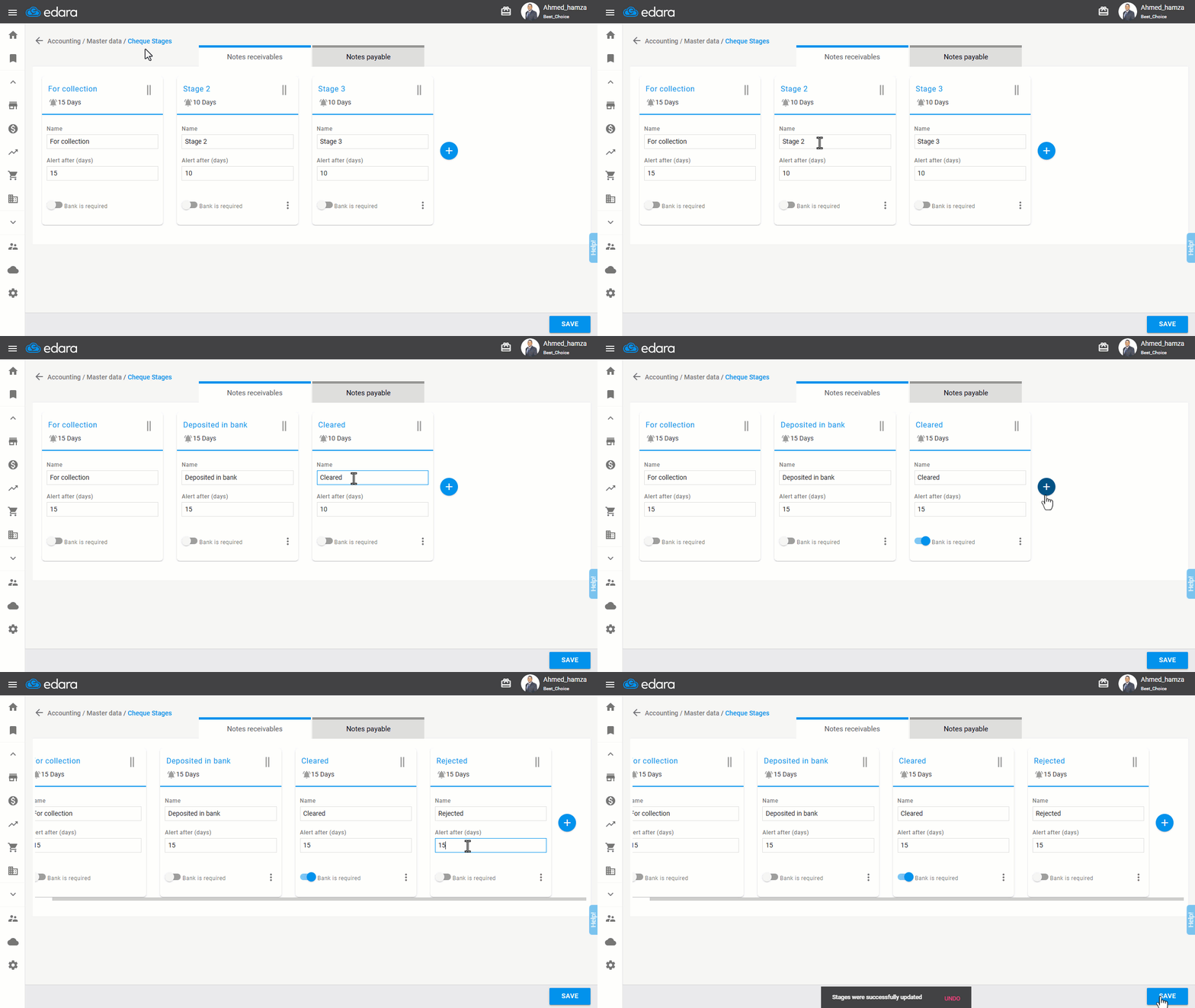
1. Creating Cheque Stages
- Go to the Accounting Module.
- Select "Cheque Stages".
- Click on "➕".
- Enter the "Stage Name".
- Enable "Bank is Required" (if the stage involves cheque settlement).
- Add the number of days for the reminder after completion, under "Reminder After (Days)".
- Click "Save".
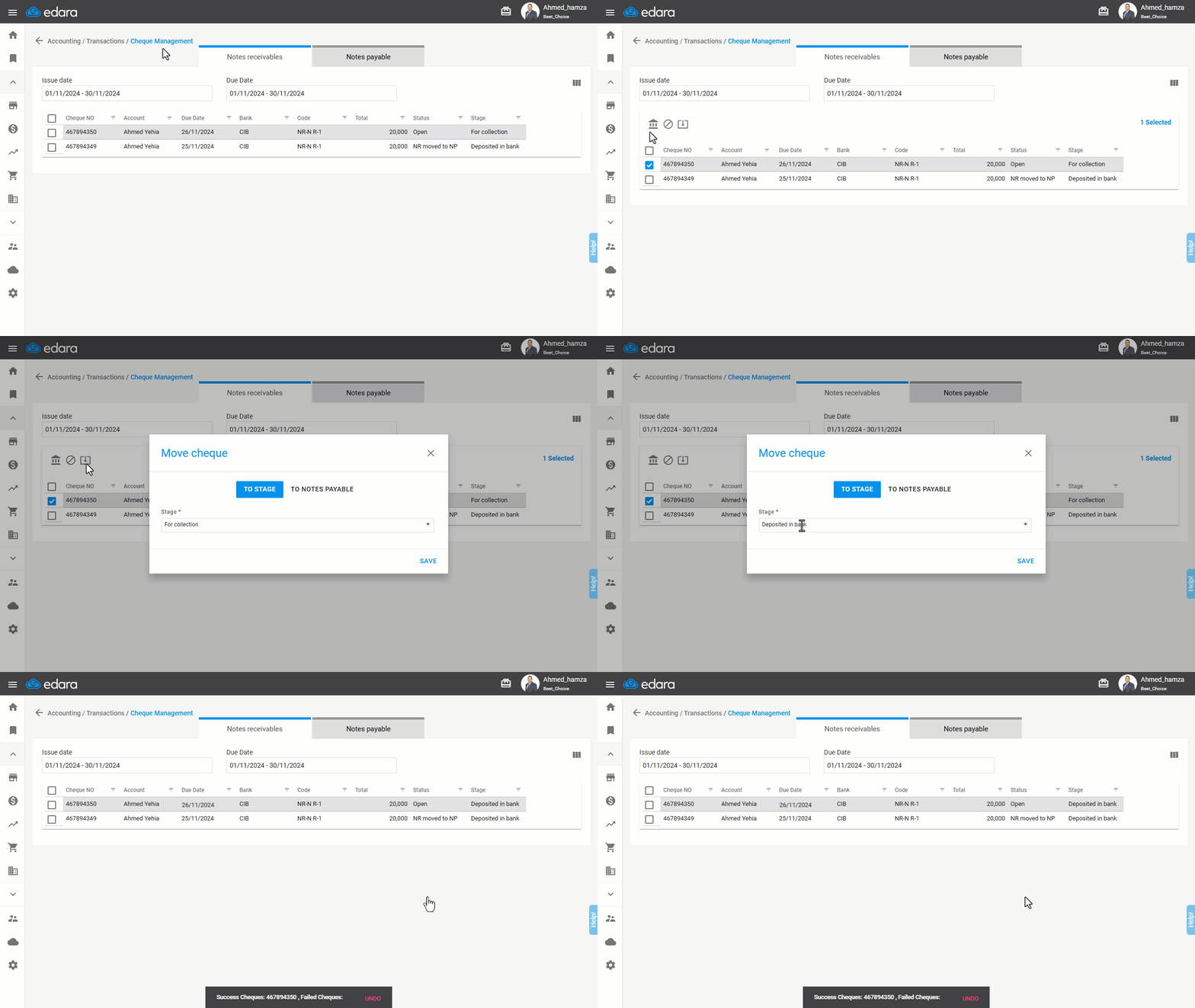
2. Organizing Cheques into Different Stages
- Go to the Accounting Module.
- Select "Cheque Management".
- Choose the cheque(s) to transfer by selecting the checkbox "☐."
- Click the transfer icon "
 ".
". - Select the stage from the dropdown list.
- Click "Save".
If you encounter any challenges or have questions during these processes, you can contact our technical support team, who are ready to assist you at any time.
Did this answer your question?