

Printing bank cheques
Last updated:
Printing cheques helps avoid manual mistakes by generating complete cheques that only need to be signed. The cheques include all essential details, such as the payee's name, the amount, and the payment date.
This transforms the payment process into a more efficient and secure workflow, with final approval done through a simple signature.
Learn how to implement this.
Printing bank cheques
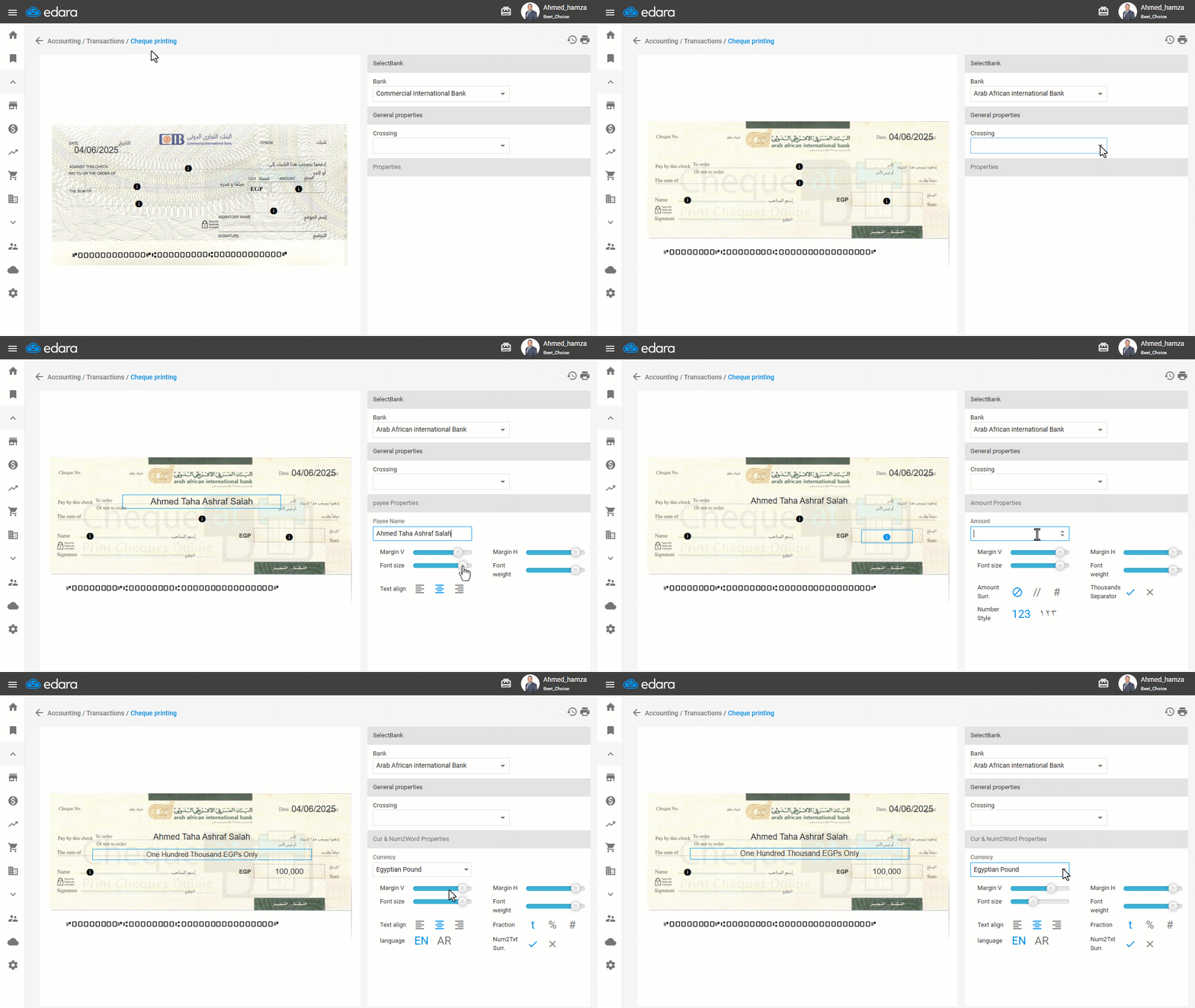
- Go to the Accounting module.
- Open the "Cheque printing" page.
- Select the "Bank".
Note: If the requested bank does not exist, please contact us to add it as soon as possible.
- Choose the “Crossing”.
Note: To modify a cell, you must click on it to show the options for editing it (text, amount, margins, etc.).
- Enter the "Payee Name".
- Set "Alignment".
- Add the "Amount".
- Set "Alignment".
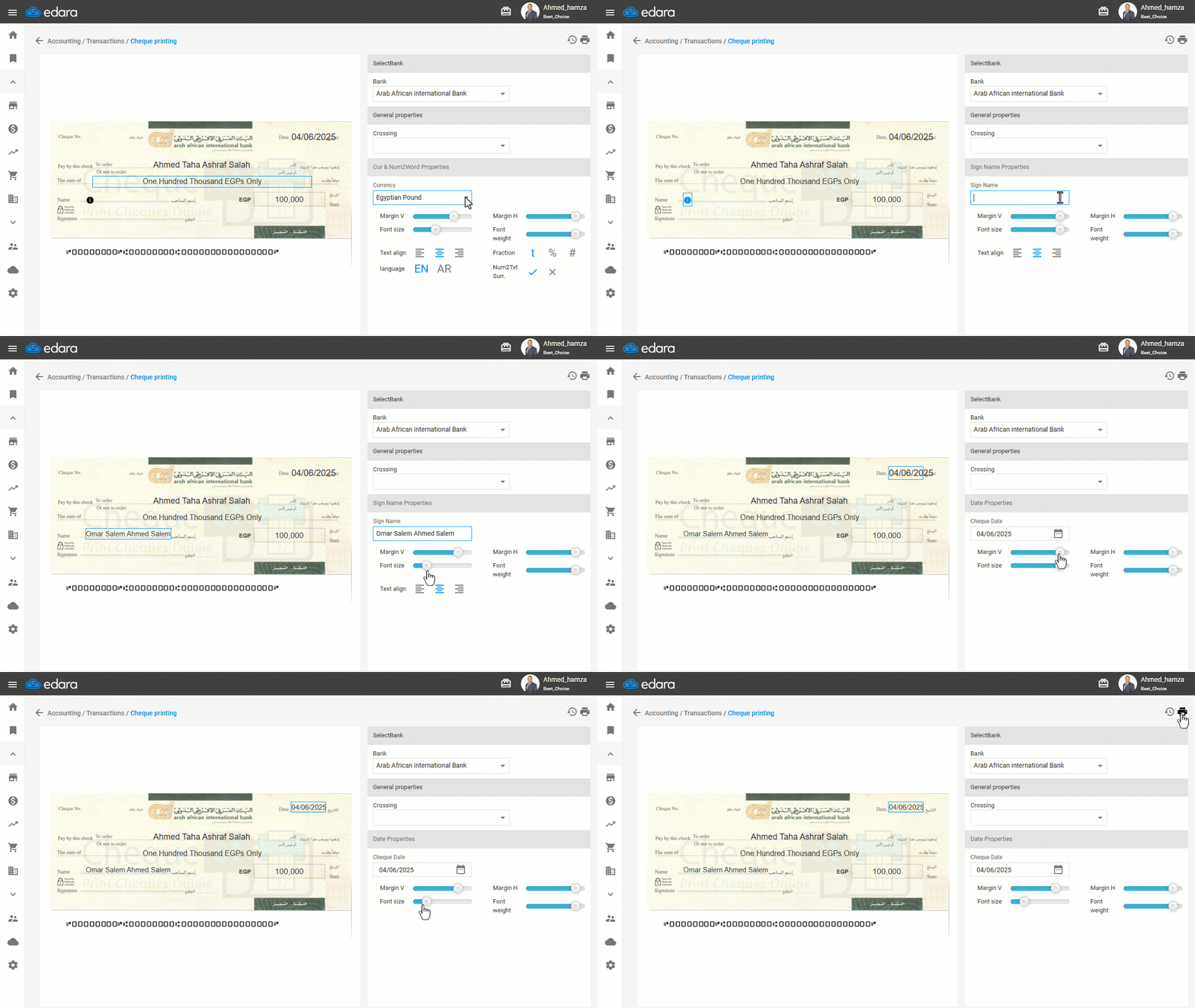
- Select the "Currency".
Note: You can adjust the punctuation if necessary, as in the following Gif:
- Type the "Sign Name".
- Adjust the date font size -if necessary-
- Print.
Frequently asked questions
What if the bank I need is not listed?
If the requested bank does not exist, please contact us to add it as soon as possible.
If you encounter any challenges or have questions during these processes, you can contact our technical support team, who are ready to assist you at any time.