

Displaying Bank Fees and Total Paid Amount in the Print Template
Last updated:
When printing a sales order, you can display the bank fees and the total amount deducted from the customer’s account when the customer is responsible for covering these fees.
Displaying Bank Fees and Total Paid Amount in the Print Template
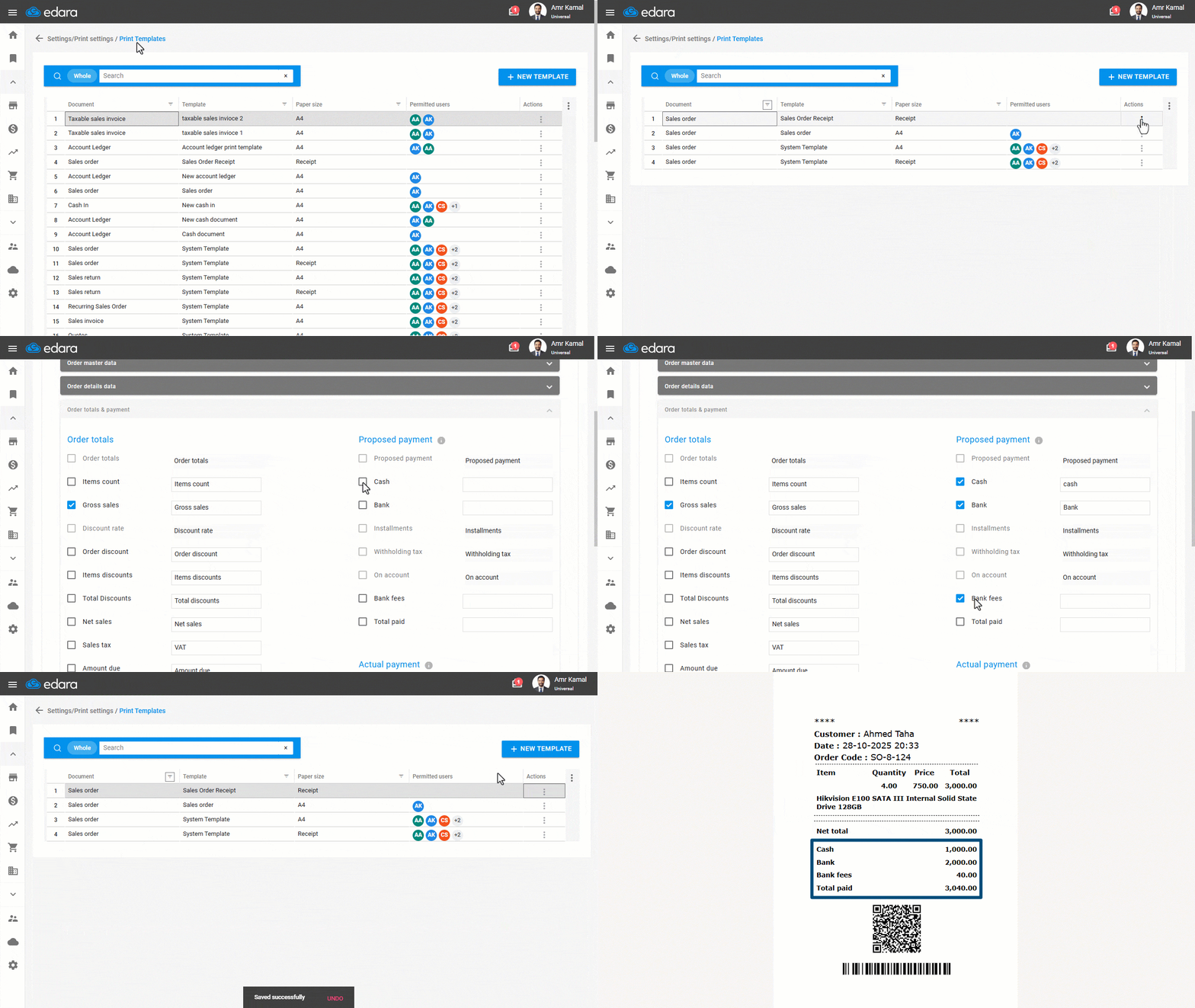
- Go to “Settings”.
- Open the “Print Templates” page.
- Search for the required print template using the search bar, or filter the list using the “Document” column.
- Click on the “⋮” icon in the “Actions” column next to the required print template.
- Click on “Edit”.
Note: Select a print template other than the system template, as it cannot be modified, or create a new template.
- Go to “Order totals & payment”.
- Enable the following options (Cash - Bank - Bank Fees - Total Paid) under the “Proposed payment” section.
- Enter the preferred display text for each field.
- Click on “Save”.
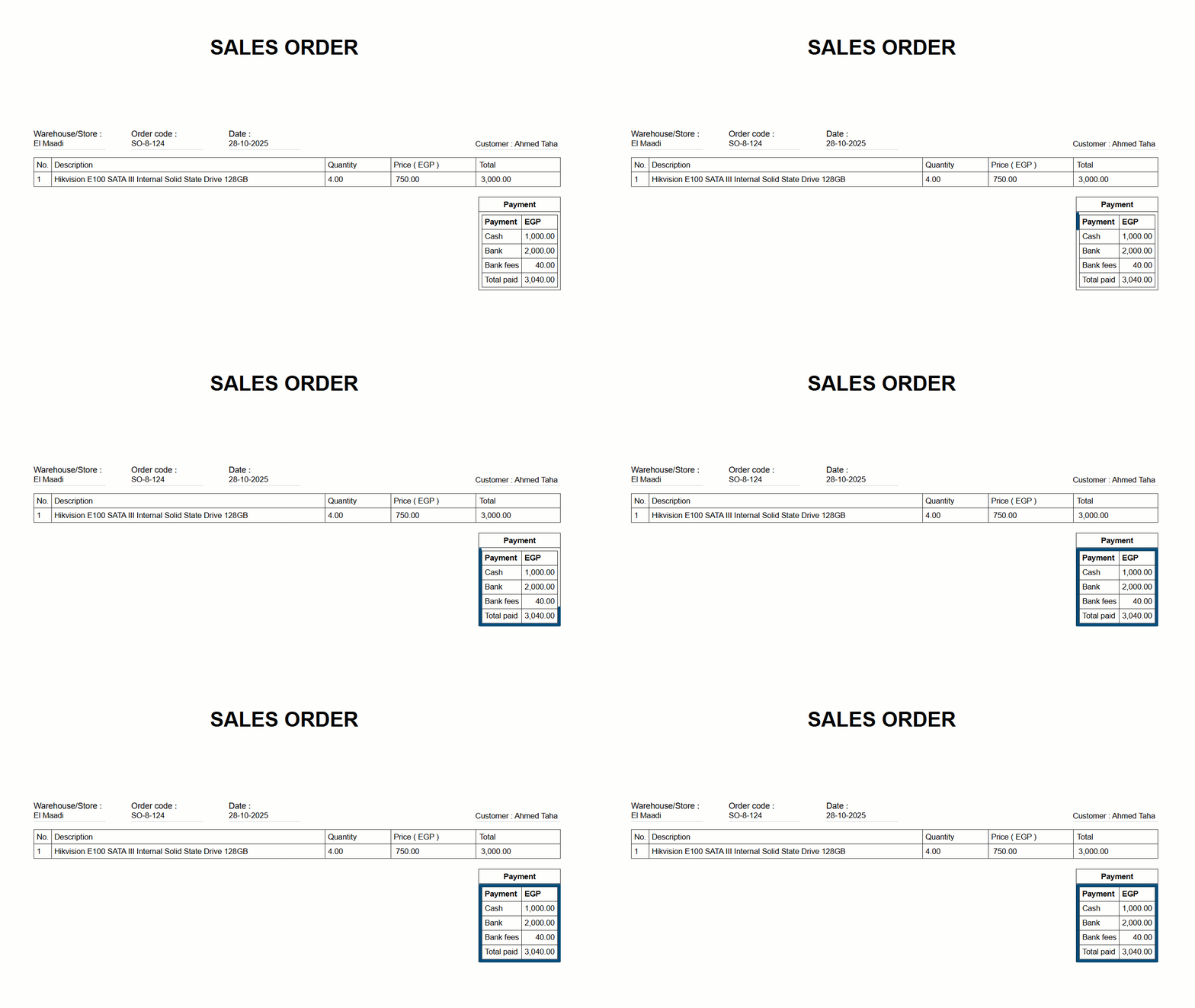
When printing, ensure that you select the updated template so that this data appears on the printed receipt or document.
Notes:
- If the customer bears the bank fees, displaying them shows the additional amount deducted from their account. If the company covers these fees, it’s not recommended to display them, as they are considered internal expenses unrelated to the customer.
- This setting can be applied to both receipt and A4 print templates.
Frequently asked questions
When should bank fees be shown in the printout?
If the customer bears the bank fees, displaying them shows the additional amount deducted from their account. If the company covers these fees, it’s not recommended to display them, as they are considered internal expenses unrelated to the customer.
If you encounter any challenges or have questions during these processes, you can contact our technical support team, who are ready to assist you at any time.