

Automated Accounting Processing of Bank Fees
Last updated:
When creating a new bank account, you can define the bank collection fee percentage, select the account used to handle these fees, and specify who will pay them — either the customer or the company.
Once configured, Edara automatically creates the accounting transactions whenever this account is used to pay sales orders.
Automated Accounting Processing of Bank Fees

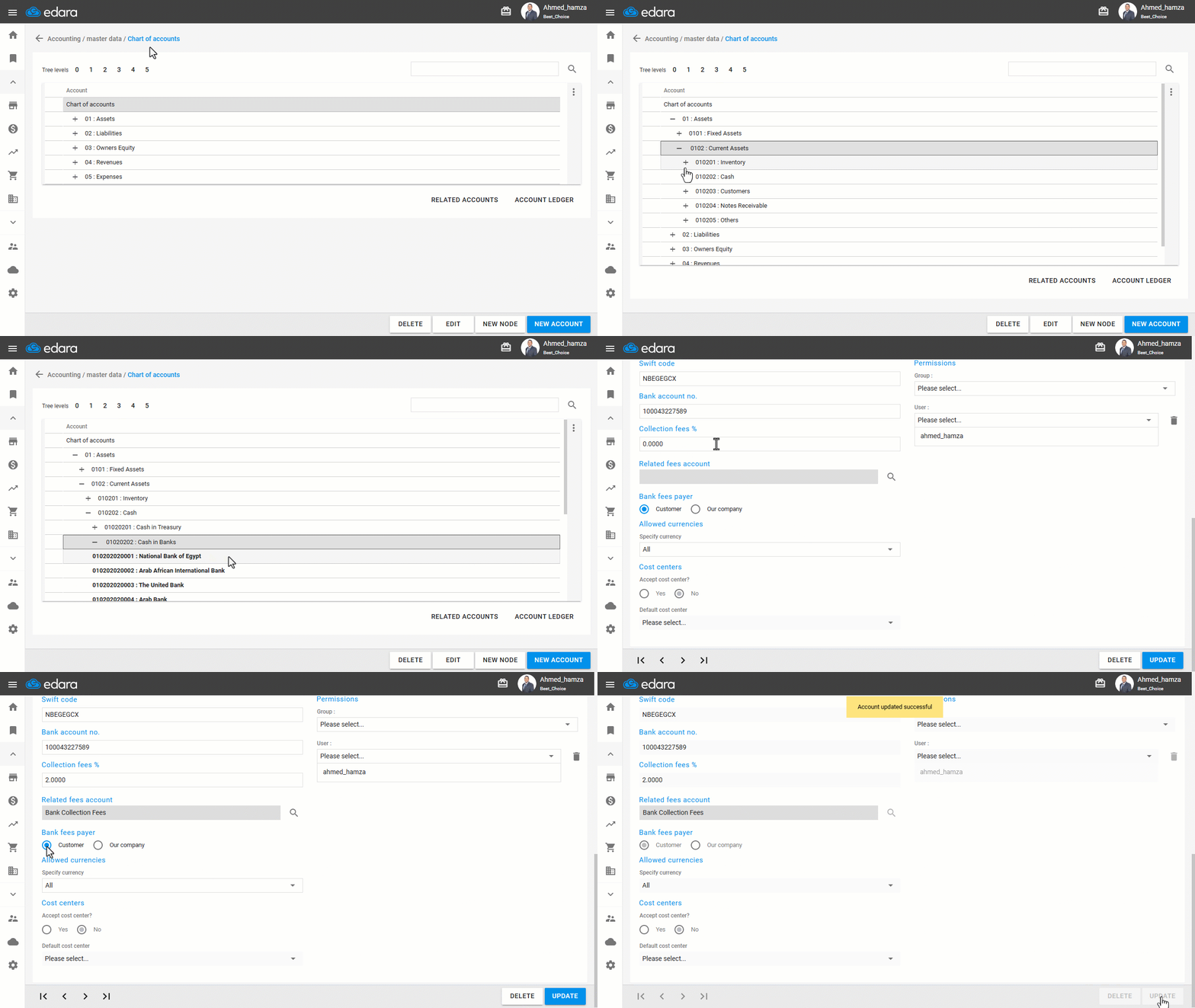
- Go to the “Accounting” module.
- Open the “Chart of Accounts” page.
- Open the bank account page by searching for it using the "🔍" icon or by navigating through the chart of accounts.
- Select the collection fee percentage (bank fees rate).
- Select the Related fees account by clicking on the “🔍” icon.
- Choose who will bear the bank fees (Customer or Our Company).
- Click on “Update”.
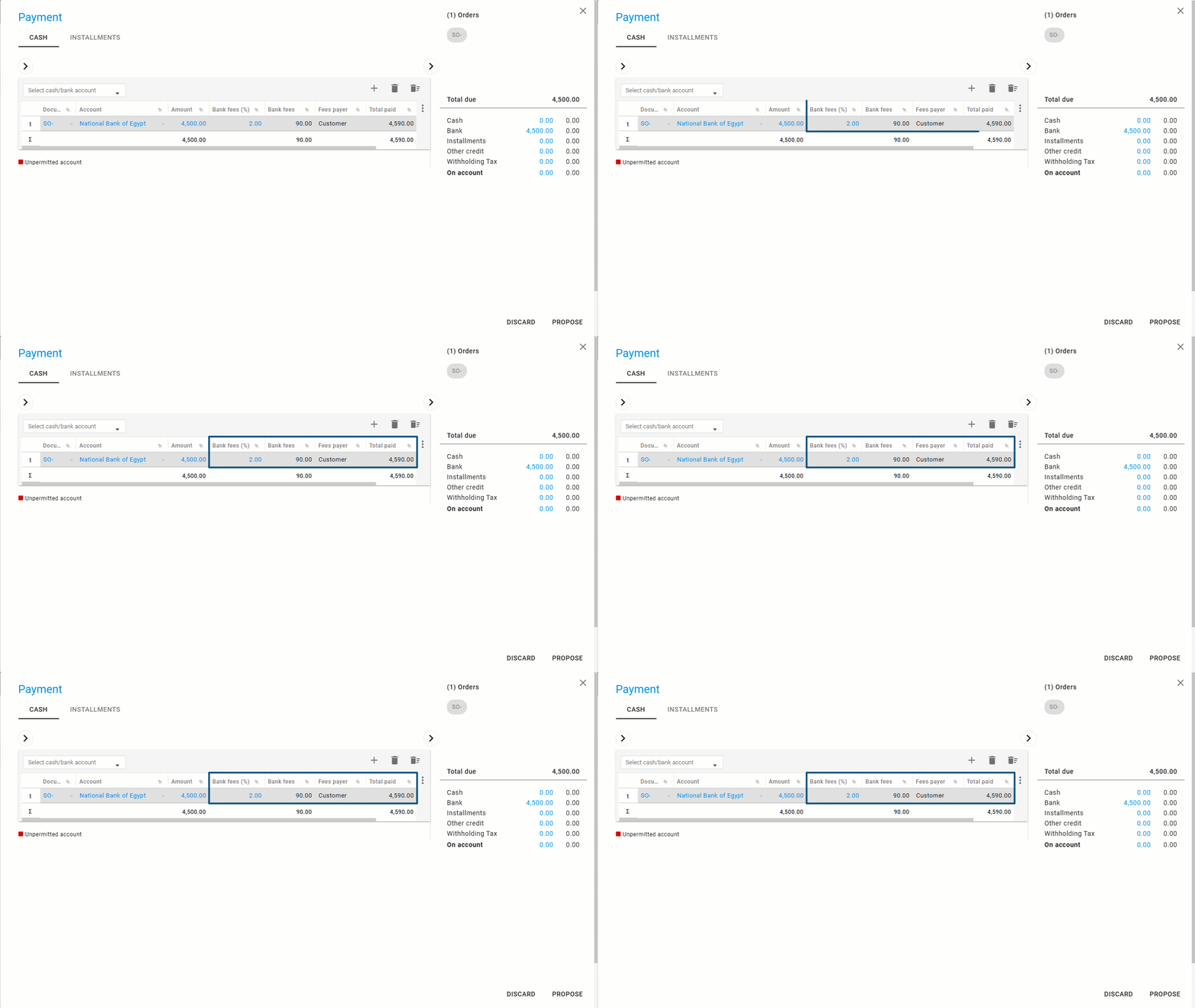
When creating a sales order and selecting the bank payment method, four columns will appear in the Suggested Payment page, showing the bank fee details:
- Bank fees Percentage
- Bank fees Amount
- Fees Payer
- Total Paid
Notes:
- If the customer bears the bank fees, the Total Paid will include both the original amount and the bank charges. If the company bears the fees, the Total Paid will remain equal to the invoice amount only.
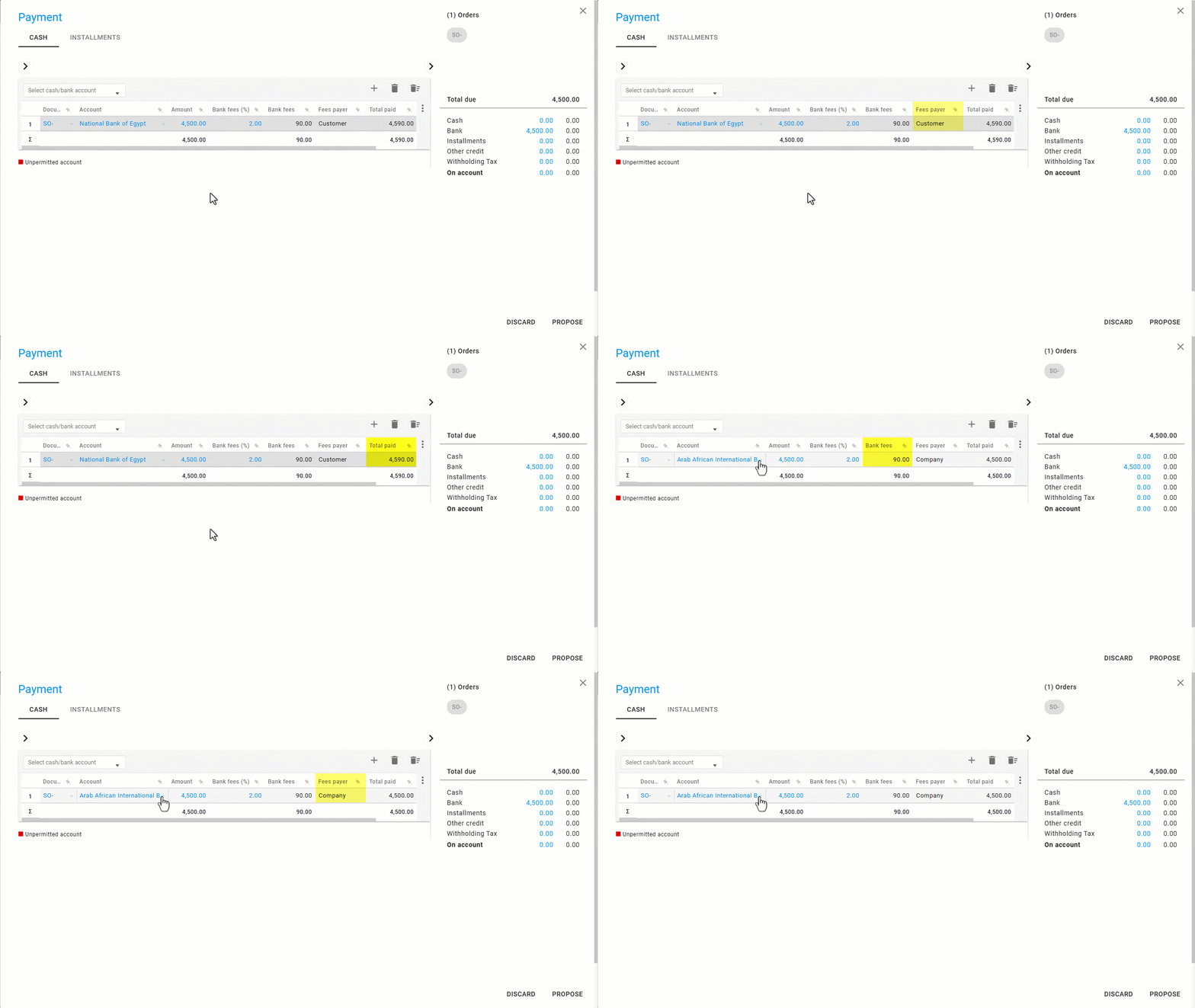
- When fees are charged to the customer, they can be displayed later in the printed document.
Frequently asked questions
What happens to the total paid if the customer bears the bank fees?
If the customer bears the bank fees, the Total Paid will include both the original amount and the bank charges. If the company bears the fees, the Total Paid will remain equal to the invoice amount only.
If you encounter any challenges or have questions during these processes, you can contact our technical support team, who are ready to assist you at any time.