

Selecting the Bank Fee Payer
Last updated:
When customers pay using Visa, you can define who pays the bank collection fees — the customer or the company — to ensure accurate collection records and accounting entries.
Selecting the Bank Fee Payer
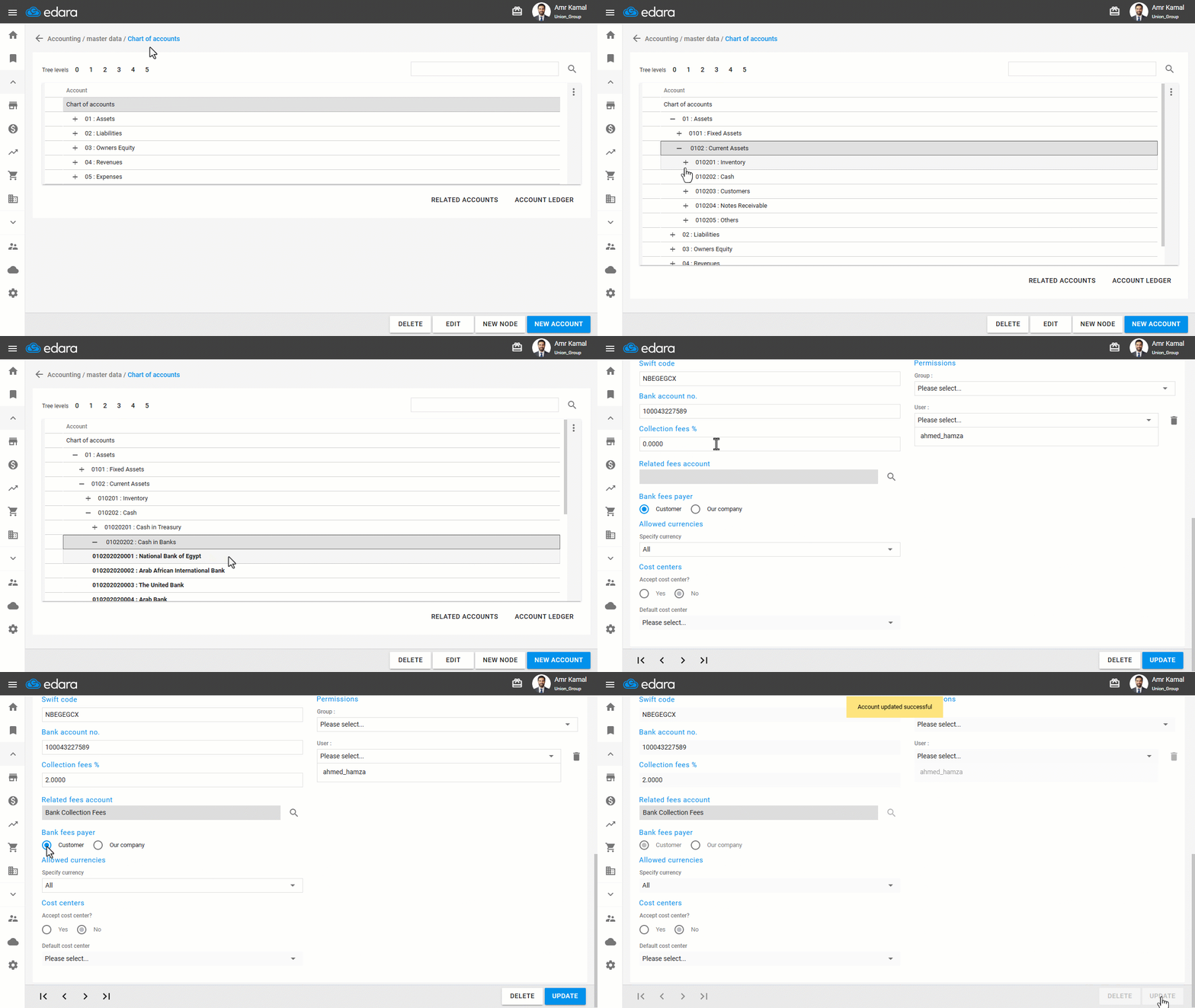
- Go to the “Accounting” module.
- Open the “Chart of Accounts” page.
- Click on “+” next to the “Assets” group until you reach “Cash in Banks”.
- Double-click on the required bank.
You will be redirected automatically to the “Accounts” page.
- Enter the Collection Fees Percentage.
- Select the related fees account.
- Select the Bank Fees Payer (Customer / Our Company).
- Click on “Update”.
If you encounter any challenges or have questions during these processes, you can contact our technical support team, who are ready to assist you at any time.
Did this answer your question?