

Controlling Editing Bank Fees When Paying a Sales Order
Last updated:
You can control whether bank fees can be edited when paying Sales Orders, especially if these fees are specified in the bank account master data. This helps prevent recording inaccurate values in the system and avoids differences during bank reconciliation later.
Controlling Editing Bank Fees When Paying a Sales Order

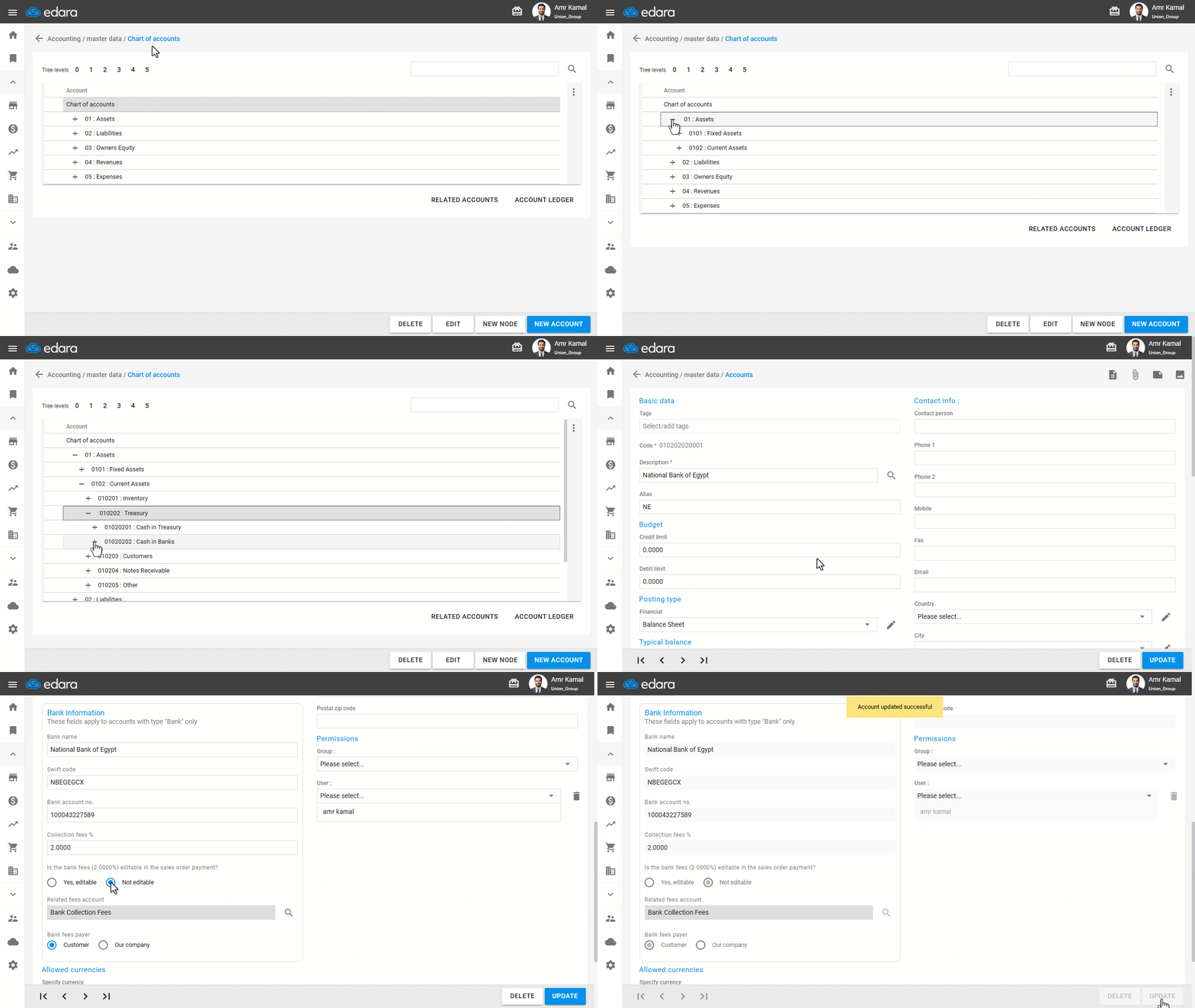
- Go to the "Accounting" module.
- Open the "Chart of Accounts" page.
- Click on the "+" icon next to the Assets group until you reach the "Cash at Banks" group.
- Double-click on the required bank account.
You will be automatically redirected to the "Accounts" page.
- In the option "Is the bank fees editable in the sales order payment?", select "Not editable".
- Click on "Update".
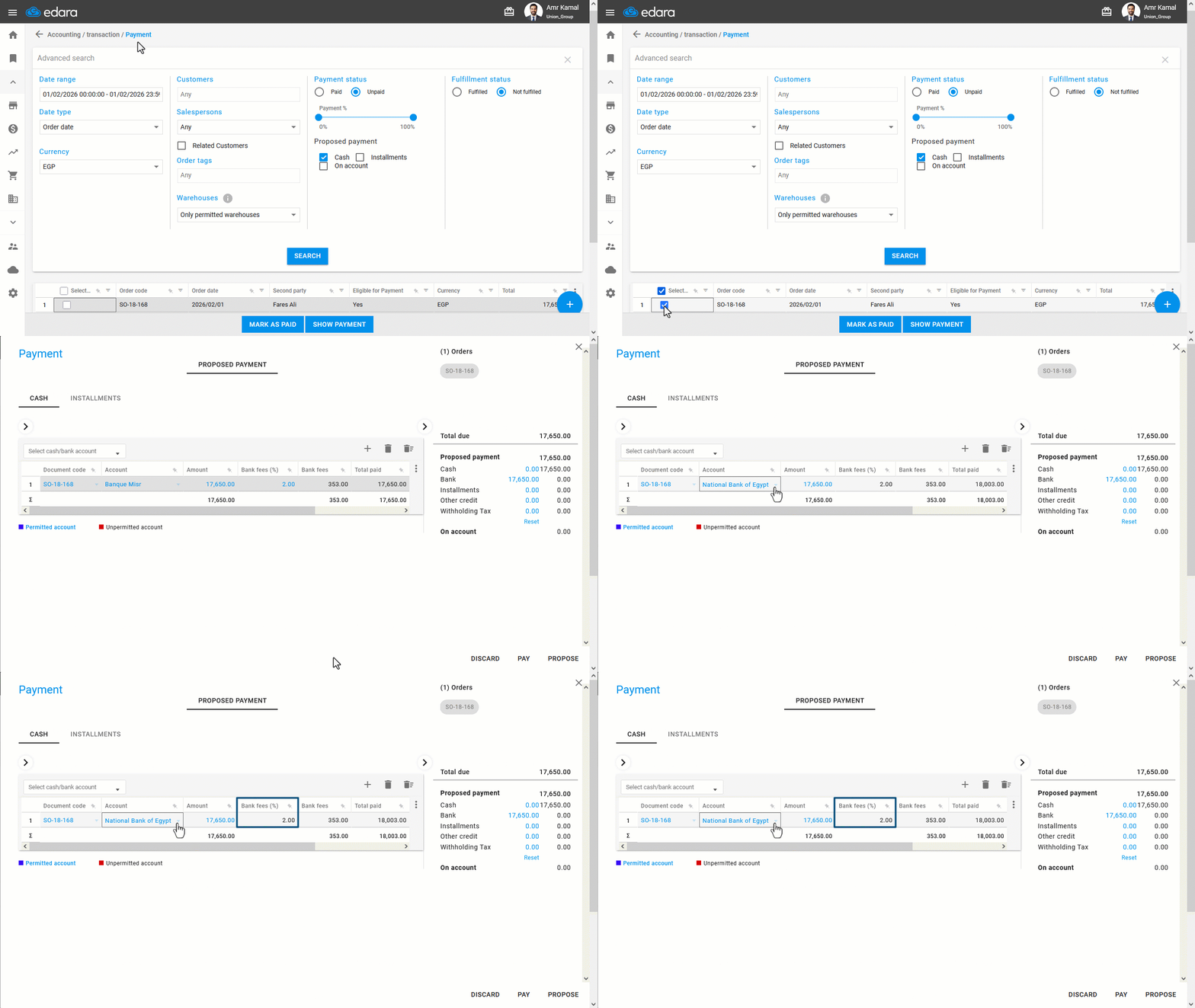
When selecting "Not editable" the bank fee amount cannot be edited while paying a Sales Order, and the value specified in the bank account master data will be applied.
Note: You can also control whether bank fees can be edited when paying Sales Orders while creating a new account.
Frequently asked questions
Can I control bank fee editing when creating the account?
You can also control whether bank fees can be edited when paying Sales Orders while creating a new account.
If you encounter any challenges or have questions during these processes, you can contact our technical support team, who are ready to assist you at any time.