

Displaying Related Accounts
Last updated:
When reviewing accounts or analyzing balances, you may need to identify the related accounts associated with a specific account to track account movements more accurately and understand the impact of sub-accounts during reviews or when preparing financial reports.
Displaying Related Accounts
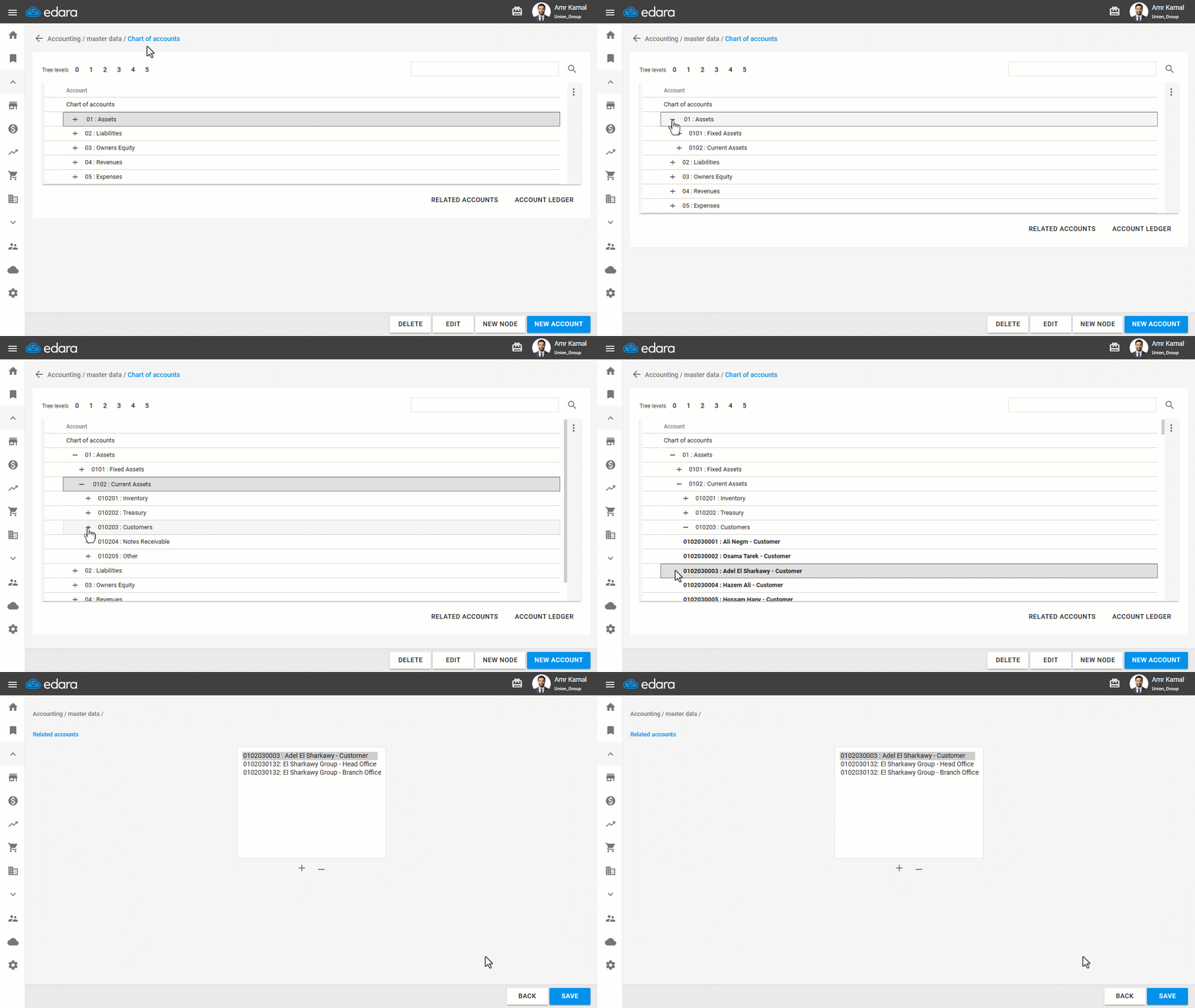
- Go to the “Accounting” module.
- Open the “Chart of Accounts” page.
- Click on “+” until you reach the required account or search for it using this icon “🔎”.
- Click on the account.
- Click on “Related Accounts”.
A window will appear, displaying all related accounts associated with the selected account.
Displaying Related Accounts in Bulk
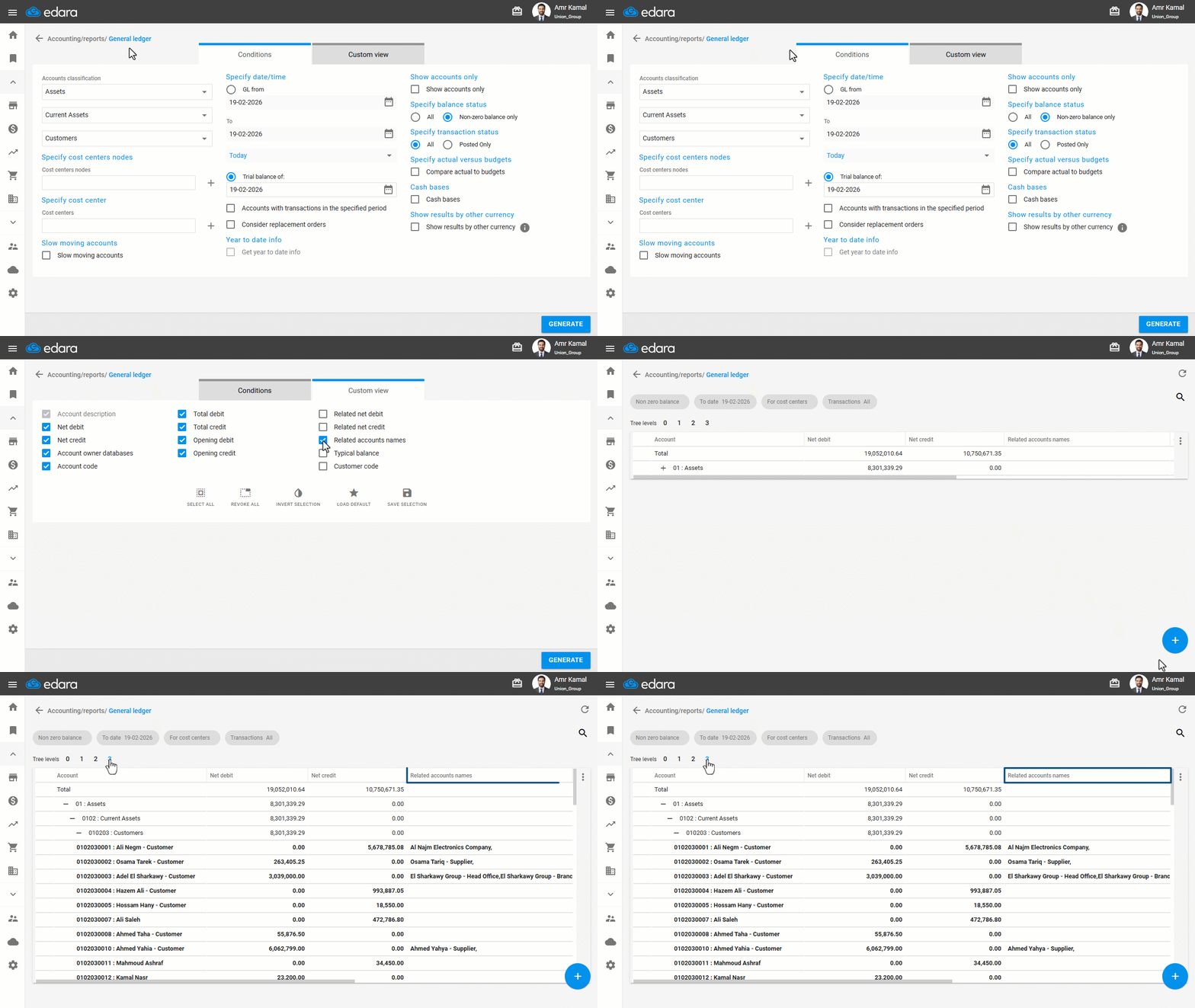
- Go to the “Accounting” module.
- Open the “General ledger” page.
- Go to “Custom view”.
- Enable the “Related accounts names” option.
- Click on “Generate”.
If you encounter any challenges or have questions during these processes, you can contact our technical support team, who are ready to assist you at any time.
Did this answer your question?