

Viewing Sales Orders Linked to Notes Receivables
Last updated:
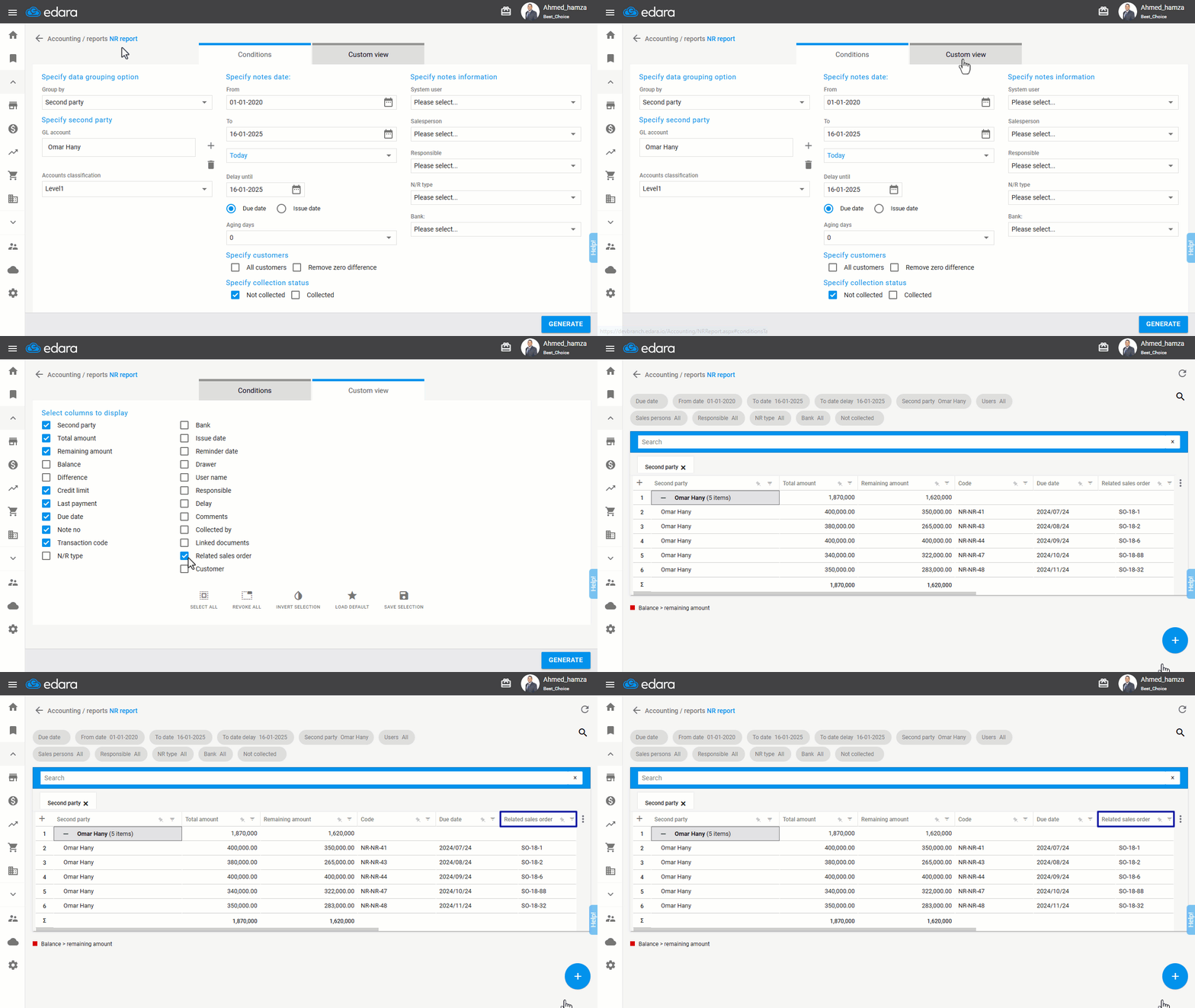
The Receivables Report displays all the receivables linked to each account. If you're looking to identify the sales orders associated with a particular receivable, this can be easily done through the report.
Steps to View Sales Orders Linked to Notes Receivables
- Go to the Accounting module.
- Open the “NR Report”.
- Click on “Custom View”.
- Check the “Related Sales Order” column.
- Click on “Generate”.
Note: The report will display the sales order code (if available) next to each receivable.
If you encounter any challenges or have questions during these processes, you can contact our technical support team, who are ready to assist you at any time.
Did this answer your question?