

Canceling the Collection of Notes Receivable
Last updated:
Notes Receivable collections are cancelled in accounting to correct errors, adjust to changes in sales operations, or for other financial process-related reasons.
It is important to note that cancelling a Notes Receivable collection impacts financial accounts, so all transactions must be recorded accurately and correctly.
Canceling the Collection of Notes Receivable
- Go to the Accounting module.
- Open the “NR Report”.
- Click on the “+” icon to select the GL account (the second party to the note).
- Specify the notes date.
- Specify the collection status to “Collected”.
- Choose the columns you want to display from “Custom View”.
- Click on “Generate”.
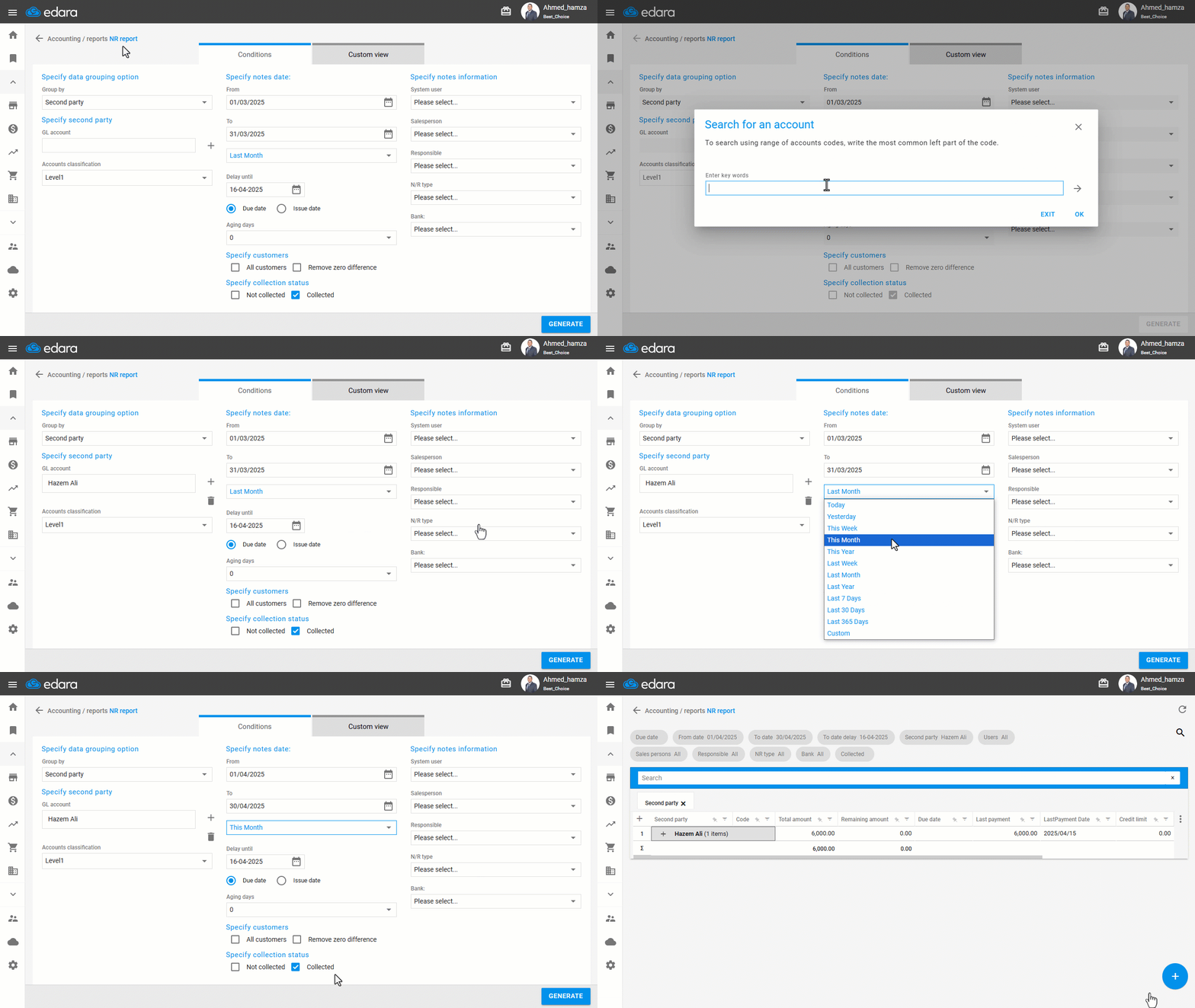
- Click “+” to view the note details.
- Double-click the note receivable to be redirected to the account ledger report.
- Specify a date.
- Select the transaction type as “All” to display all transactions.
- Display the required columns using “Custom View”.
- Click on “Generate”.
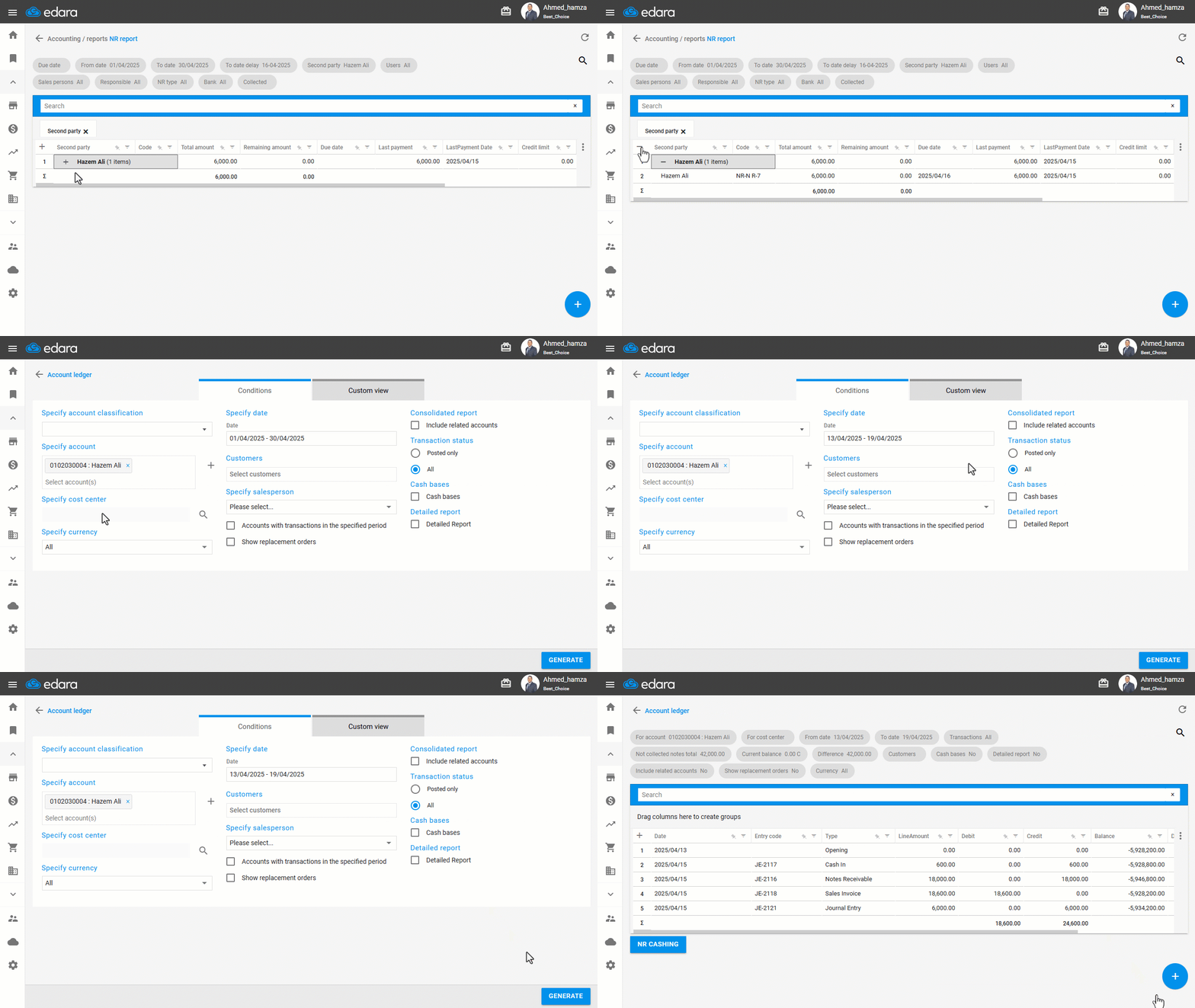
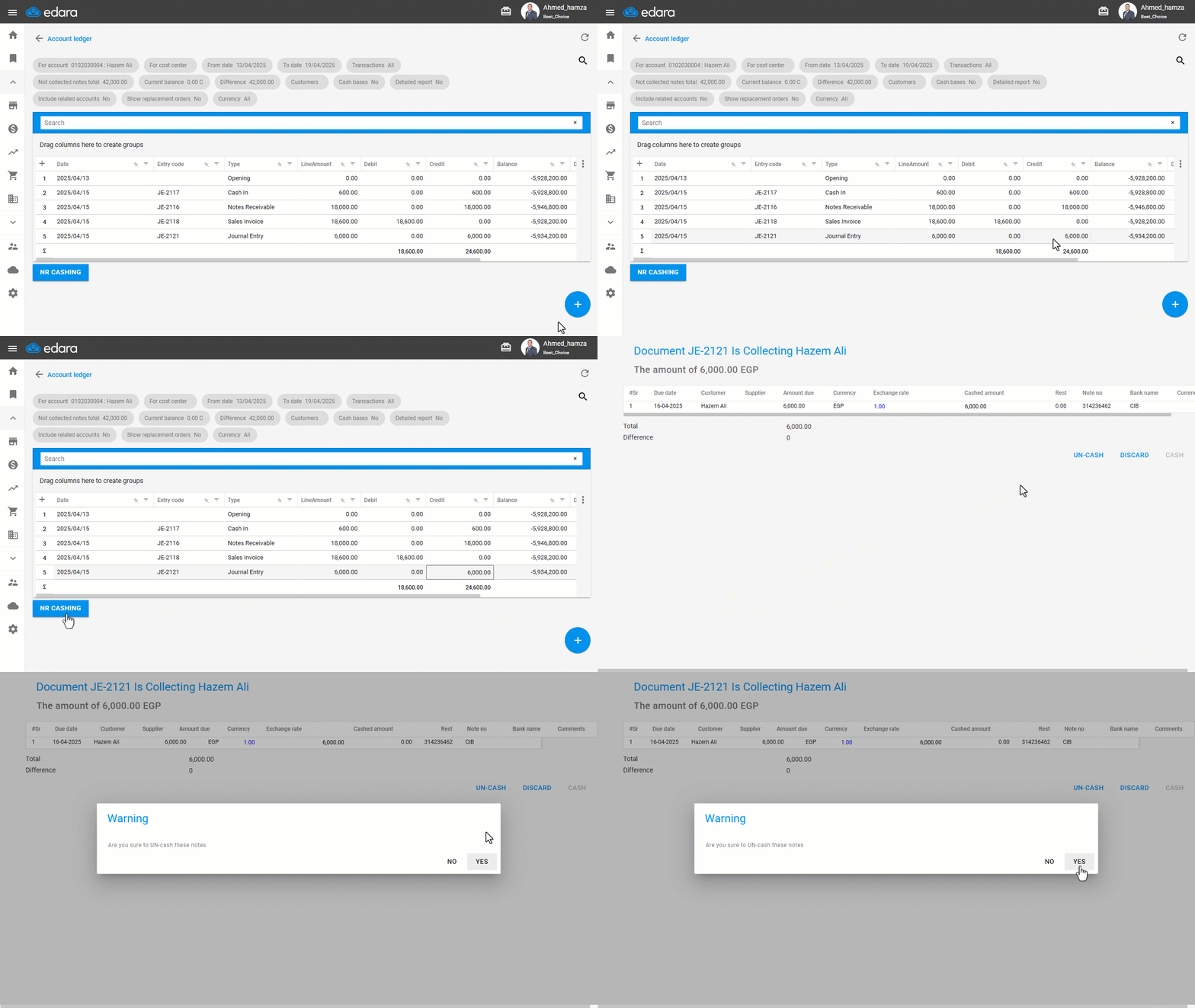
- Specify the amount of the note you want to cancel the collection for.
- Hover over the “Credit” field.
- Click on “NR Cashing” at the bottom of the report.
- Click on “Un-cash”.
- Click “Yes” to confirm.
If you encounter any challenges or have questions during these processes, you can contact our technical support team, who are ready to assist you at any time.
Did this answer your question?