

Setting the Date in Reports
Last updated:
"Edara" reports are highly flexible, allowing you to specify periods and dates based on the desired review timeframe.
Setting the Date in Reports
"Edara" provides two methods to set the date in reports:
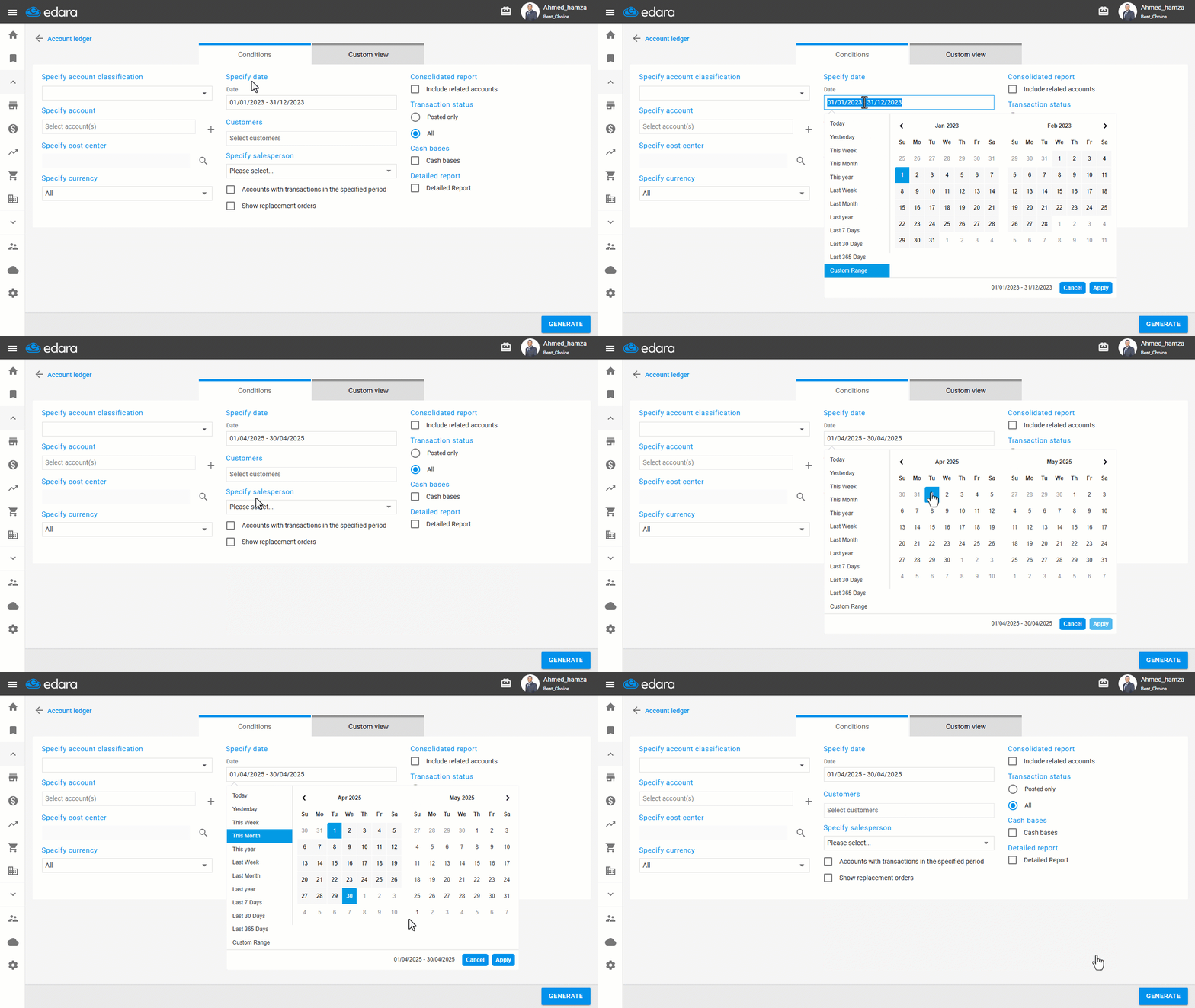
Manual Selection
- Specify the desired period from the dropdown menu or select the start and end dates by clicking on the required dates.
- Click on "Apply".
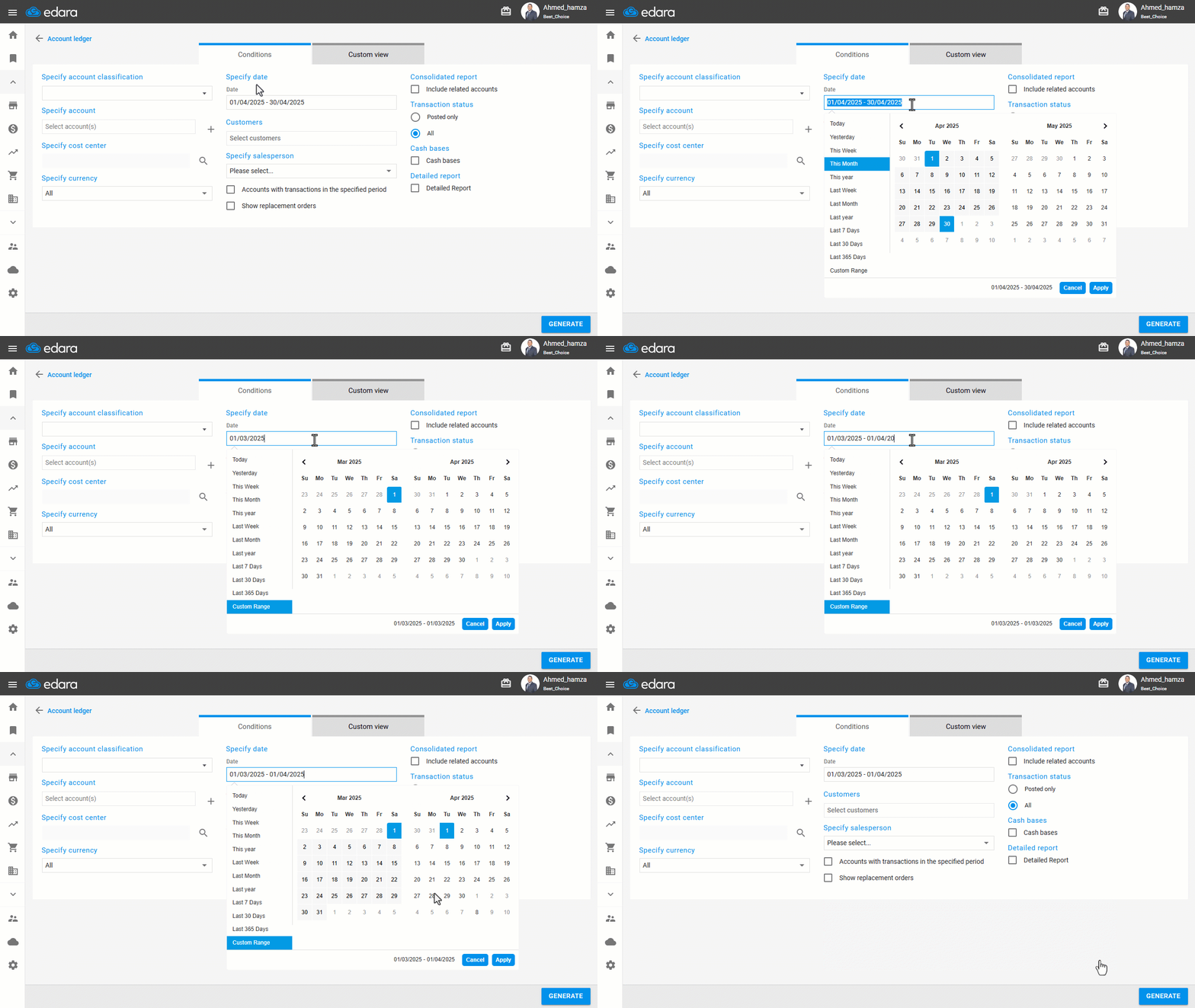
Manual Entry
- Enter the desired date manually using the format 22/09/2023.
- Start with the beginning date, followed by a space, then a “-” sign, another space, and then the end date (e.g., 1/04/2023 - 22/09/2023).
- Click on "Apply".
If you encounter any challenges or have questions during these processes, you can contact our technical support team, who are ready to assist you at any time.
Did this answer your question?