

Pinning a Column in Reports
Last updated:
If a report contains data that needs to be continuously compared, pinning the column that contains this data allows for easy comparison between values.
Pinning a Column in Warehouse Stocks Reports
- Go to the Warehouse module
- Select "Warehouse stocks"
- Click
 to pin the column.
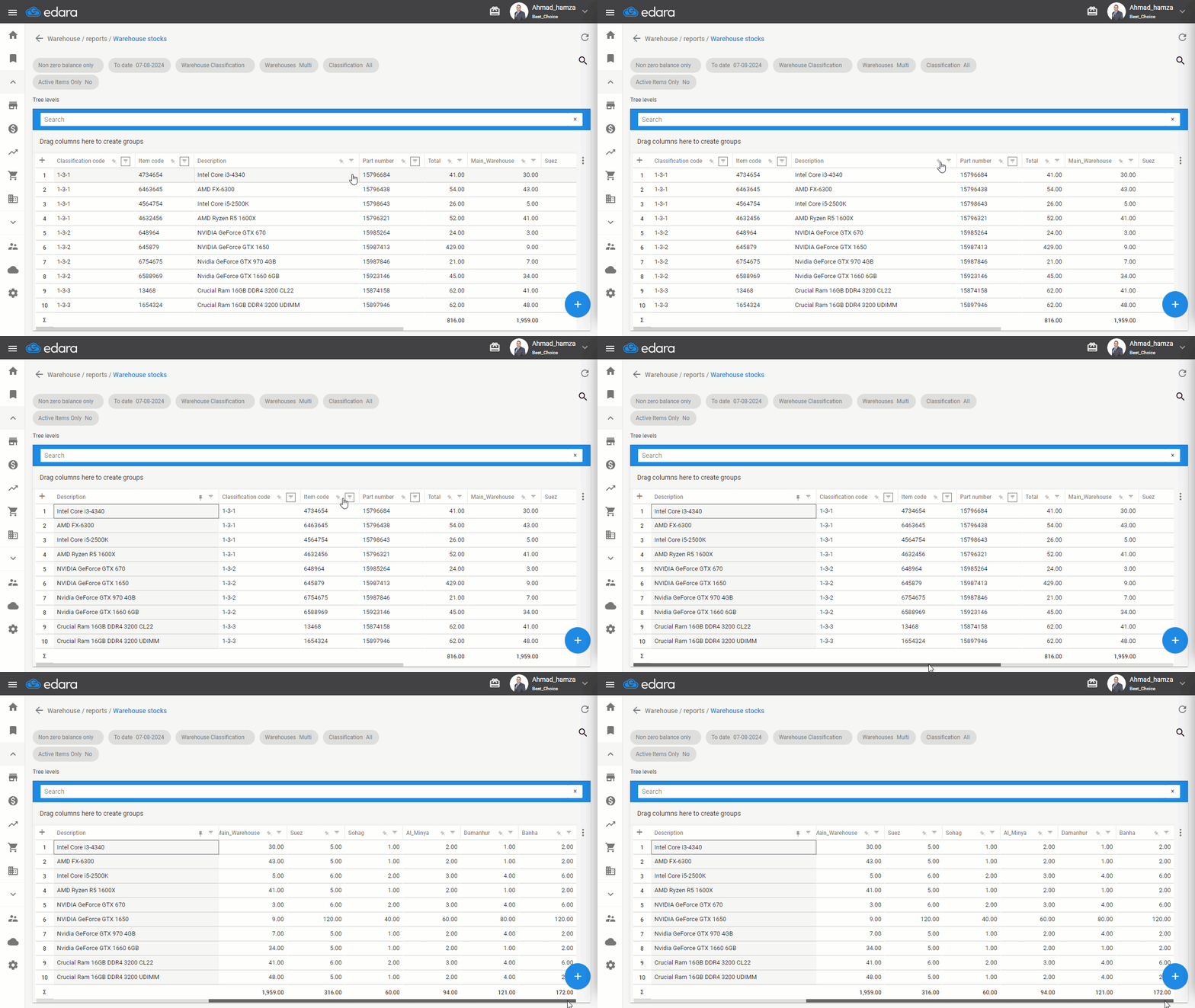
Note: Clicking again will unpin the column.
Note: This method is not limited to the Warehouse stocks Report; you can use it to pin any column in any report within "Edara."
Frequently asked questions
Can I pin a column in any report?
This method is not limited to the Warehouse stocks Report; you can use it to pin any column in any report within "Edara."
If you encounter any challenges or have questions during these processes, you can contact our technical support team, who are ready to assist you at any time.
Did this answer your question?