

Removing Date Range Restrictions in Reports
Last updated:
Sometimes, departments need to review specific events outside the restricted reporting period. In such cases, you must remove the date restriction to access the required data.
Removing Date Range Restrictions in Reports
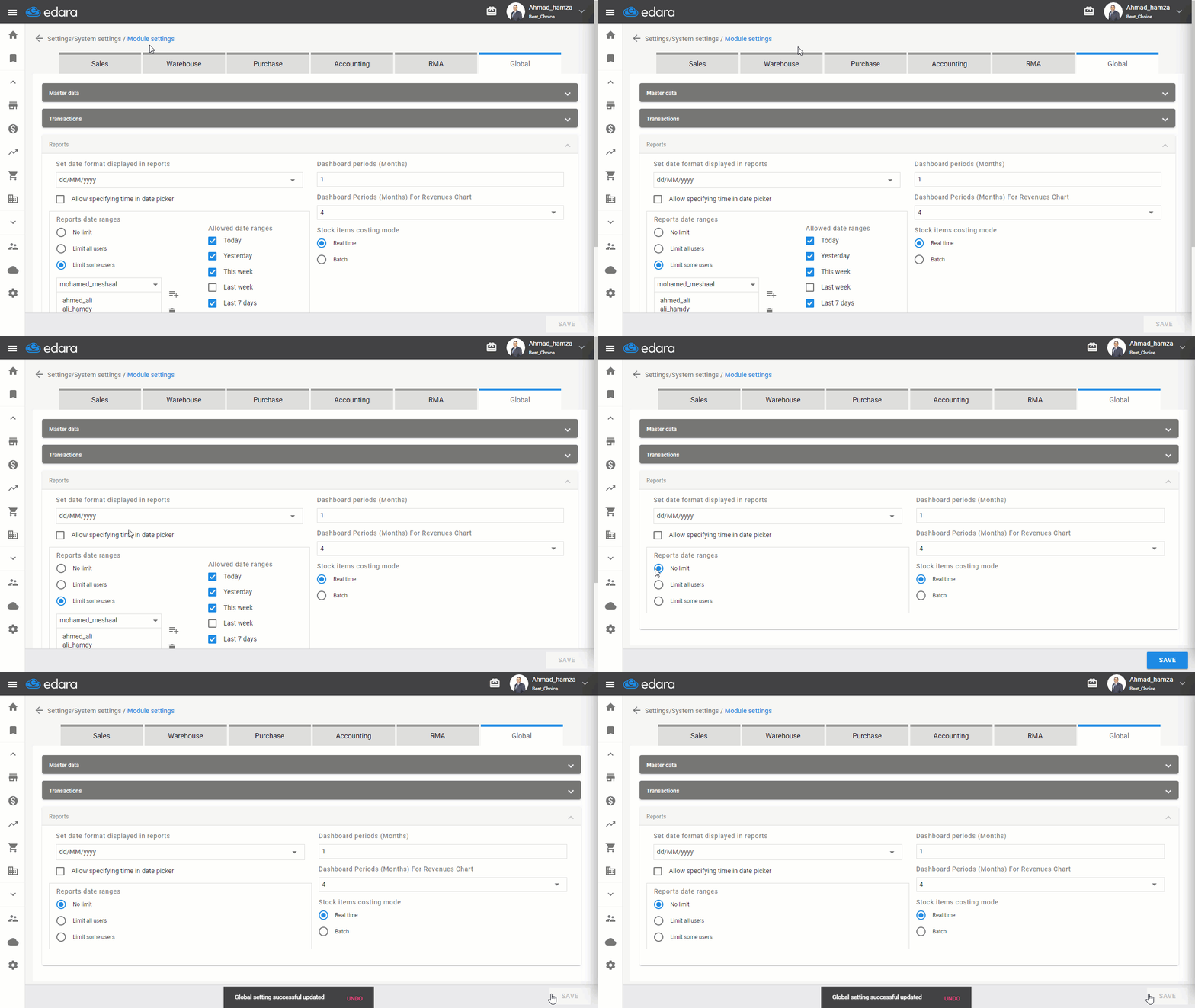
- Go to the Settings module
- Select "Module settings"
- Select “Global”
- Click on “No limit” from the Reports date ranges options.
Note: You can remove the username from the "Limit some users” list if you need to grant this user exclusive access to view historical data at any time.
- Click “Save.”
Frequently asked questions
How do I exempt a single user from the date range restriction?
You can remove the username from the "Limit some users” list if you need to grant this user exclusive access to view historical data at any time.
If you encounter any challenges or have questions during these processes, you can contact our technical support team, who are ready to assist you at any time.
Did this answer your question?