

Displaying Item Quantities in Documents
Last updated:
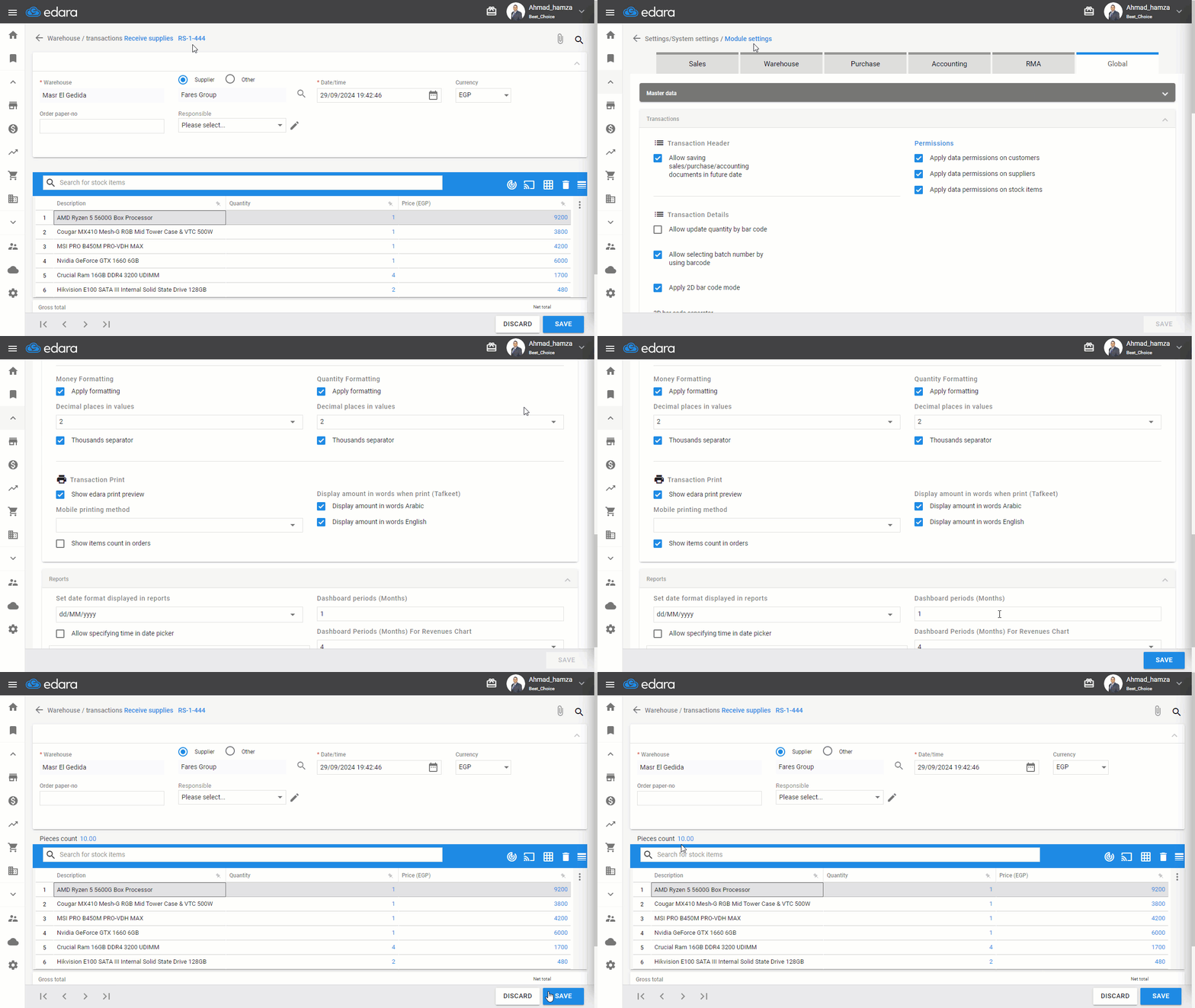
Showing the total number of items purchased or sold in the document during its creation helps you accurately track the total quantities received or issued. Additionally, it allows you to verify the total number of invoice items against the actual products before printing, reducing the chances of errors.
Below, we outline how to display this information.
Displaying Item Quantities in Documents
- Go to Settings.
- Select “Module settings”
- Choose “Global”.
- Activate “Show items count in orders”.
- Click “Save.”
If you encounter any challenges or have questions during these processes, you can contact our technical support team, who are ready to assist you at any time.
Did this answer your question?