

Restricting Date Range for Users
Last updated:
When reviewing reports, you may need to set specific date ranges for certain users to ensure that data is displayed only within the allowed time periods.
Restricting Date Range for Users

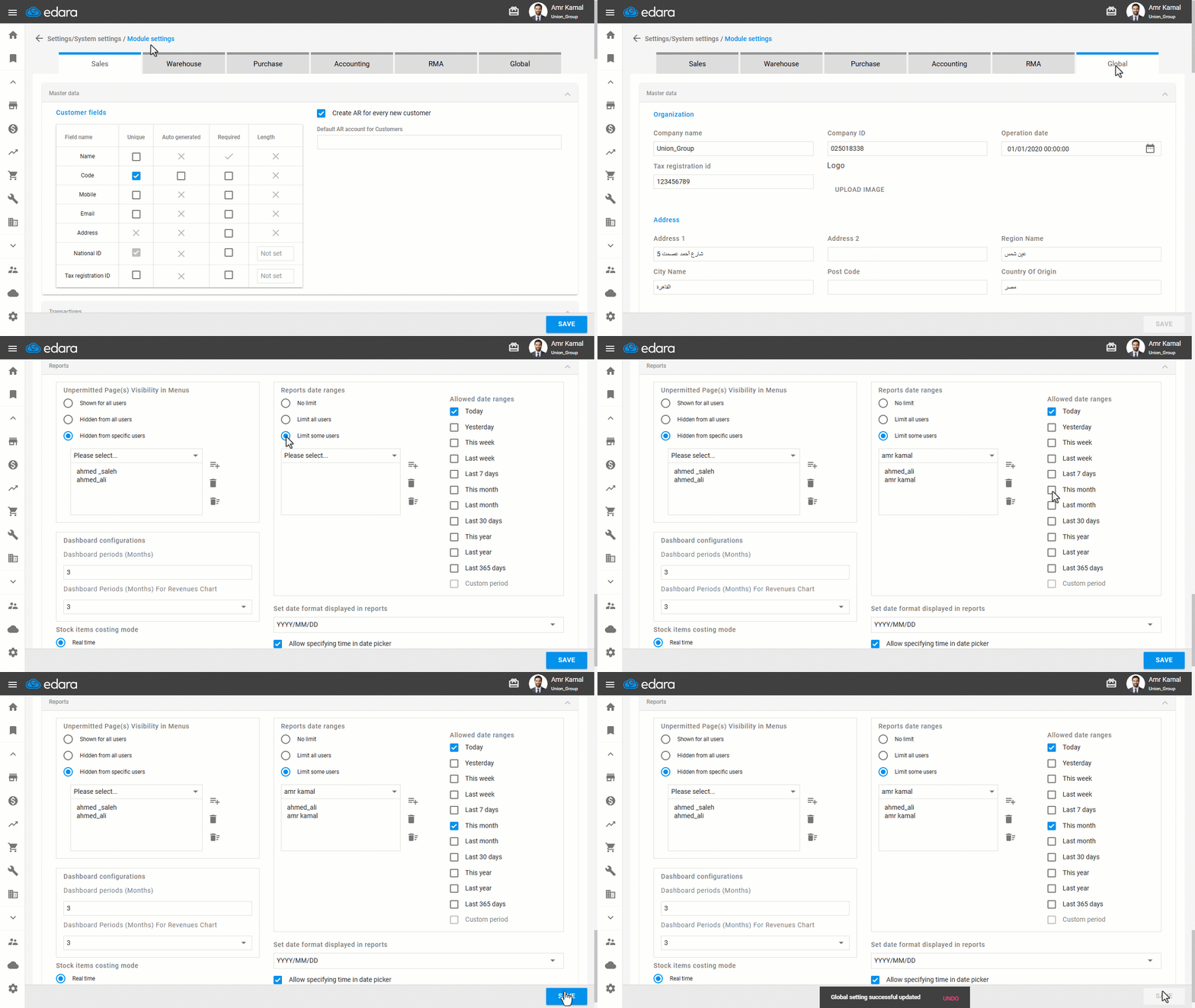
- Go to “Settings”.
- Open the “Modules Settings” page.
- Go to the “Global” tab.
- Enable the “Limit some users” option.
- Select the user or users for whom you want to limit the date range.
- Select the allowed date ranges.
- Click on “Save”.
If you encounter any challenges or have questions during these processes, you can contact our technical support team, who are ready to assist you at any time.
Did this answer your question?