

Enabling the 2D Barcode Separator Setting
Last updated:
If you want to enter multiple serial numbers at once, each on a separate line, you can specify the separator between them so the system automatically splits each serial number into its own line during entry.
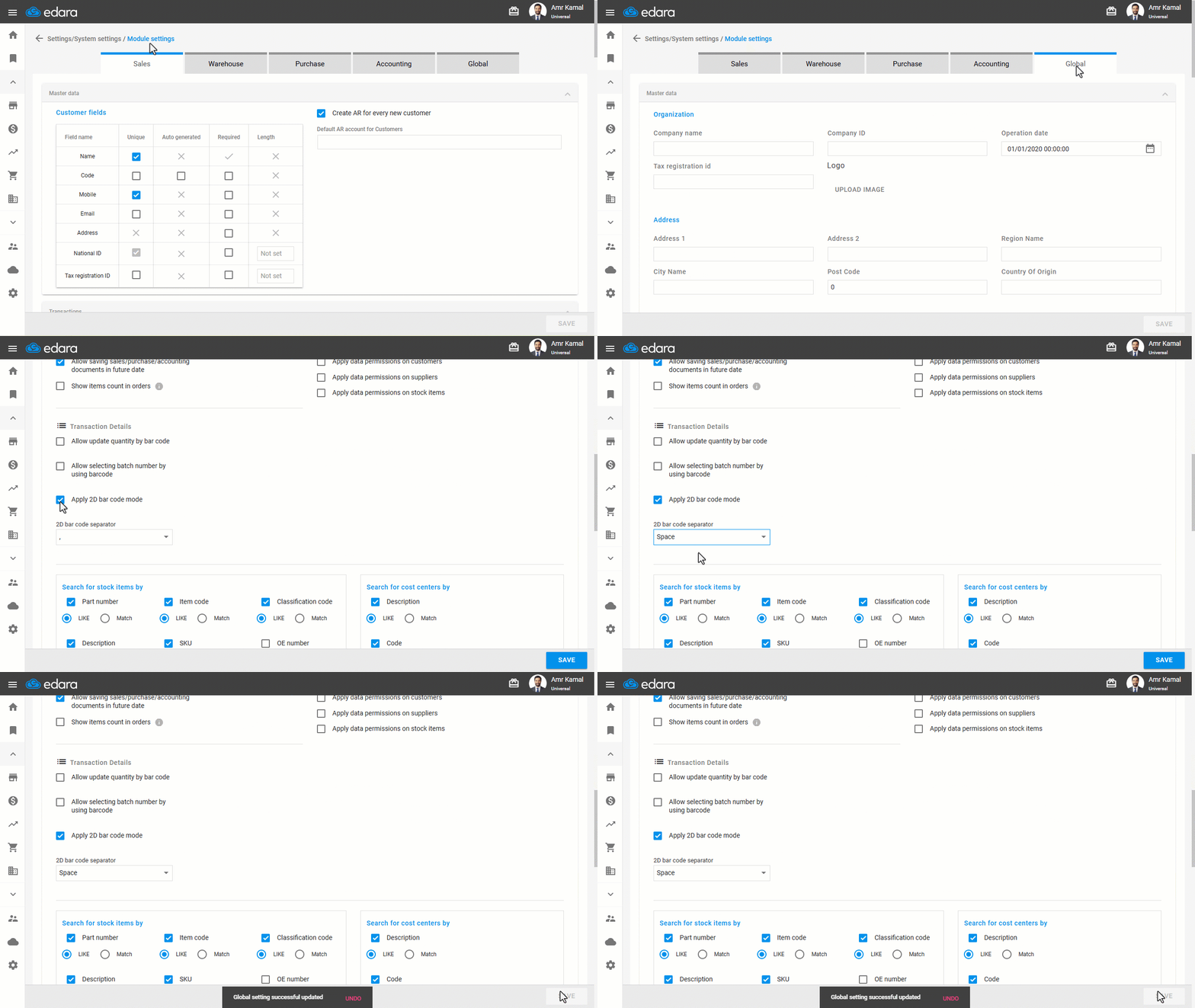
Enabling the 2D Barcode Separator Setting
- Go to "Settings".
- Open the "Modules Settings" page.
- Go to the "Global" tab.
- Enable the "Apply 2D bar code mode" setting.
- Select the 2D bar code separator (Space - , - | - /).
- Click on "Save".
If you encounter any challenges or have questions during these processes, you can contact our technical support team, who are ready to assist you at any time.
Did this answer your question?