

Enabling/Disabling Decimal Formatting Setting
Last updated:
Some products are priced based on weight or dimensions, so if your business operates in such industries, you'll likely need to use decimal values—whether for pricing or quantities—to ensure greater data accuracy.
Enabling Decimal Formatting Setting
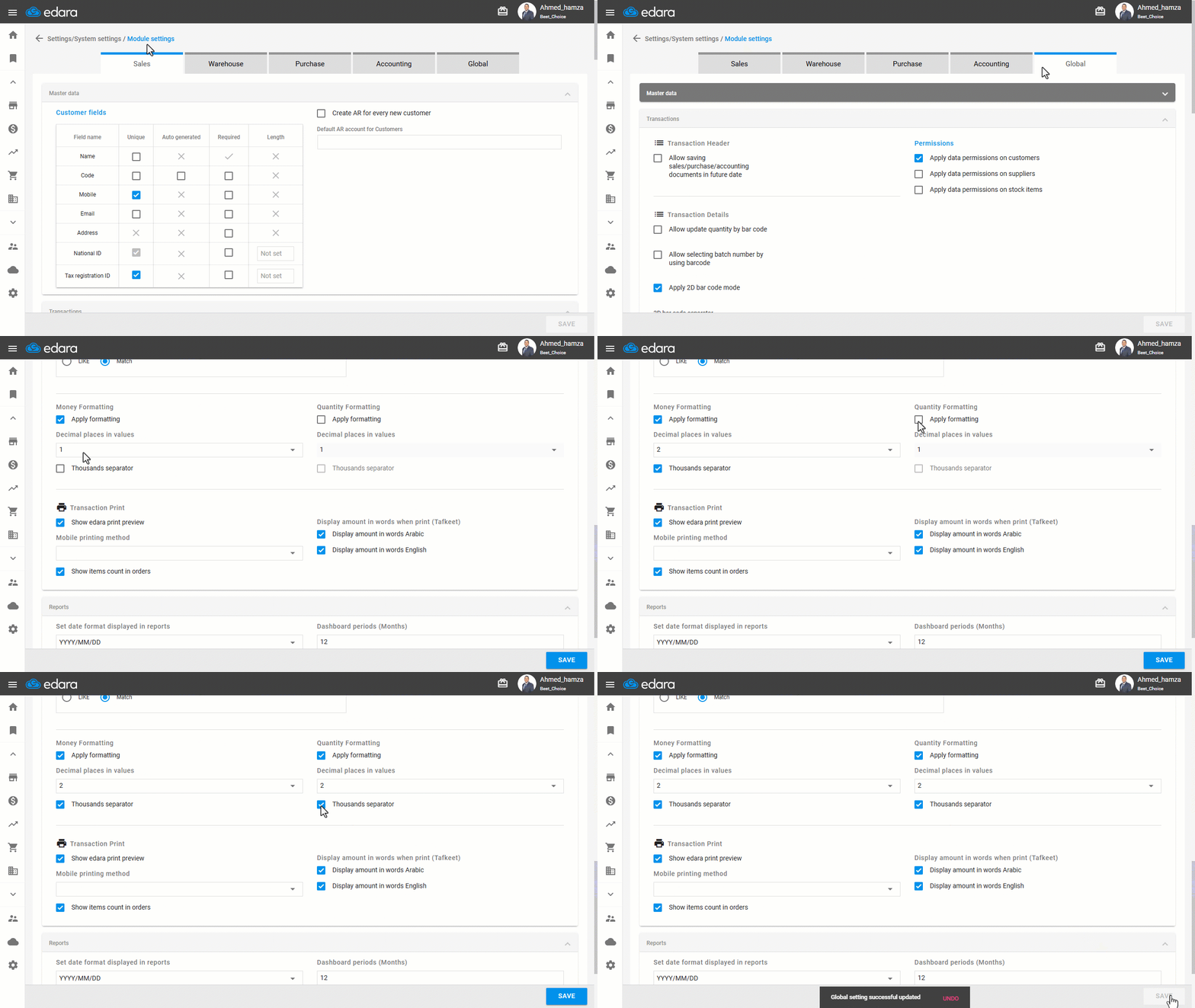
- Go to the Settings.
- Open the “Module Settings” page.
- Select the “Global” module.
- Enable the setting “Apply Formatting” under the (Money/Quantity Format) section.
- Specify the “number of decimal places” required.
- Enable the “Thousands separator” for better number readability (Optional).
- Click on “Save”.
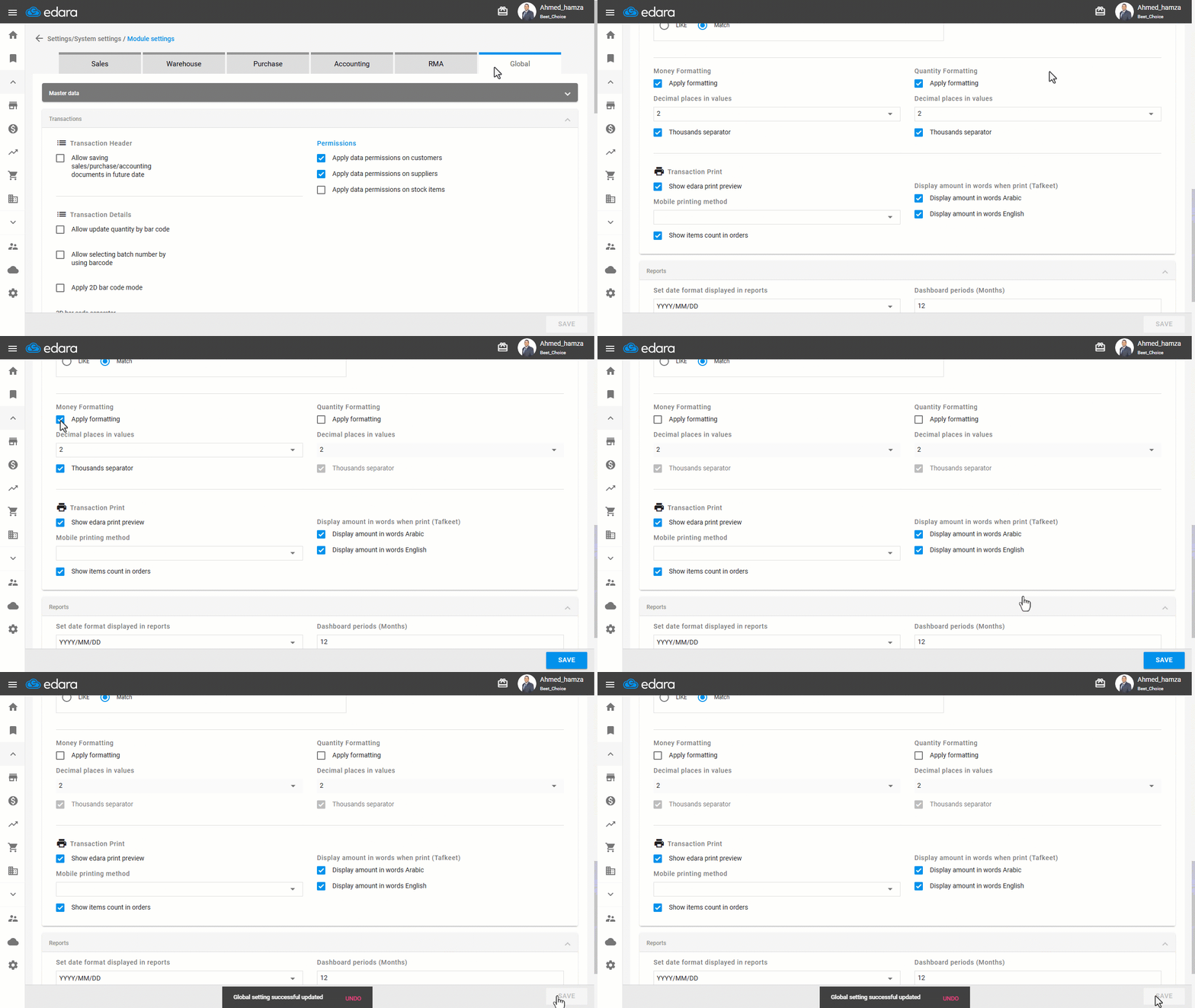
Note: If you wish to disable this feature later, simply follow the same steps and uncheck the “Apply Formatting” option.
Frequently asked questions
How do I disable the decimal formatting setting?
If you wish to disable this feature later, simply follow the same steps and uncheck the “Apply Formatting” option.
If you encounter any challenges or have questions during these processes, you can contact our technical support team, who are ready to assist you at any time.
Did this answer your question?