

Controlling the Unpermitted Pages Visibility in Menus
Last updated:
You can control how unpermitted pages appear in menus, either by hiding them from all users or specific users or showing them without allowing access to unpermitted users.
This helps you organize the interface, reduce distractions, and have control over what each user can see.
Controlling the Unpermitted Pages Visibility in Menus

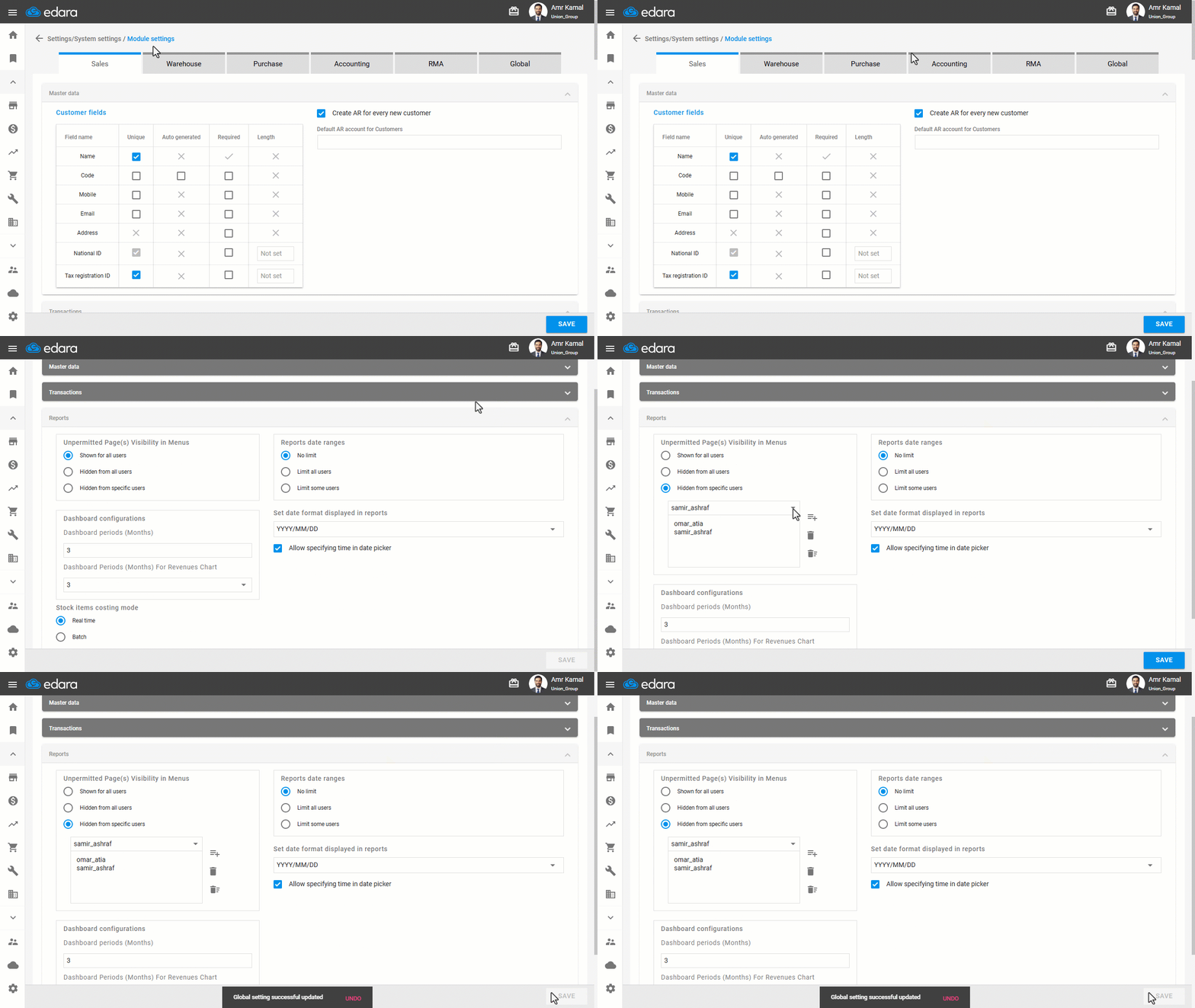
- Go to “Settings”.
- Open the “Module settings” page.
- Go to the “Global” tab.
- Go to the “Reports” section.
- Select the Unpermitted Page(s) Visibility in Menus. You can choose one of the following options:
- Shown for all users: All pages appear in the menus for all users, even if they do not have access permission.
- Hidden from all users: Unpermitted pages are completely hidden from the menus and are only visible to permitted users.
- Hidden from specific users: Unpermitted pages are hidden from selected users. You must select at least one user to activate this option.
Note: We do not recommend selecting the “Hidden from all users” option, as any new pages added to the system will not be visible to users, even if they are relevant to their work, which may result in them going unnoticed or unused.
- Click on “Save”.
Frequently asked questions
Is it recommended to hide unpermitted pages from all users?
We do not recommend selecting the “Hidden from all users” option, as any new pages added to the system will not be visible to users, even if they are relevant to their work, which may result in them going unnoticed or unused.
If you encounter any challenges or have questions during these processes, you can contact our technical support team, who are ready to assist you at any time.