

Searching for a Customer Using Any of his Phone Numbers
Last updated:
Searching for a customer using his phone number is a convenient feature, especially useful for delivery services, as it simplifies customer lookup.
In this guide, we’ll walk you through the steps to enable this feature in "Edara".
Searching for a Customer Using Any of his Phone Numbers
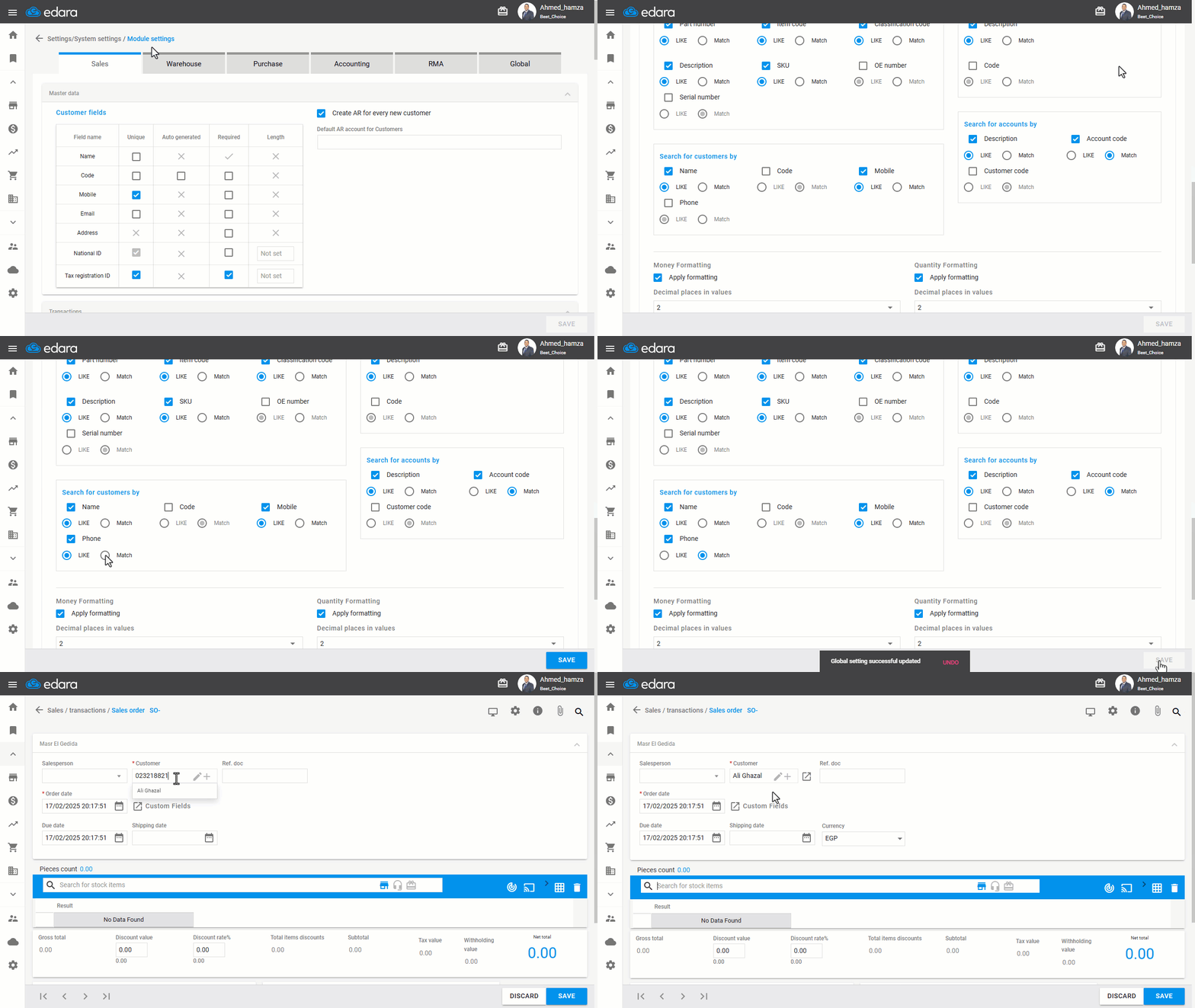
- Go to Settings.
- Open the "Module Settings" page.
- Choose the "Global" module.
- Enable Search for Customers by: “Phone”.
- Specify the search mode: (“Like” or “Match”).
- Click on "Save".
You can then easily search for the customer using any of his phone numbers, as shown in the image below:
If you encounter any challenges or have questions during these processes, you can contact our technical support team, who are ready to assist you at any time.
Did this answer your question?