

Preventing the Entry of Documents with Future Dates
Last updated:
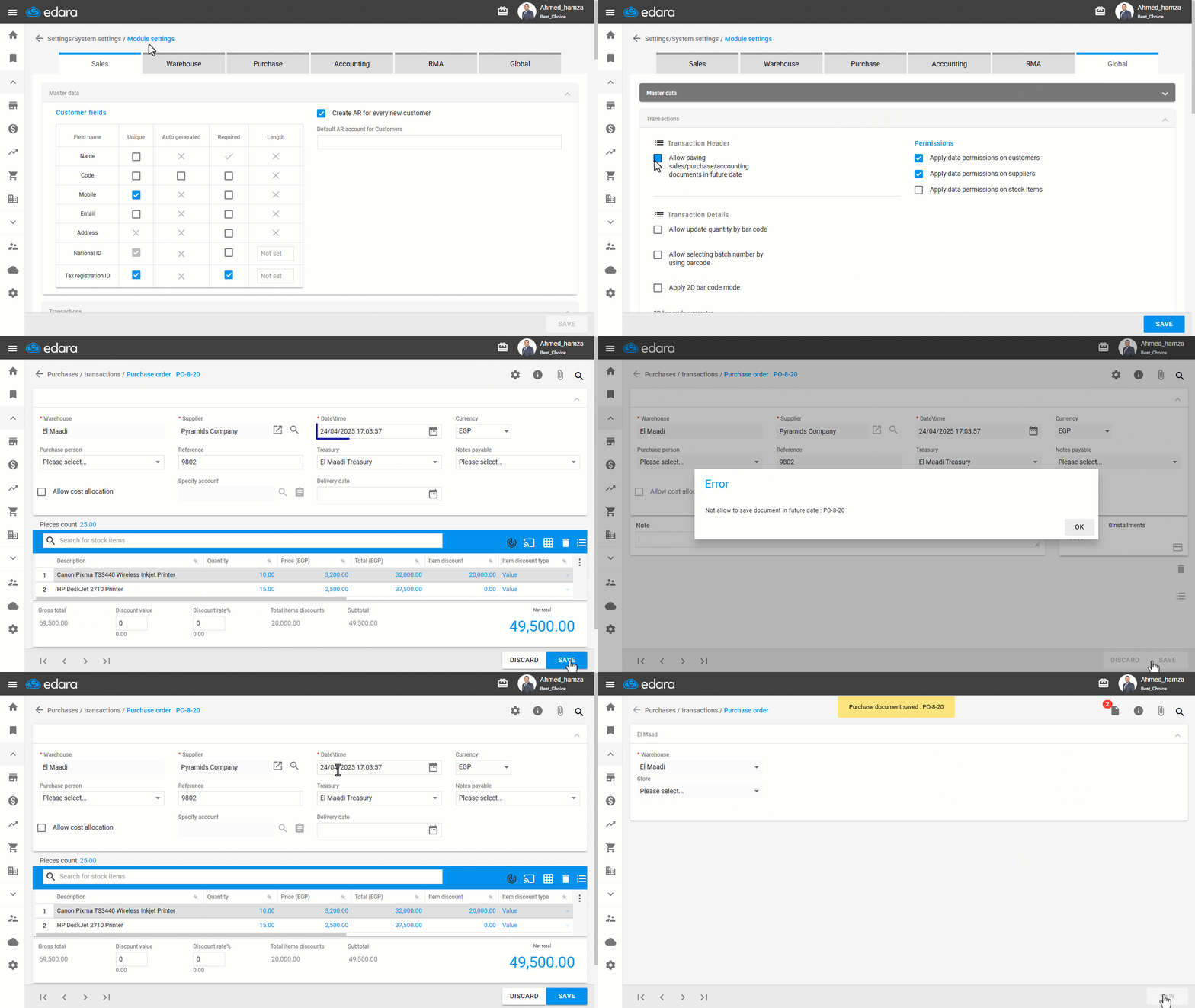
One of the key features in the “Edara” system is the ability to control the entry date of documents (Sales – Purchases – Accounting).
Preventing the Entry of Documents with Future Dates
First, make sure you have permission to access the Settings pages, then follow these steps:
- Go to Settings.
- Open the “Module Settings” page.
- Choose the "Global" module.
- Make sure the “Allow saving sales/purchase/accounting documents in future date” option is disabled.
- Click on “Save”.
If you encounter any challenges or have questions during these processes, you can contact our technical support team, who are ready to assist you at any time.
Did this answer your question?