

Creating a Recurring Journal Entry
Last updated:
A recurring journal entry is an efficient way to automate the recording of repetitive financial transactions, such as fixed rent expenses or prepaid expenses allocated over several months. This helps streamline financial management and reduces manual data entry.
Here are the steps to create these recurring entries.
Creating a Recurring Journal Entry
Ensure that the feature "Allow saving (Sales/Purchase/Accounting) documents in future date" is enabled in the Module Settings page:
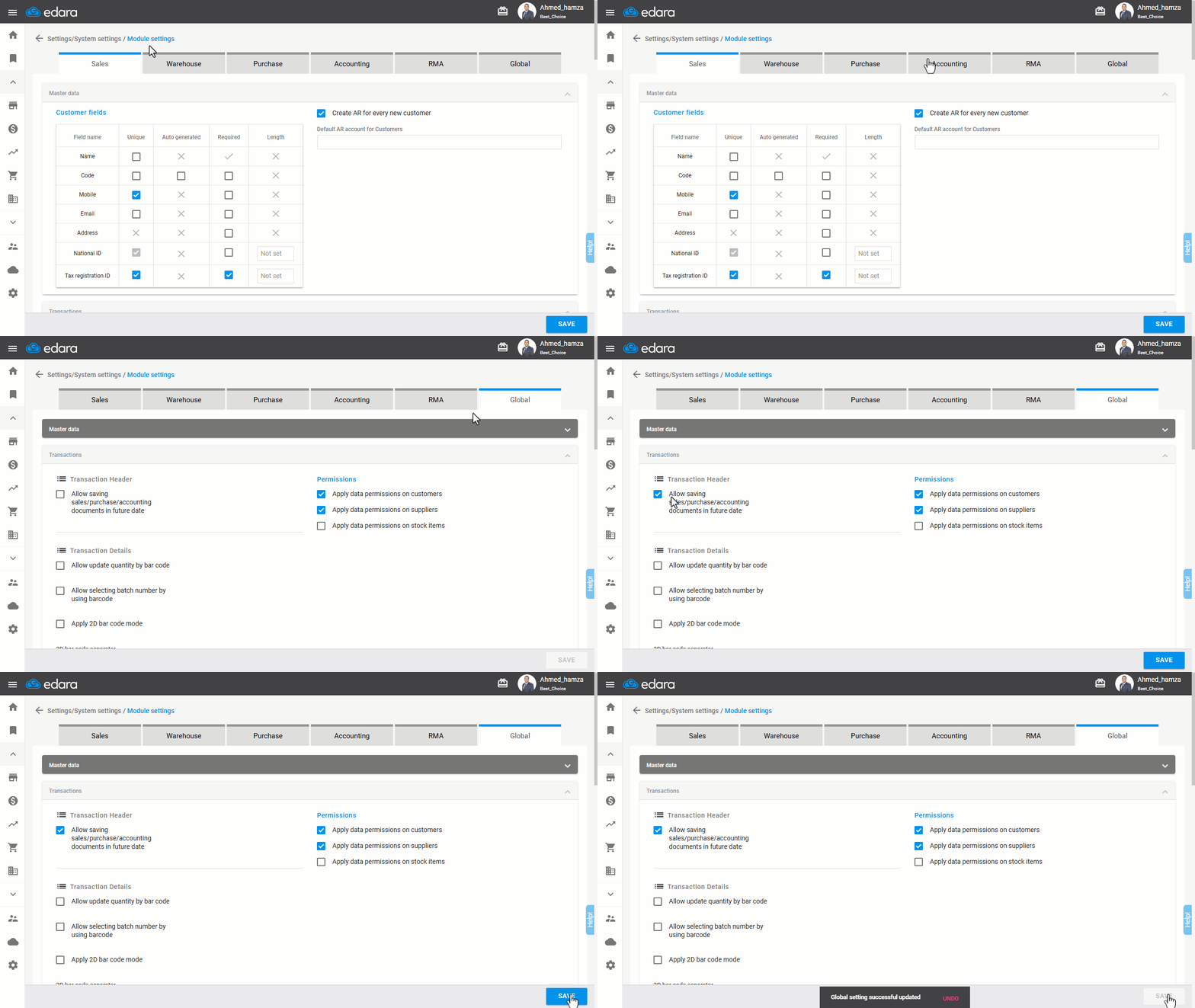
Then follow these steps:
- Go to the Accounting module.
- Open the “Recurring Entry” page.
- Click “New”.
- Enter the accounts involved and the amount.
- Save the entry.
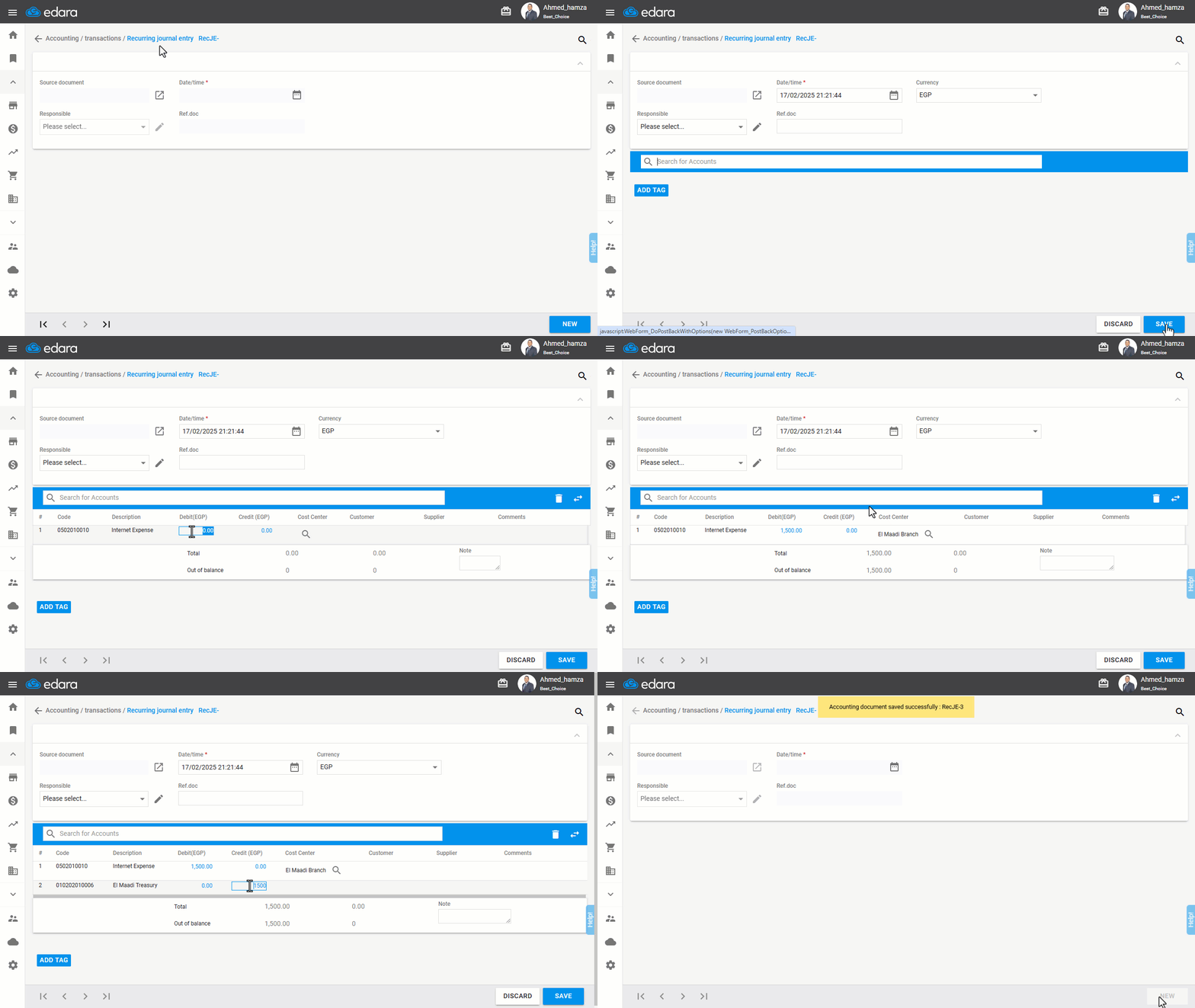
- Click ">|" at the bottom of the screen to preview the entry.
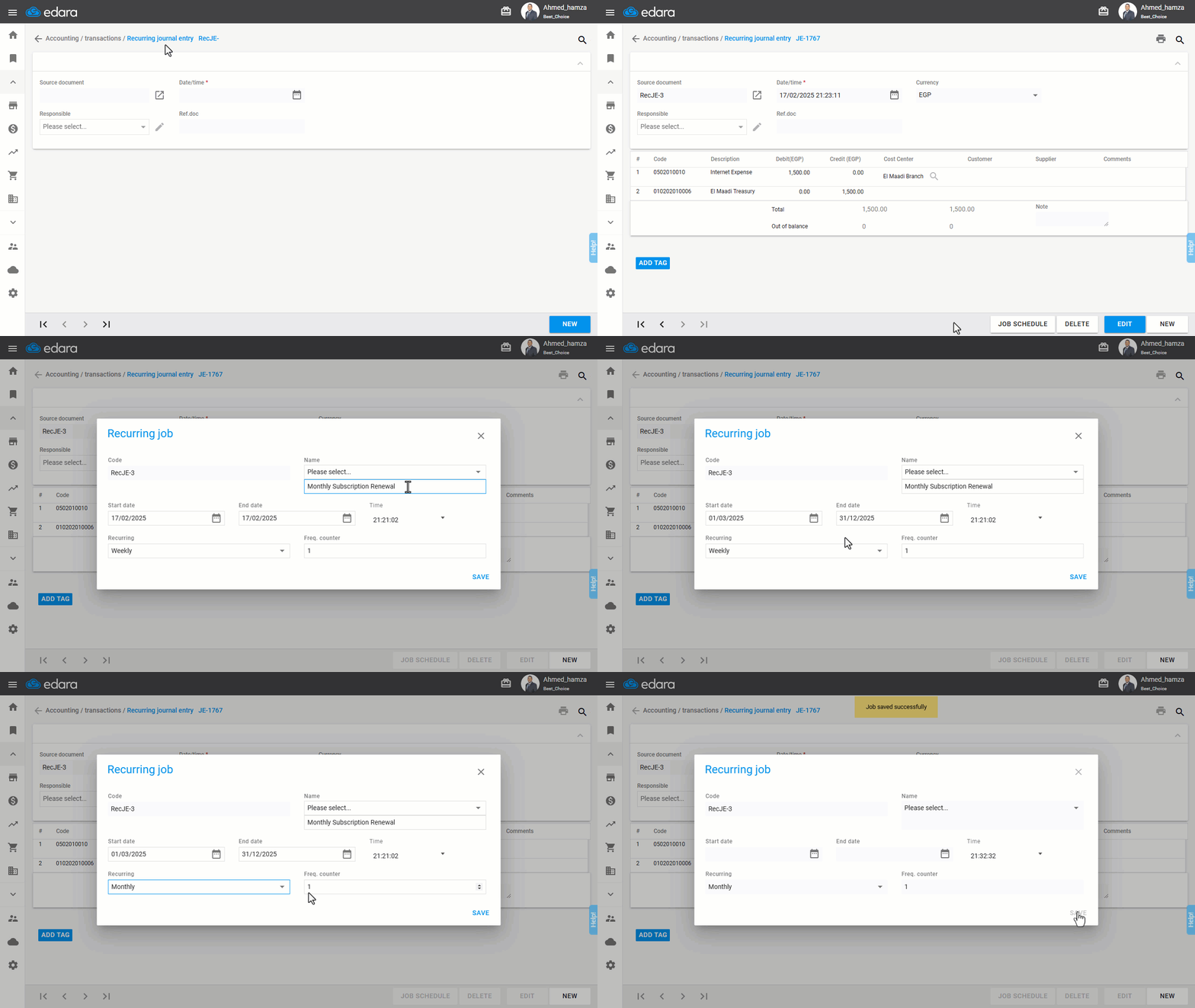
- Click on "Job Schedule".
- Enter the job name.
- Specify the start date, end date, Recurring, and the Freq. counter.
Note: The start date must be set in the future to successfully create the recurring entry.
- Click on "Save".
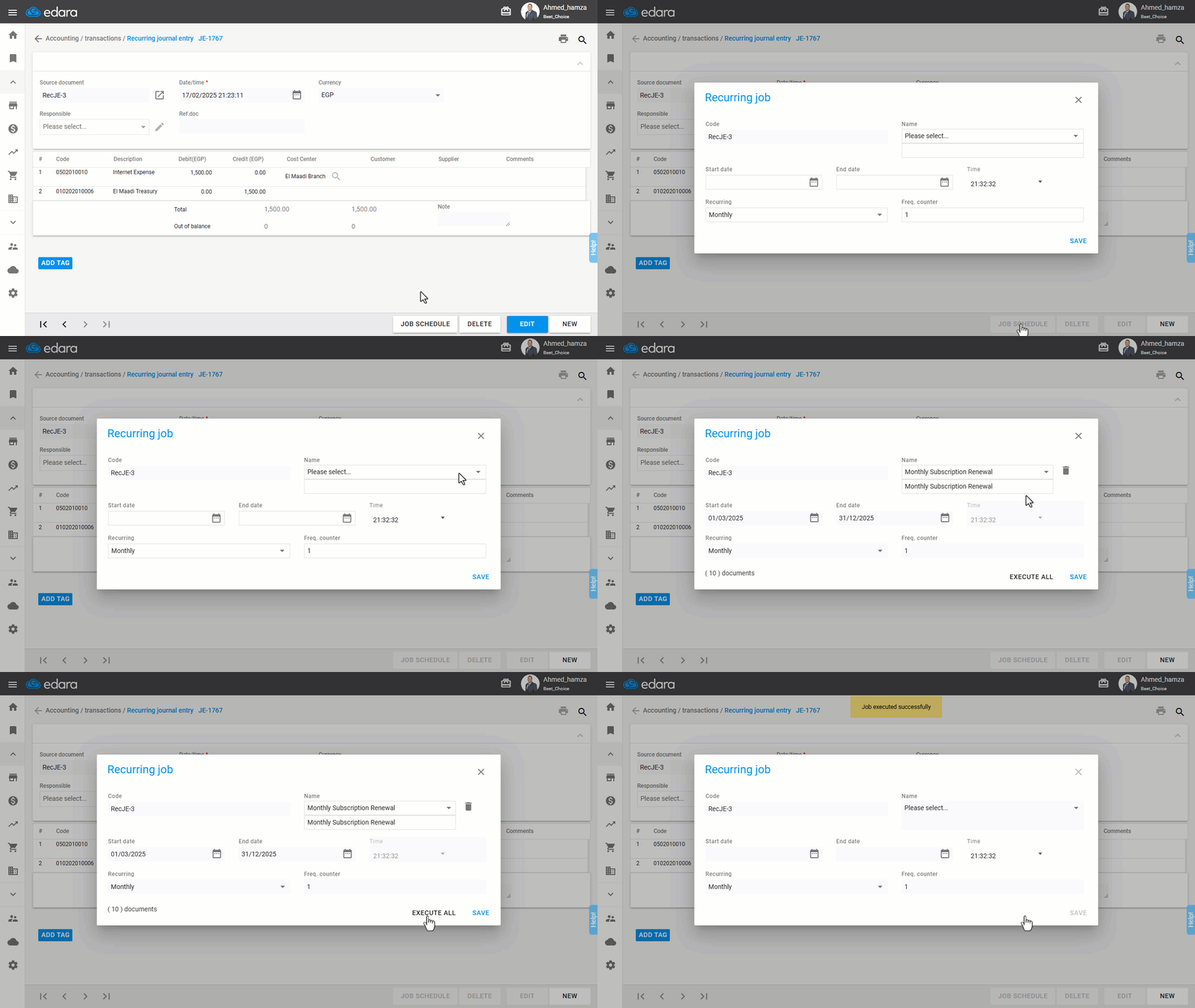
Note: If you want to execute all the steps immediately, click "Job Schedule", select the recurring job name, then click "Execute All".
Frequently asked questions
How do I run the recurring entry's actions right away?
If you want to execute all the steps immediately, click "Job Schedule", select the recurring job name, then click "Execute All".
If you encounter any challenges or have questions during these processes, you can contact our technical support team, who are ready to assist you at any time.