

Duplicating a Journal Entry
Last updated:
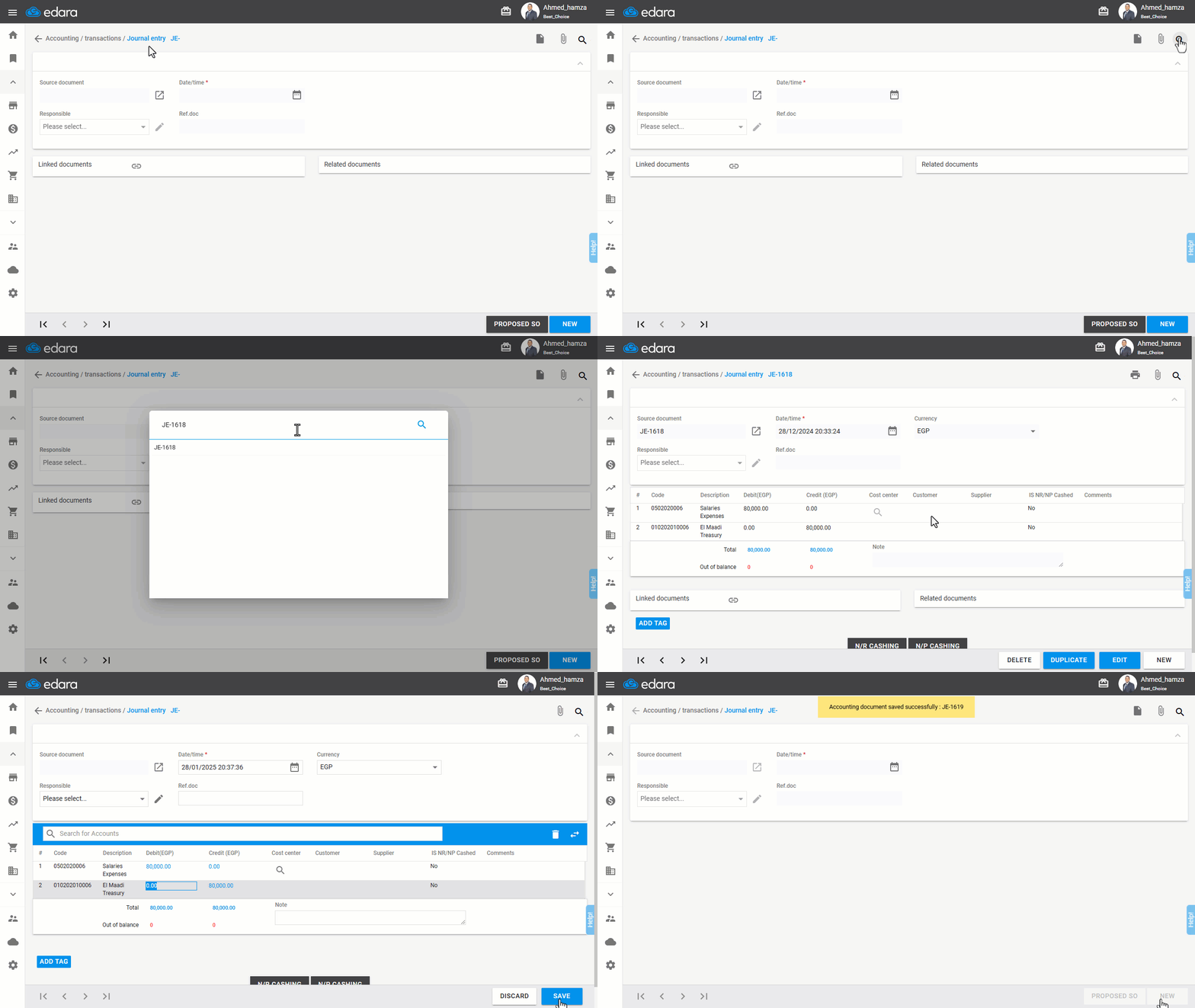
"Edara" provides a feature to duplicate manual journal entries, such as payroll entries, with the ability to edit and save them. This saves both time and effort.
Duplicating a Journal Entry
- Go to the Accounting Module.
- Open the “Journal Entry” page.
- Search for the journal entry you want to repeat by using the 🔎 icon or the navigation arrows.
- Enter the Journal Entry Number.
- Click on “Duplicate”.
Note: You can edit the entry details, date, and contents before saving.
- Click on “Save”.
Frequently asked questions
Can I edit the duplicated entry before saving it?
You can edit the entry details, date, and contents before saving.
If you encounter any challenges or have questions during these processes, you can contact our technical support team, who are ready to assist you at any time.
Did this answer your question?