

Deleting a Journal Entry
Last updated:
You can delete a journal entry if it was entered incorrectly or is no longer needed, in order to ensure the accuracy of the data in the system.
Deleting a Journal Entry
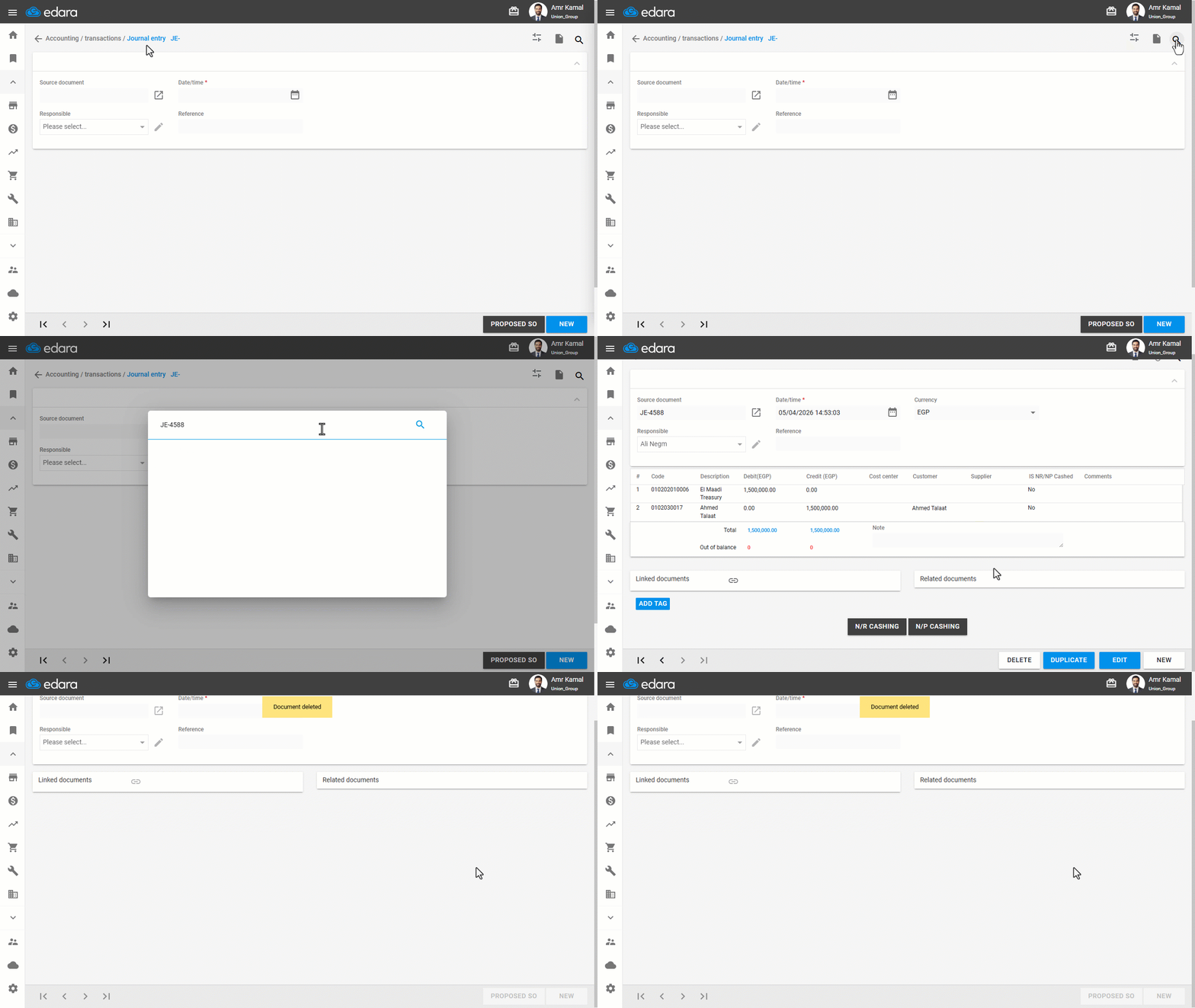
- Go to the “Accounting” module.
- Open the “Journal Entry” page.
- Search for the required entry using the “🔍” icon or through the arrows at the bottom of the page.
- Click on “Delete”.
- Click on “Yes” to confirm deletion.
If you encounter any challenges or have questions during these processes, you can contact our technical support team, who are ready to assist you at any time.
Did this answer your question?