

Creating a Journal Entry
Last updated:
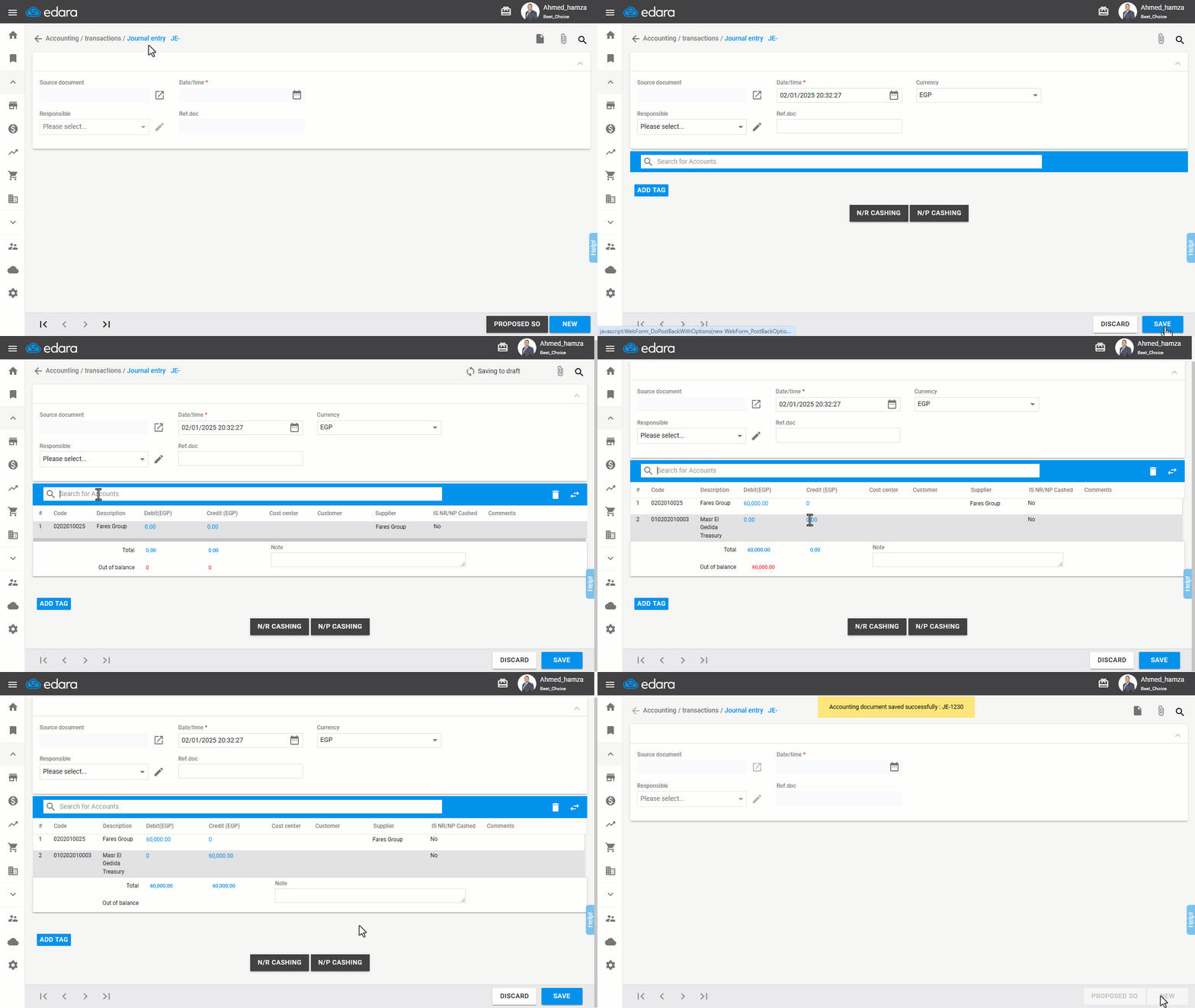
Creating a journal entry is a crucial step for accurately and systematically recording financial transactions in the accounting system, improving account management accuracy, and ensuring proper tracking of transactions.
Creating a Journal Entry
- Go to the “Accounting” module.
- Select “Journal Entry”.
- Click “New”.
- Enter the Account Name or Code, or part of either.
- Search for the desired account using the 🔎 icon.
- Add values in the Credit and Debit fields (The default is that the total credit = the total debit).
- Select the Cost Center using the 🔎 icon if the account accepts a cost center, or select the Customer or Supplier if the account is related to clients or suppliers.
- Add any Notes if applicable.
- Click “Save”.
If you encounter any challenges or have questions during these processes, you can contact our technical support team, who are ready to assist you at any time.
Did this answer your question?