

Allowing cost allocation in Purchase Order
Last updated:
If you have supplies with additional costs, such as transportation, import fees, etc., you’ll need to allocate these costs to item prices. "Edara" offers a "Cost Allocation" feature to help you determine the true cost of items (the Price of Received Supplies) without impacting the supplier’s credit.
Allowing cost allocation in Purchase Order
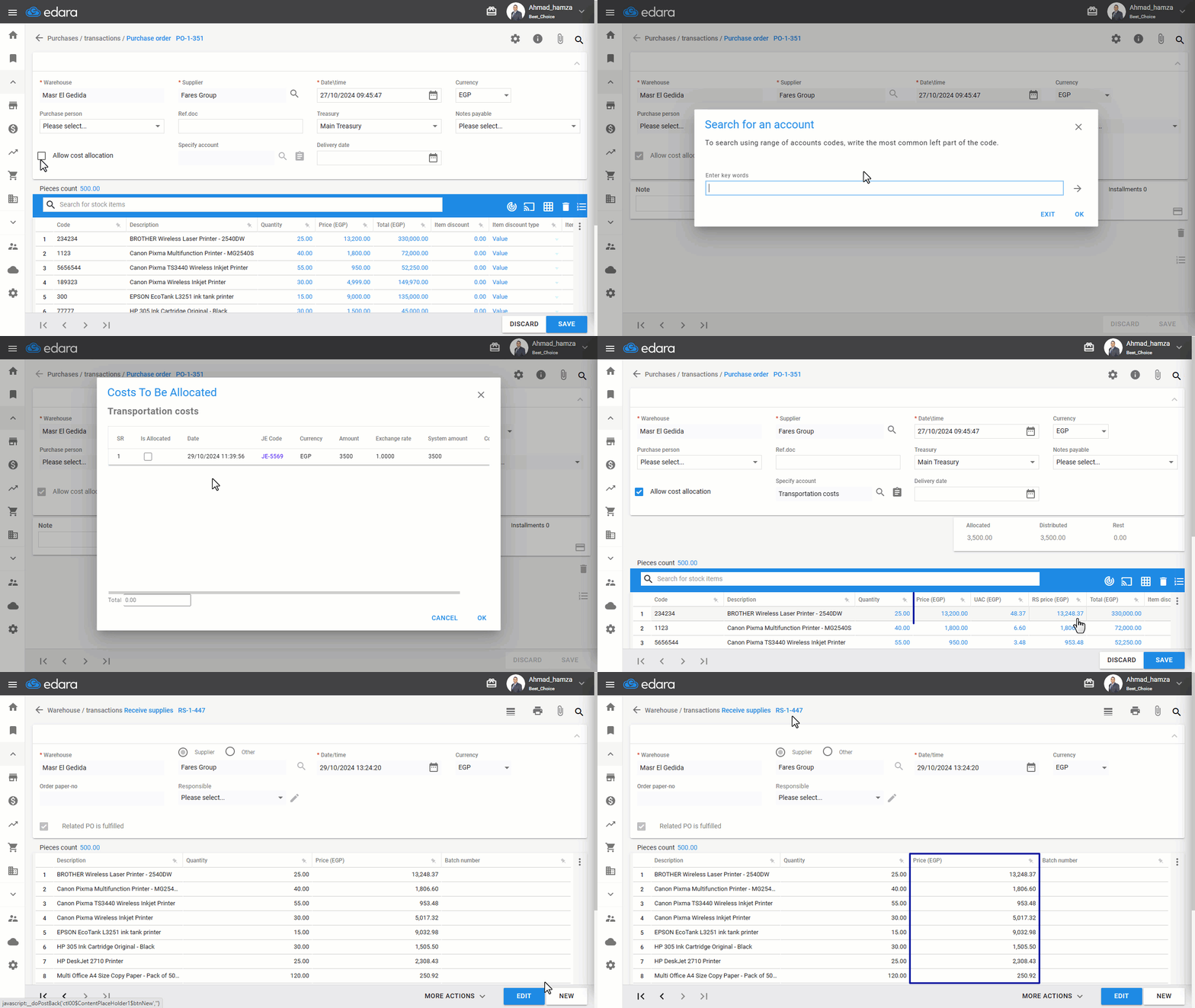
Start creating a purchase order as outlined in this link, then:
- Click on "▢" to allow cost allocation.
- Click on "🔎" to specify the cost account.
Notes:
- Only accounts with a “Purchases” type will appear in the search screen.
- The purchases account used in allocated costs must not accept a cost center, and failing to comply with this may prevent documents from being posted.
- Click on "📋" to select the costs to be allocated.
Notes:
- Unbalanced entries do not appear in the search screen.
- The entries available for allocation are either a balanced Journal Entry or a cash-out document.
- Click on “Save”.
At this point, the value of the item price in the Receive supplies linked to the purchase order will be affected.
Note: "Edara" automatically distributes costs based on the relative weight of each line item within the purchase order. However, you can adjust this allocation as needed, provided the total allocated value matches the distributed amount.
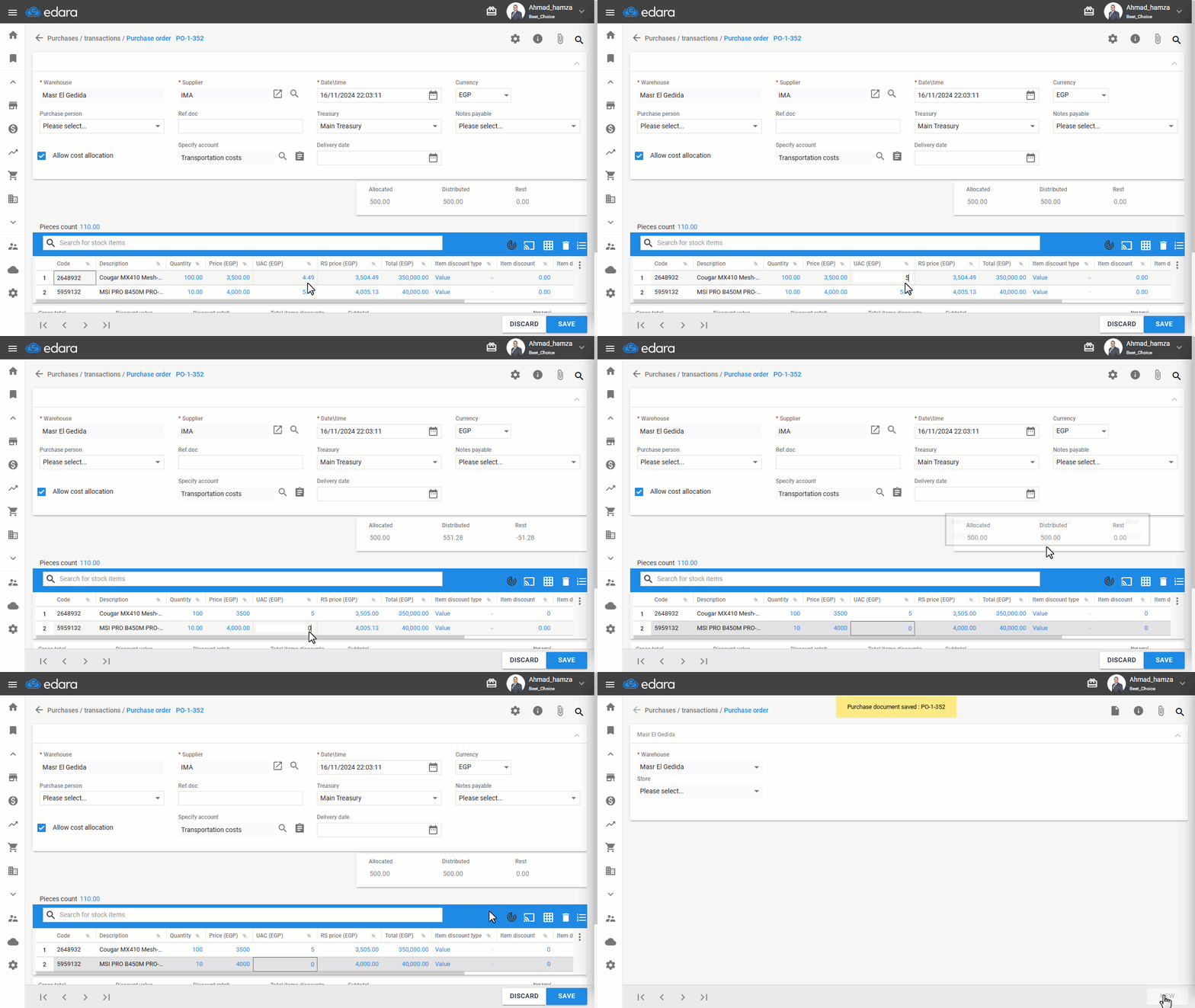
Note: The supplier is responsible only for the credit of item prices, while the import costs are added to the item cost.
Frequently asked questions
How does "Edara" distribute the costs over the items?
"Edara" automatically distributes costs based on the relative weight of each line item within the purchase order. However, you can adjust this allocation as needed, provided the total allocated value matches the distributed amount.
If you encounter any challenges or have questions during these processes, you can contact our technical support team, who are ready to assist you at any time.