

Saving a Purchase Order with Zero-Priced Items
Last updated:
Sometimes, you may need to create a purchase order that includes an item priced at zero. For instance, if you’re in the electronics business and offer a free mouse with every laptop purchase, you’ll need to record the mouse with a Zero value.
With this in mind, "Edara" enables you to save purchase orders containing zero-priced items.
Enabling the Option to Save Purchase Orders with Zero-Priced Items
Follow these steps to enable this feature:
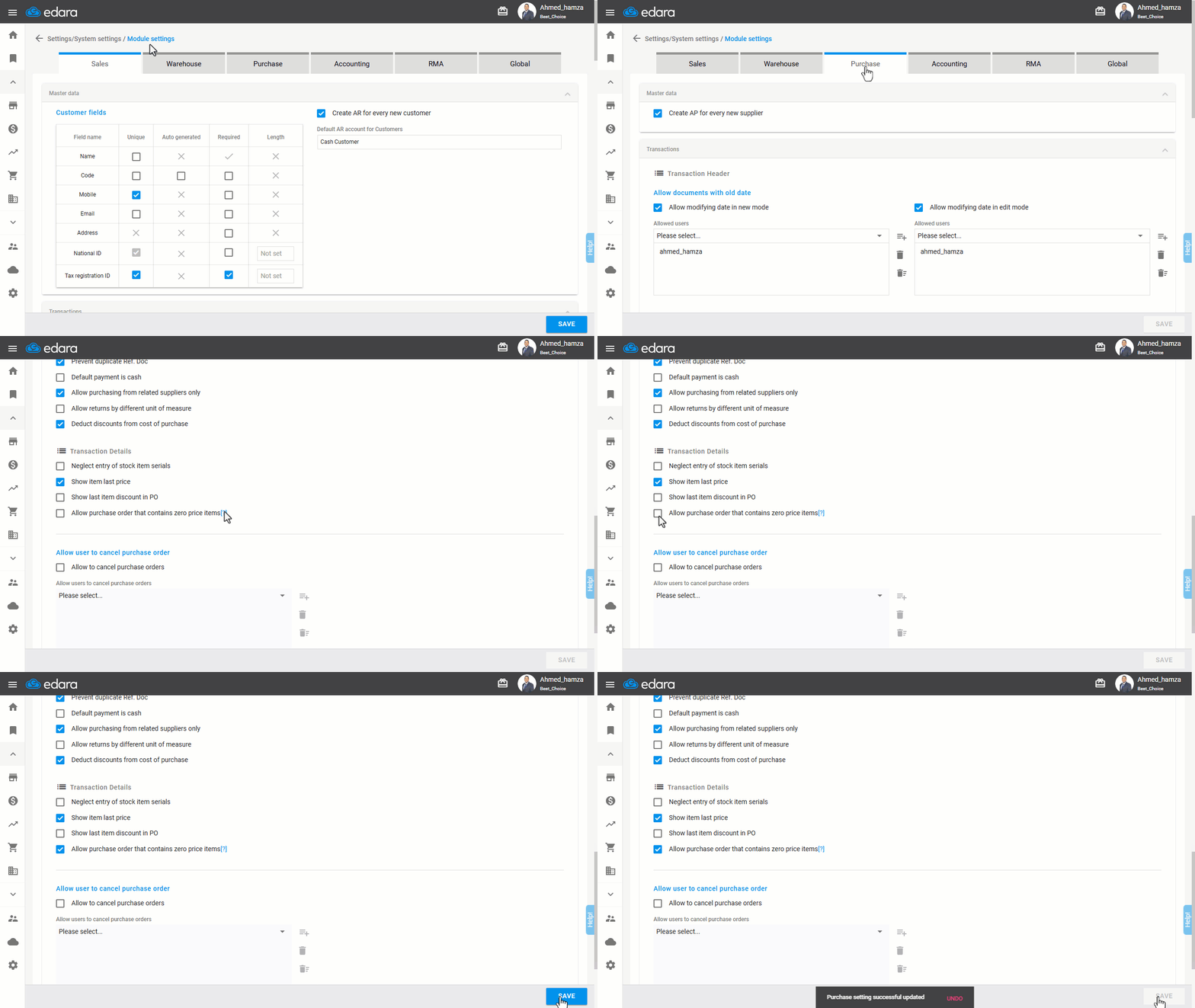
1- Activating the Option
- Go to Settings.
- Open the “Module Settings” page.
- Select the “Purchase” module.
- Enable the option “Allow purchase order that contains zero price items”.
- Click on “Save”.
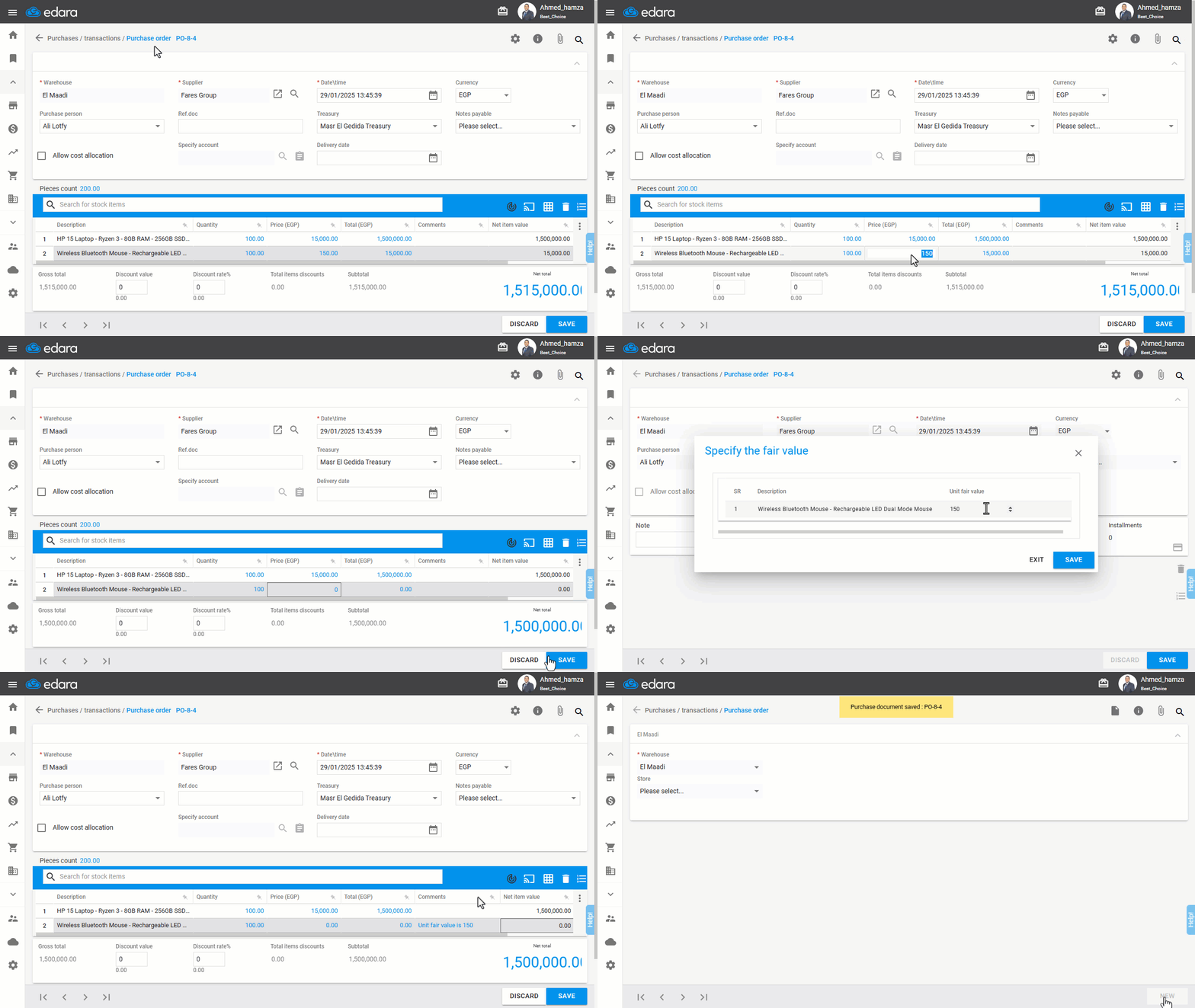
2- Adding Items to the Purchase Order
After adding items, a zero price can be assigned to one or more items as needed, provided that the total value of the purchase order is not zero. Upon saving, a window will appear prompting you to enter the market value per unit for the zero-priced item(s).
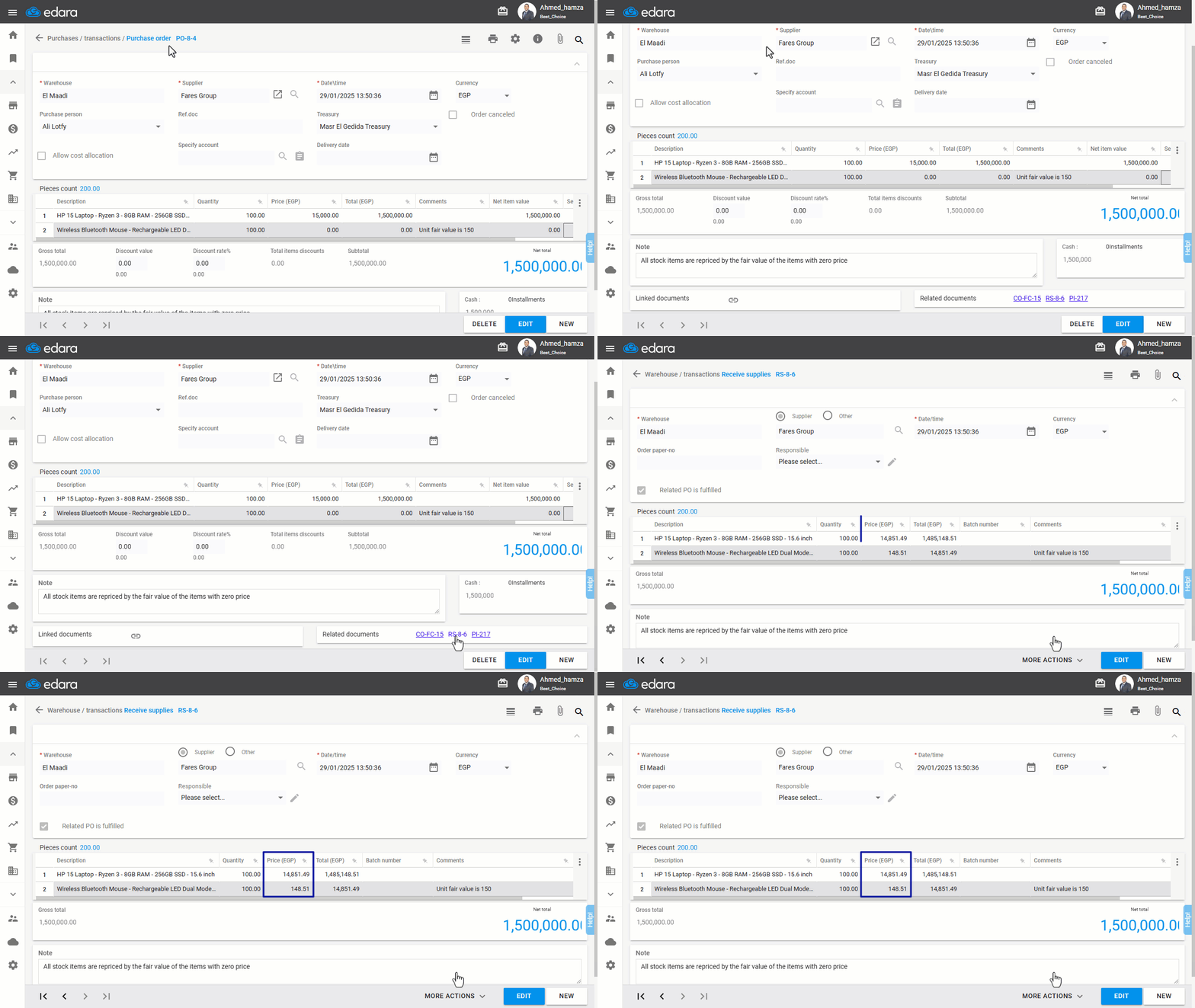
An uneditable comment will appear in the purchase order, indicating the market value of the zero-priced items. Additionally, a note at the bottom of the page will inform you that the items in the associated receive supplies will be revalued based on the market value of the zero-priced items.
Note: The receive supplies (RS) document does not accept zero-priced items. Therefore, the prices in the receive supplies will be adjusted based on the market value entered in the purchase order, ensuring the total value of receive supplies matches the purchase order's total value. Example: If 100 laptops are purchased at a unit price of EGP 15,000, and each comes with a mouse priced at zero, while the unit fair value (estimated cost) of the mouse is EGP 150, the receive supplies (RS) document will record the laptop at 14851.49 EGP and the mouse at 148.51 EGP, To ensure that the total receive supplies matches the total purchase order.
If you encounter any challenges or have questions during these processes, you can contact our technical support team, who are ready to assist you at any time.