

Displaying Stock Item Weight in the Purchase Order
Last updated:
For businesses that import products from abroad, knowing the weight of items is crucial, as shipping costs often depend on product weight.
Understanding the weight helps determine shipping costs accurately, ensures the best possible shipping rates, and guarantees the availability of appropriate equipment for transporting products.
"Edara" allows you to display item weight in the purchase order.
Displaying Stock Item Weight in the Purchase Order
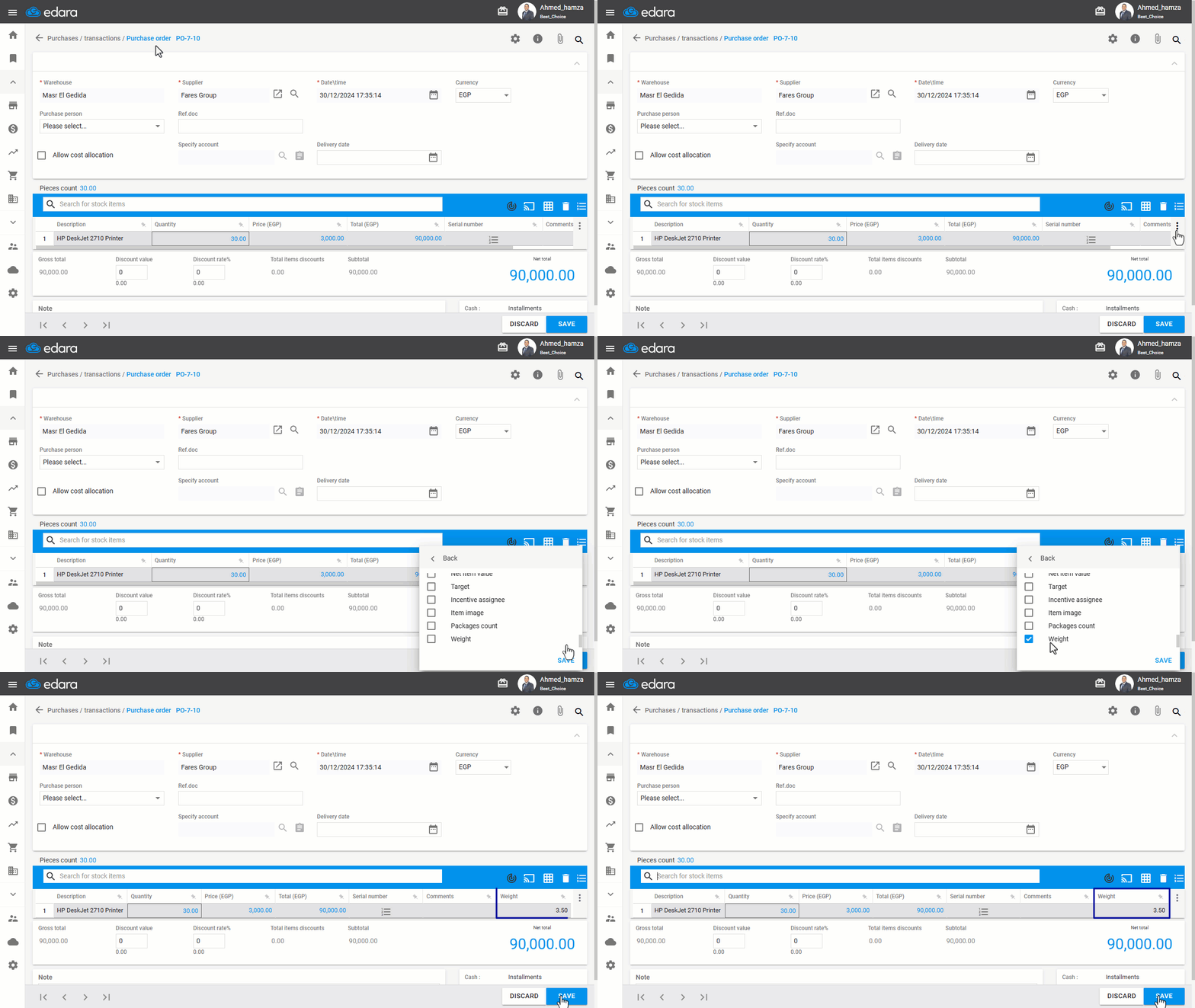
After creating the purchase order as outlined in the linked article, follow these steps:
- Click the “፧” icon on the right.
- Click on “Columns”.
- Enable the “Weight” column.
- Click “Save”.
If you encounter any challenges or have questions during these processes, you can contact our technical support team, who are ready to assist you at any time.
Did this answer your question?