

Displaying the Last Discount for Stock Items in Purchase Orders
Last updated:
Displaying the last discount for a stock item in a purchase order is a helpful feature for buyers, enabling faster purchase decisions and saving employees time by eliminating the need to manually search for discounts.
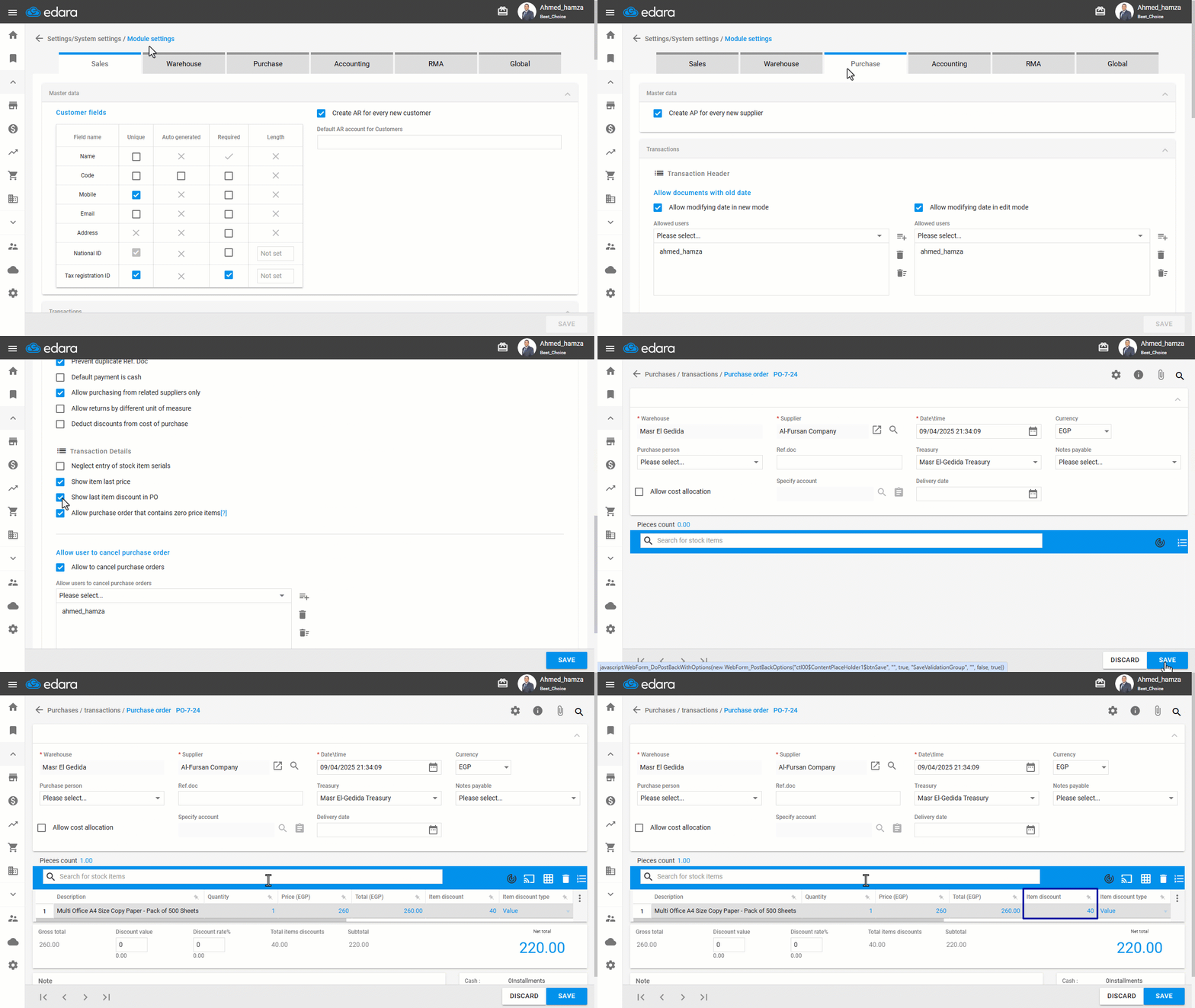
Here’s how to enable this feature in "Edara".
Displaying the Last Discount for Stock Items in Purchase Orders
- Go to "Settings".
- Open the "Module Settings" page.
- Select the "Purchase” module.
- Enable the option "Show last item discount in PO".
- Click on "Save".
Note: When creating a purchase order, the last discount for an item will automatically appear as soon as the item is added.
Frequently asked questions
When does the last discount of an item appear in a purchase order?
When creating a purchase order, the last discount for an item will automatically appear as soon as the item is added.
If you encounter any challenges or have questions during these processes, you can contact our technical support team, who are ready to assist you at any time.
Did this answer your question?