

Recording the Purchase Discount “Received Discount” in a Separate Account
Last updated:
If you need to record the value of a purchase discount received from a supplier (received discount) in a separate account—without treating it as part of the purchases—you’ll need to disable the setting “Deduct discounts from cost of purchase”.
Recording the Purchase Discount “Received Discount” in a Separate Account
This can be done in two main steps:
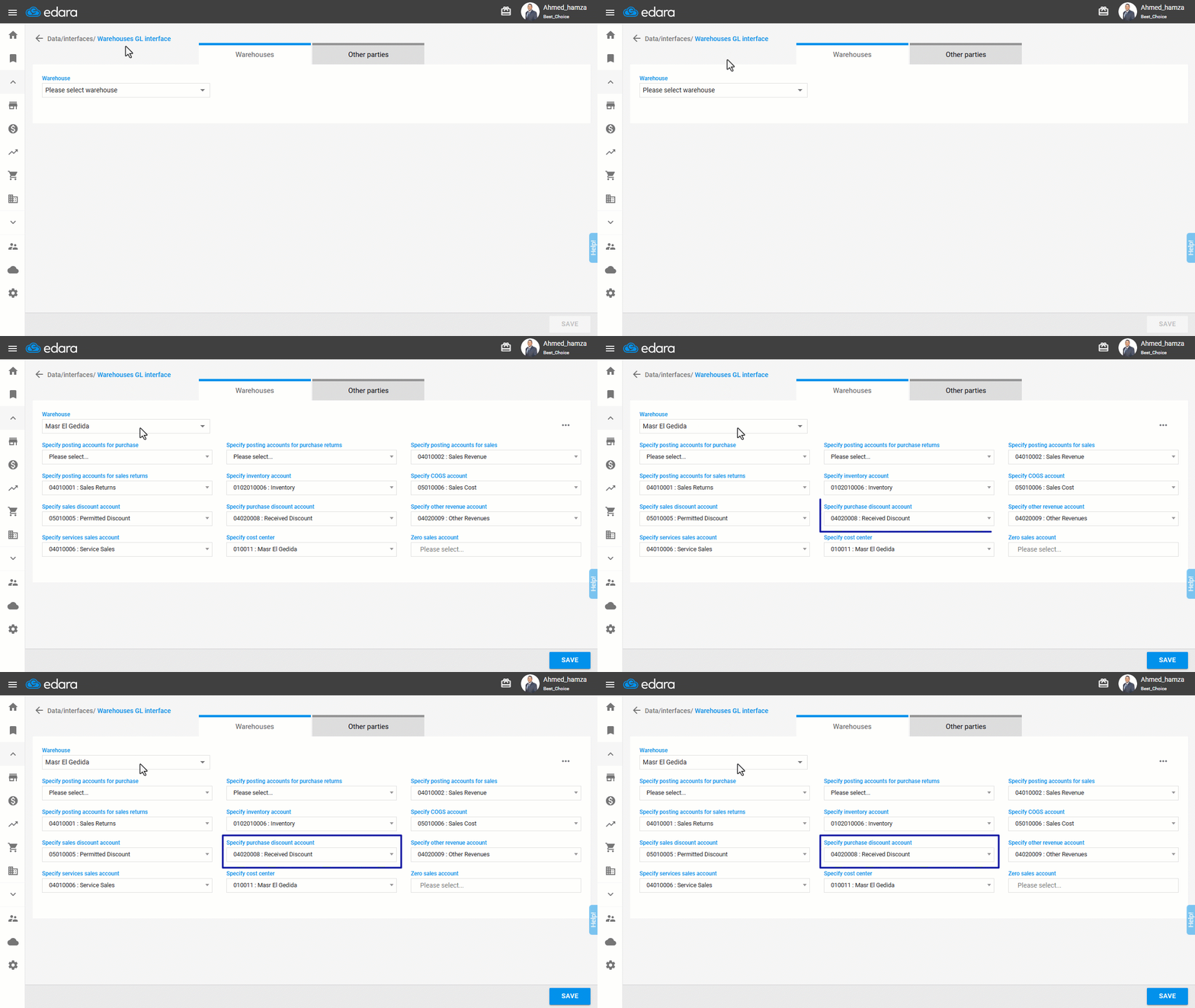
1- Ensuring the Warehouse is Linked to a Received Discount Account
- Go to Data.
- Open the “Warehouse Interface” page.
- Select the “warehouse”.
- Make sure the "Received Discount Account" is added in the "Purchase Discount Account" field
- Click on “Save”.
2- Disabling the Setting
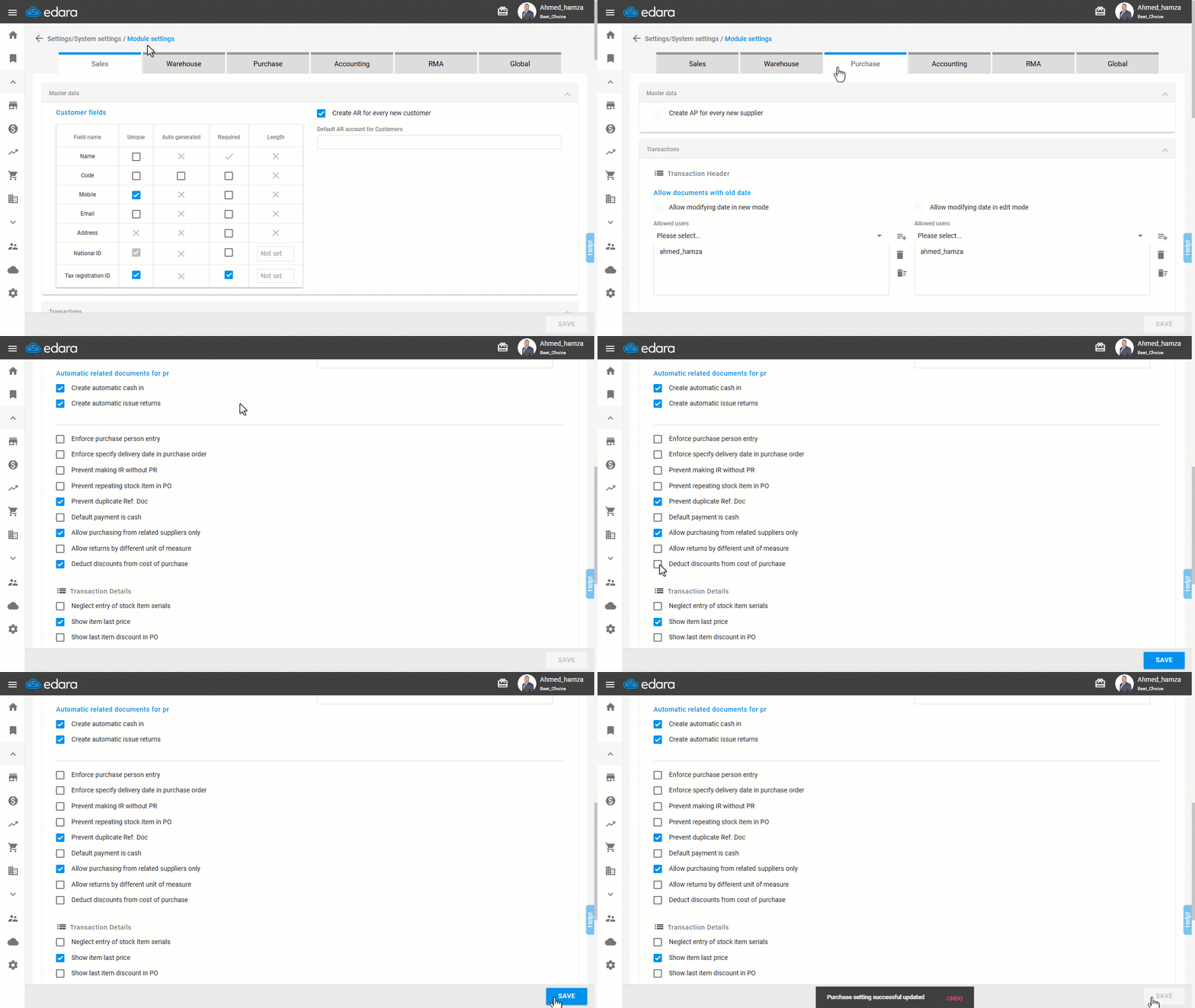
- Go to Settings.
- Open the “Module Settings” page.
- Select the “Purchase” module.
- Ensure that the "Deduct discounts from cost of purchase" setting is disabled.
Note: If this setting is enabled, the received discount will not be recorded in a separate account; instead, it will be considered as part of the stock cost account.
- Click on “Save”.
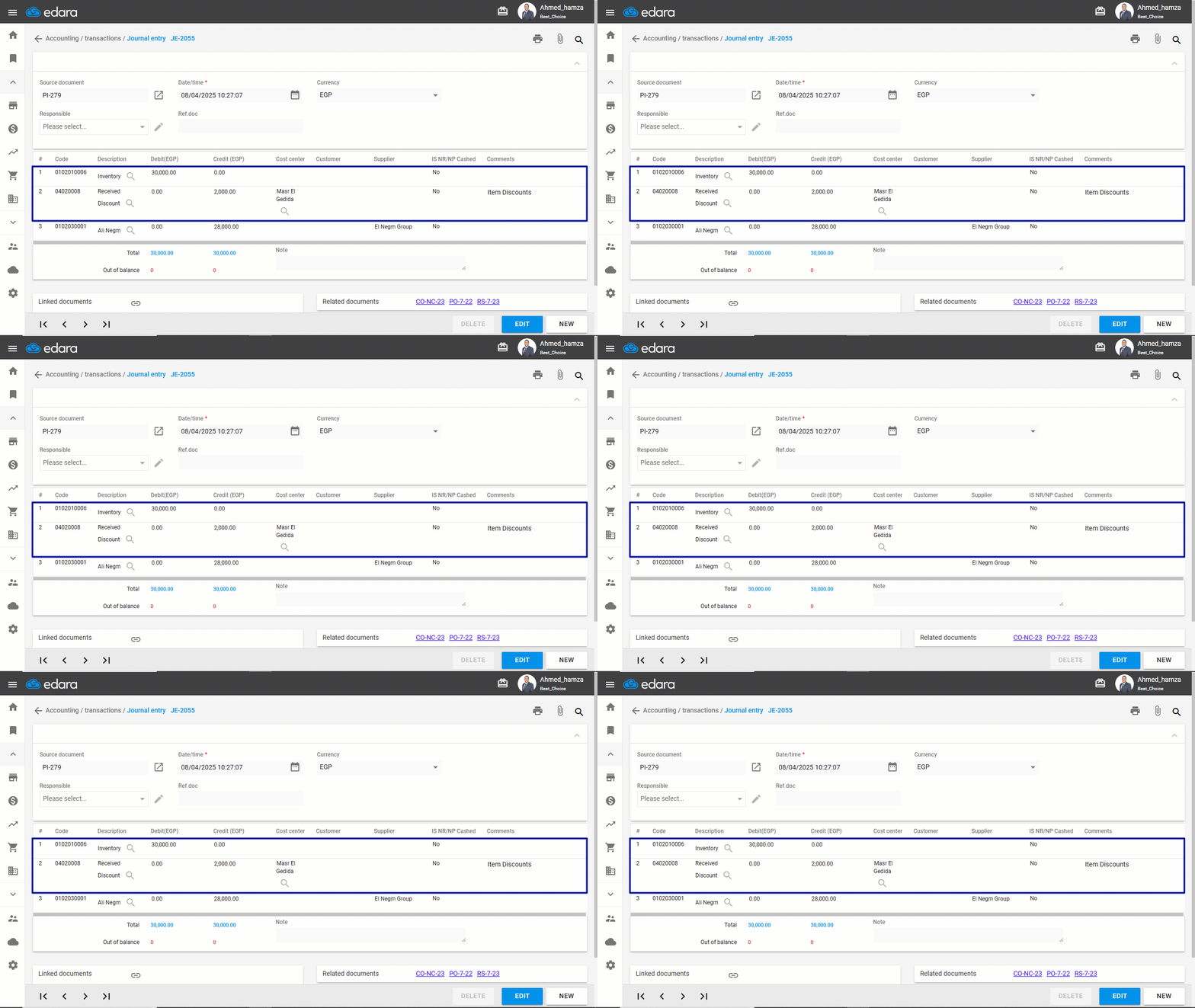
After completing these steps, the journal entry will be structured accordingly:
If you encounter any challenges or have questions during these processes, you can contact our technical support team, who are ready to assist you at any time.
Did this answer your question?