

Controlling Settings of the Creation of Journal Entries
Last updated:
Warehouse documents generate corresponding accounting entries for the same warehouse. For example, when receiving supplies, a purchase invoice is created, whereas issue offering generates a sales invoice, etc.
If the Warehouse module in “Edara 2.0” is integrated with the Purchasing and Point of Sale modules in “Edara 3.0”, you will need to retrieve invoices from “Edara 3.0” without linking them to warehouse documents in “Edara 2.0”.
To address this, “Edara” allows you to control the settings for generating journal entries for each warehouse transaction individually. These transactions include:
- Receive Supplies.
- Receive Returns.
- Issue Offerings.
- Issue Returns.
In this article, we will outline the steps to control the creation of journal entries.
Controlling Settings of the Creation of Journal Entries
There are two main steps to do this:
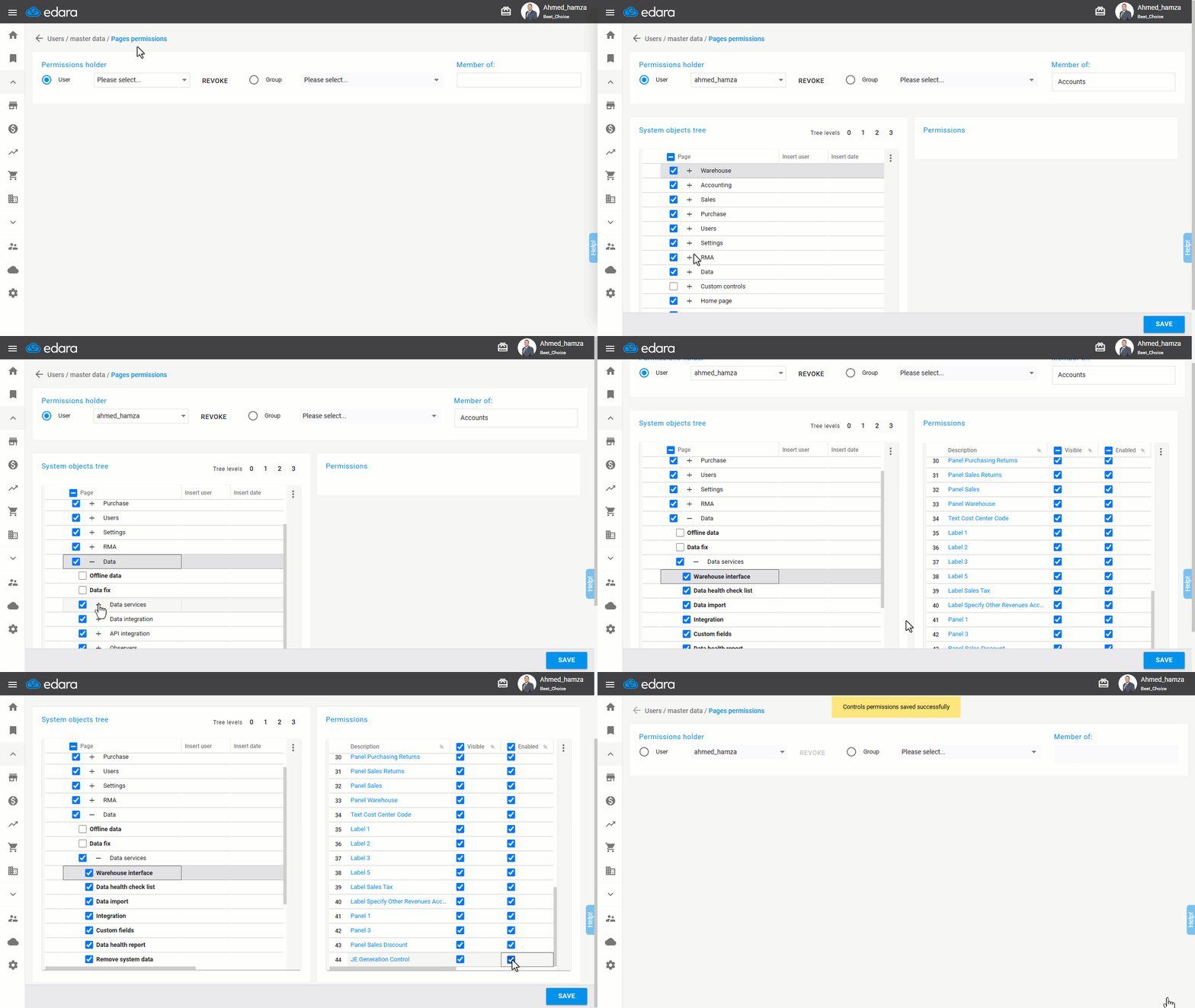
1- Enabling the Setting
- Go to the Users module.
- Open “Page Permissions”.
- Select the user or group of users to grant the permission.
- Click on “Data” then “Data Services”.
- Select “Warehouse Interface”.
- Enable “JE Generation Control”.
- Click “Save”.
2- Enabling/Disabling Journal Entry Creation for Work Orders
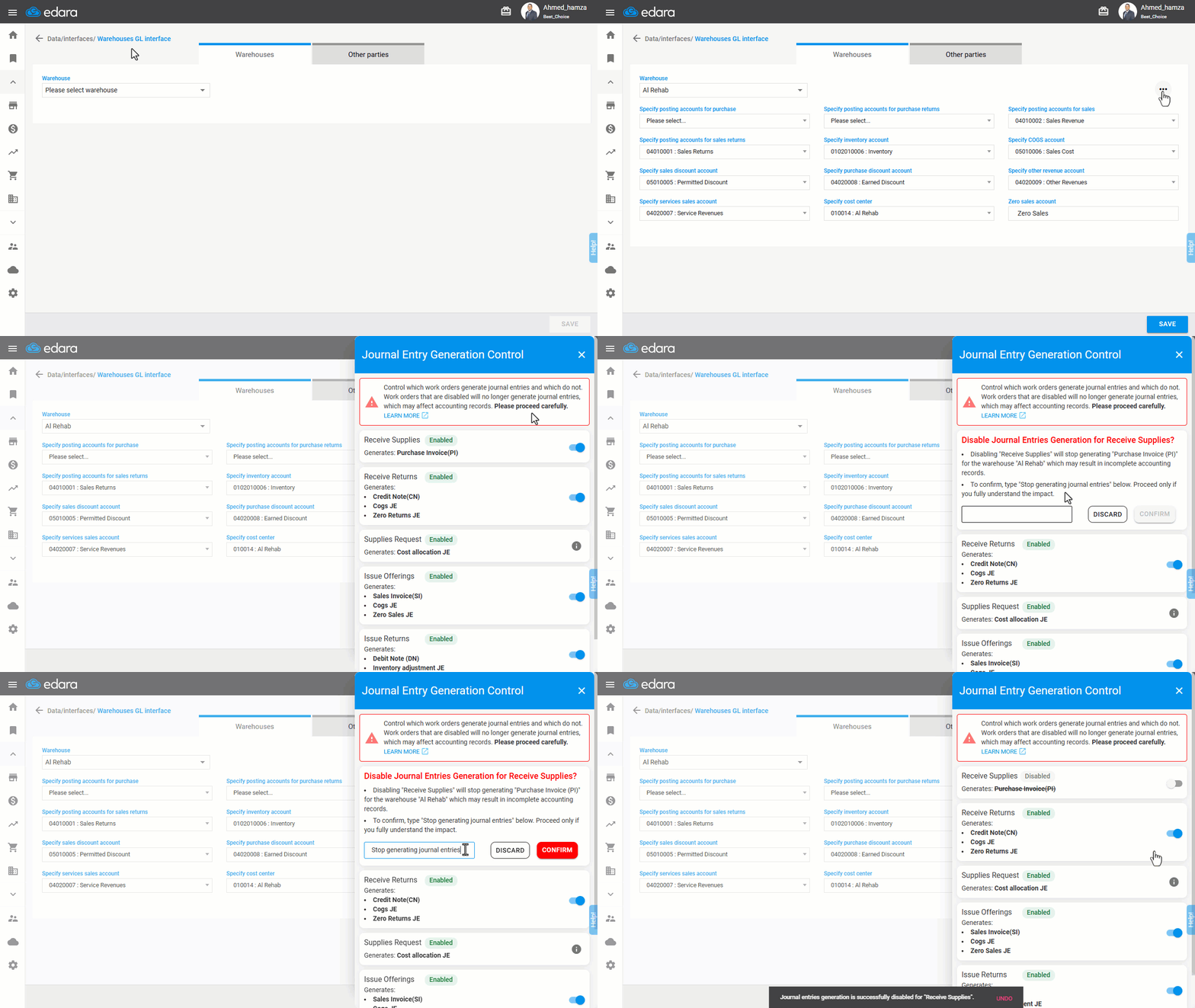
- Go to Data.
- Open the “Warehouse Interface” page.
- Specify the “Warehouse”.
- Click on “
 ” in the upper-right corner.
 - Click on “JE Generation Control”.
Note: This setting allows you to specify which work order generates accounting entries and which do not, affecting financial records.
- Select the work order to control its accounting entries.
- Type "Stop Generating Journal Entries" in the confirmation field.
- Click “Confirm”.
- Click “Save”.
Note: If integrated with Purchasing, you need to stop generating of the journal entries for Receive Supplies, but if integrated with Point of Sale, you need to stop generating of the journal entries for Issue Offerings and Issue Returns.
Frequently asked questions
When do I need to stop generating journal entries?
If integrated with Purchasing, you need to stop generating of the journal entries for Receive Supplies, but if integrated with Point of Sale, you need to stop generating of the journal entries for Issue Offerings and Issue Returns.
If you encounter any challenges or have questions during these processes, you can contact our technical support team, who are ready to assist you at any time.