

Displaying Issue Returns Using the Work Orders Report
Last updated:
"Edara" allows you to easily review issue returns, whether directly from the warehouses or generated by a purchase return order and export the report to an Excel file.
Displaying Issue Returns Using the Work Orders Report
- Go to the Warehouse Module.
- Open the "Work Orders" report.
- Select “External” work orders
- Choose "Issue Returns" as the type of work order.
- Select the date range.
- Choose the suitable listing mode.
Note: The default "List By" option is "Document", which shows data and totals for each document in one line. If you prefer a grouped summary, select (List by Document). For more granular details within each work order, choose (List by line item - No grouping).
- Select the necessary columns from the "Columns" section.
- Click on "Generate".
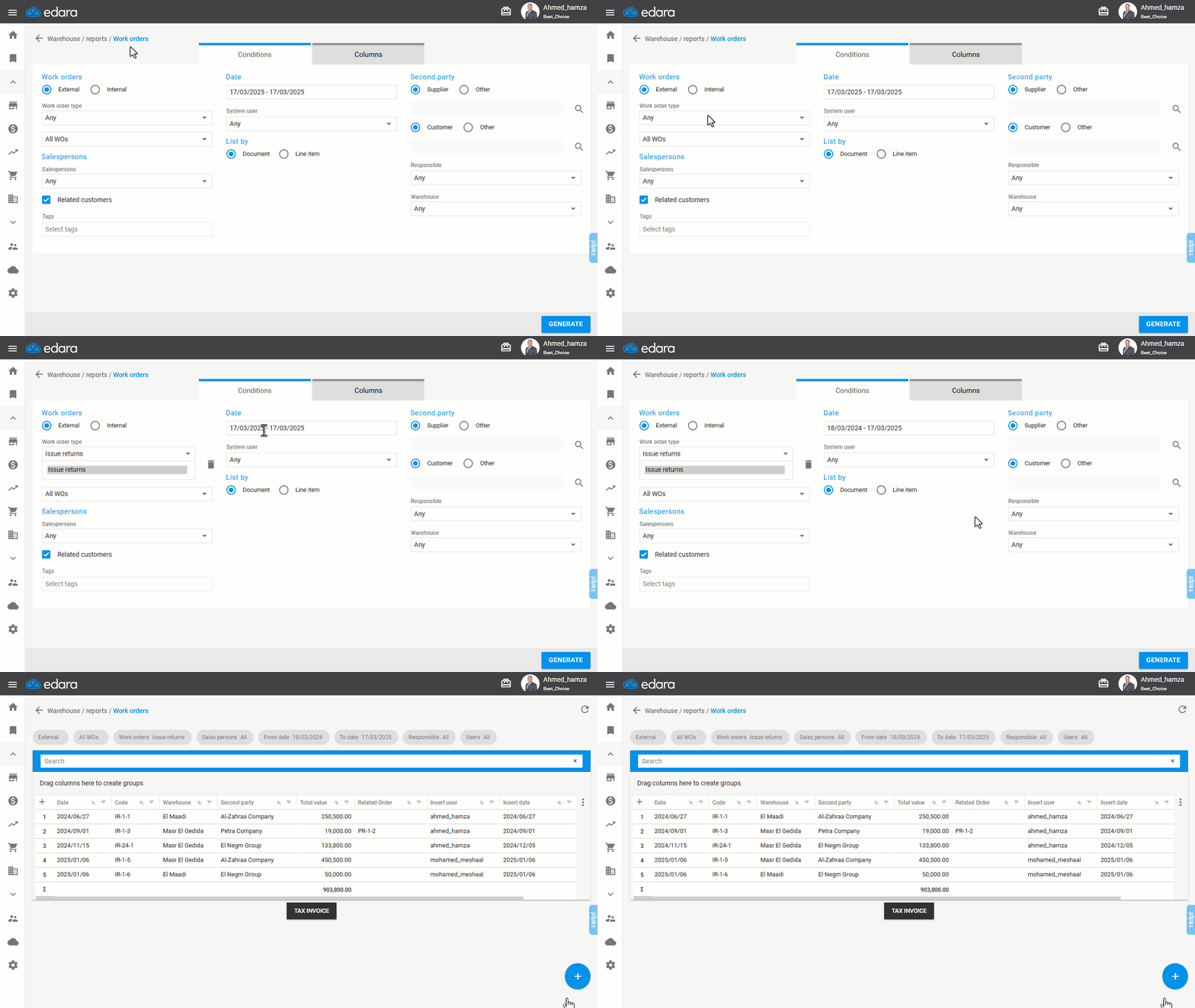
Note: After running the report, you can search for specific documents using filters or the search bar.
Exporting the Issue Returns Report to Excel
- Hover over the "+" icon after running the report.
- Click "Excel" to export the data.
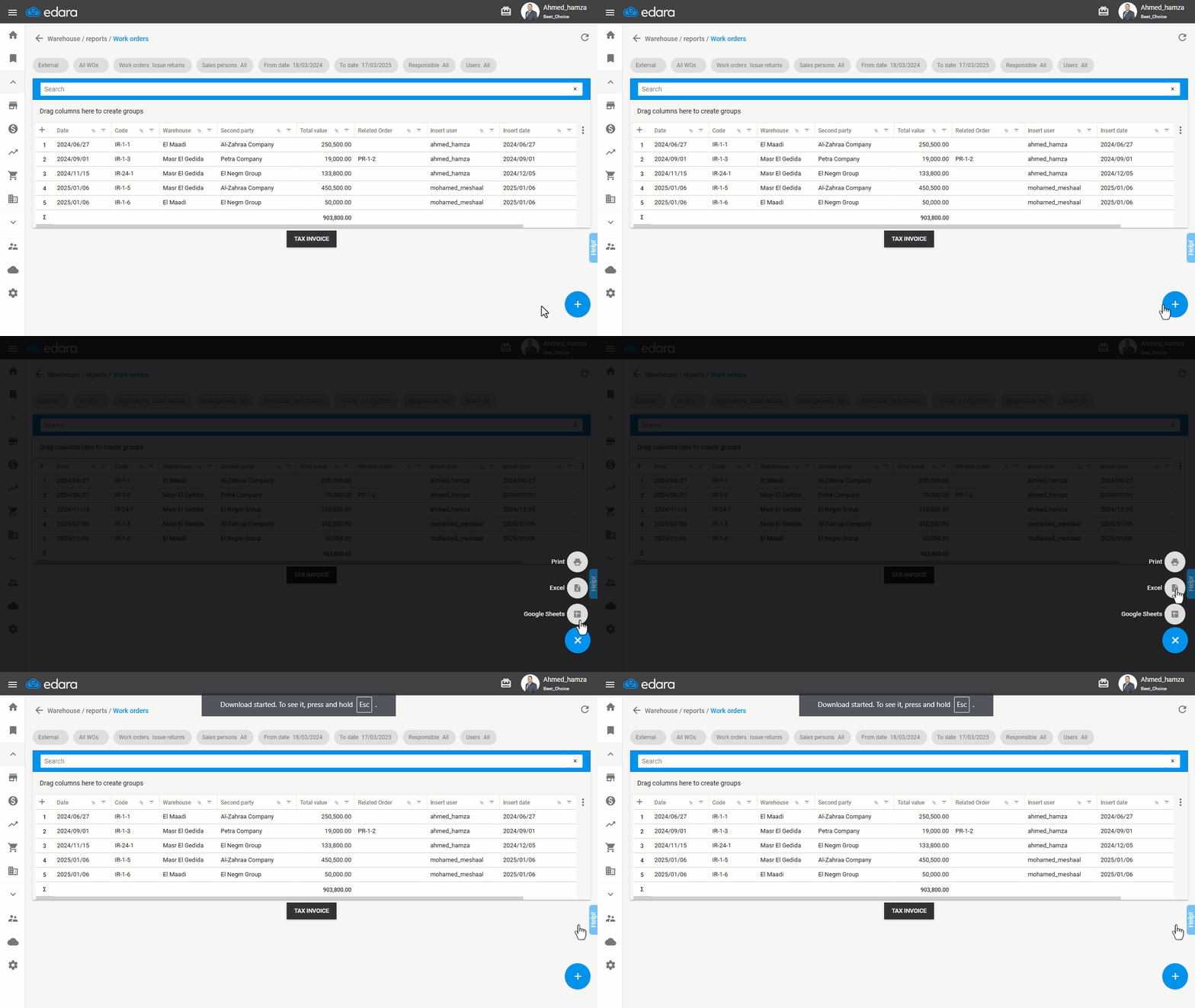
If you encounter any challenges or have questions during these processes, you can contact our technical support team, who are ready to assist you at any time.
Did this answer your question?